React Native Bottom Sheet (Slide Up Panel)

A common pattern in Mobile Apps is to have a Bottom Sheet / Slide Up Panel. React Native Slack Bottom Sheet is a wrapper around Slack’s native PanModal component for iOS. import SlackBottomSheet from 'react-native-slack-bottom-sheet'; <SlackBottomSheet topOffset={100} unmountAnimation={false} initialAnimation={false} presentGlobally={false} backgroundOpacity={0} allowsDragToDismiss={false} allowsTapToDismiss={false} isHapticFeedbackEnabled={false} blocksBackgroundTouches={false} interactsWithOuterScrollView > <View style={StyleSheet.absoluteFillObject}> <ScrollView> <Lorem /> </ScrollView> </View> </SlackBottomSheet> …

Prism – Turn any OpenAPI file into an API server with mocking, transformations, validations, and more.

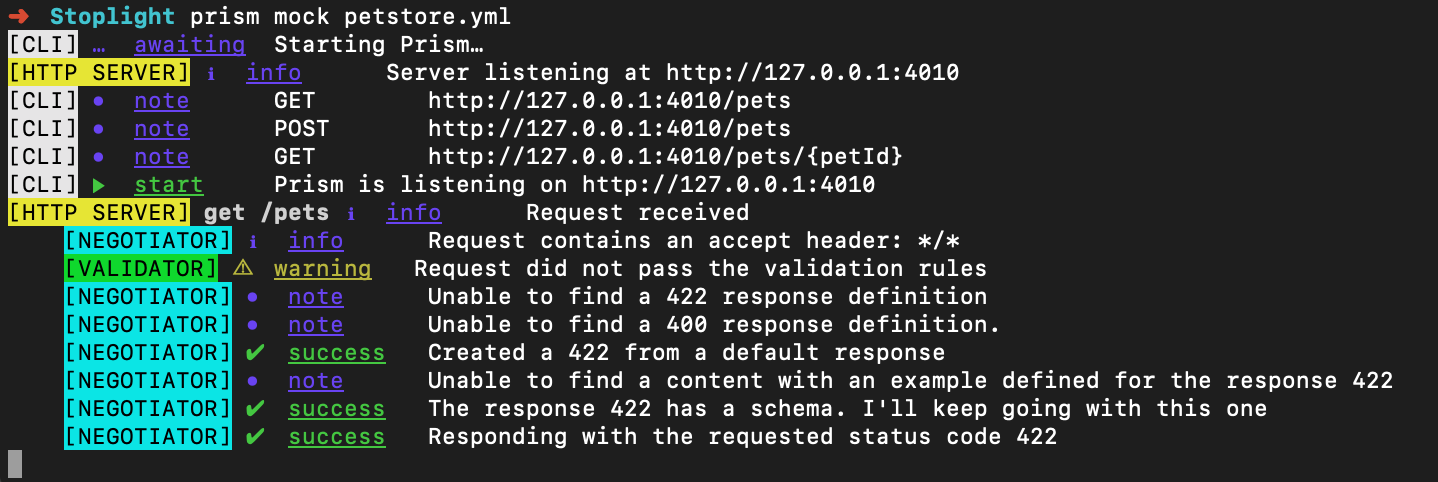
Prism is an open-source HTTP mock server that can mimic your API’s behavior as if you already built it. Mock HTTP servers are generated from your OpenAPI v2/v3 documents. Installation per NPM/Yarn # NPM npm install -g @stoplight/prism-cli # Yarn yarn global add @stoplight/prism-cli Once installed, serve your OpenAPI spec as follows: prism mock petstore.yml …

Building The New Facebook With React and Relay

With the new Facebook design that got anounced just a few days ago, this video by Ashley Watkins is worth a look: Ashley discusses some of the technologies and strategies powering FB5, the new facebook.com. Topics covered include Facebook’s approach to CSS-in-JS, data-driven dependencies, phased code downloading, and more.

Performant front-end architecture

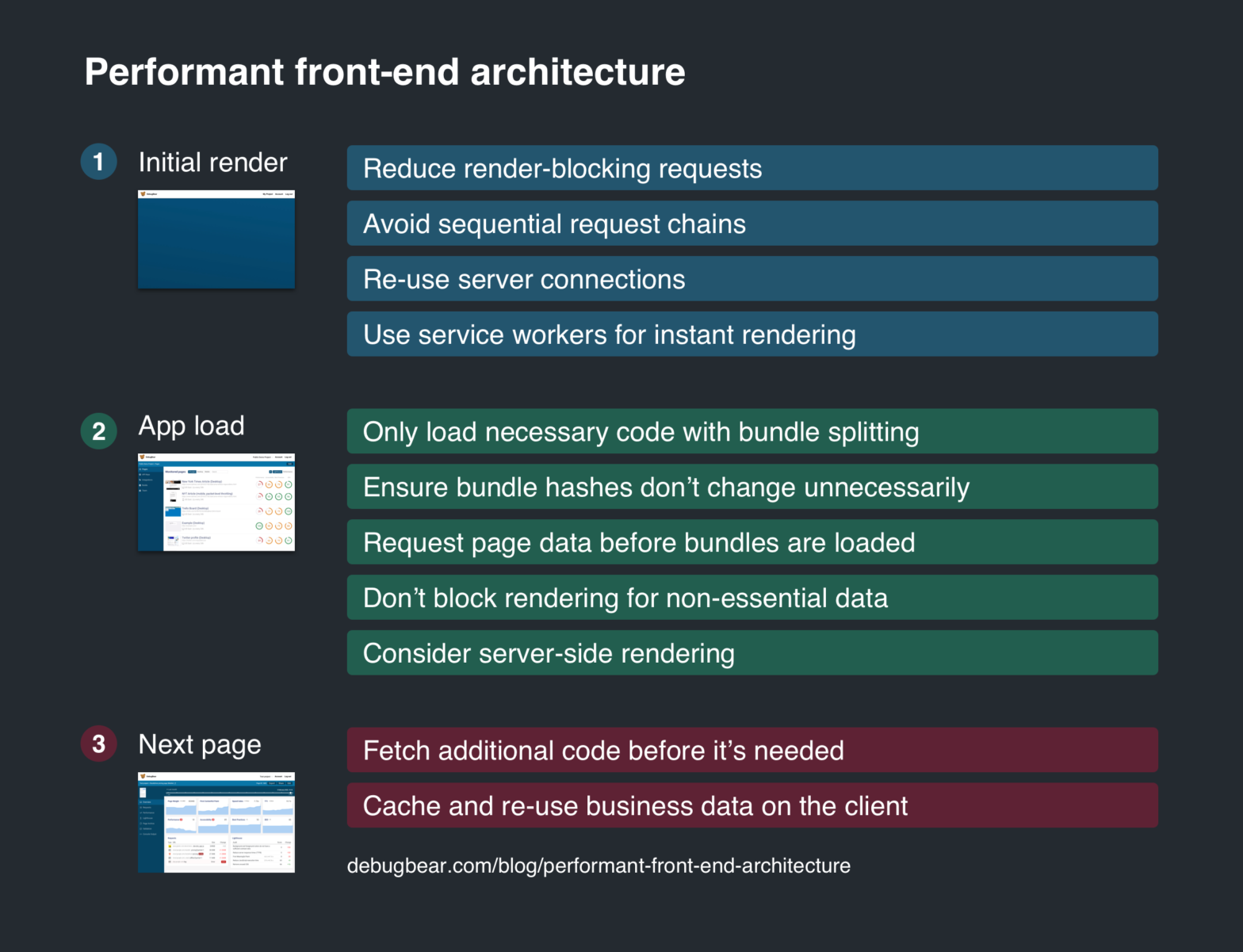
This post describes some techniques to make front-end apps load faster and provide a good user experience. We’ll look at the overall architecture of the front-end. How can you load essential resources first, and maximize the probability that the resources are already in the cache? Performant front-end architecture →

classnames-components – A classnames component wrapper to speed up styling React components

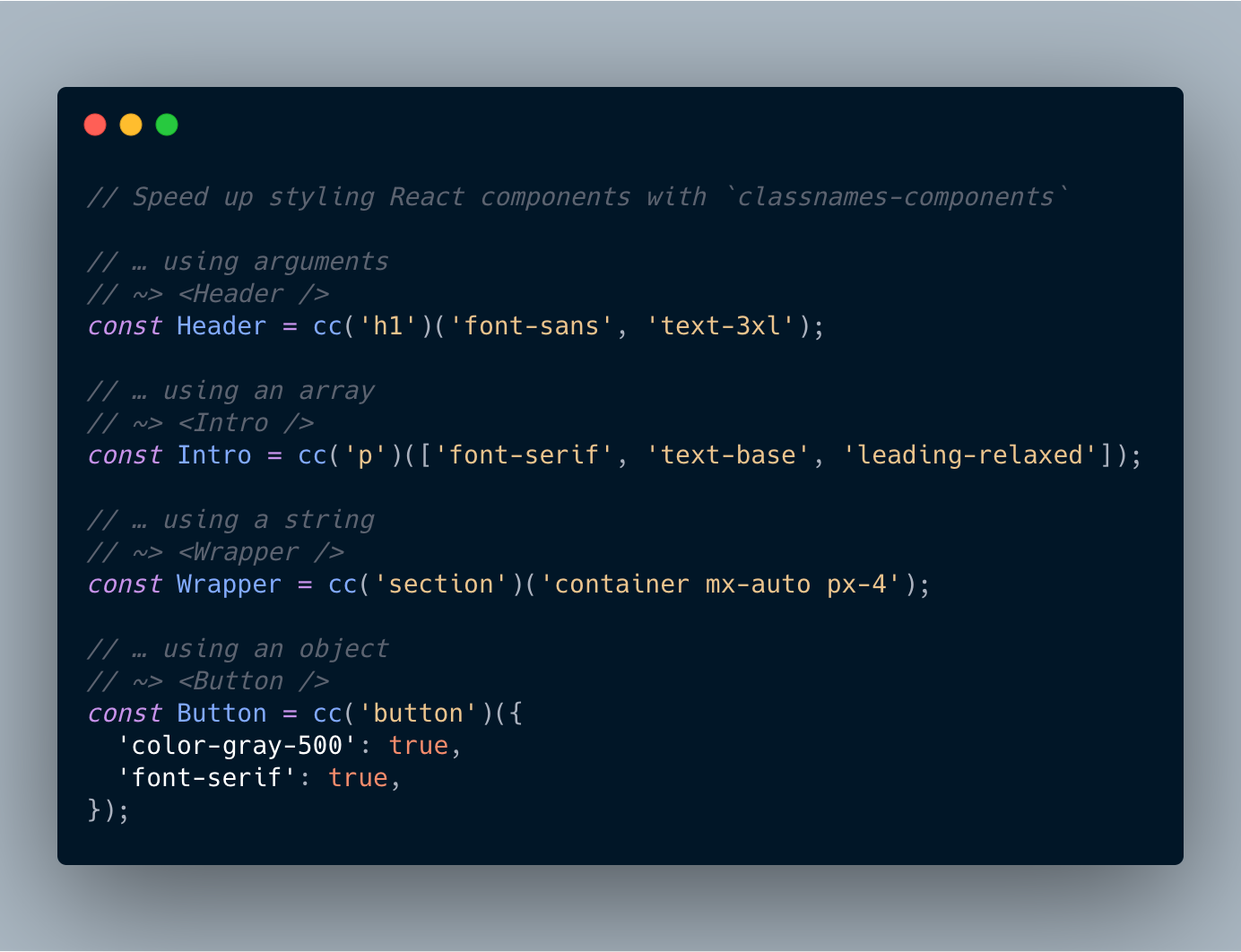
Geoffrey has created a handy package to quickly create React components that are built of an element with some CSS classes applied to them. Handy for when you’re working with CSS libraries such as Tailwind. import cc from 'classnames-components'; // using arguments const Header = cc('h1')('font-sans', 'text-3xl'); // using an array const Intro = cc('p')(['font-serif', …

Multi-line Highlights in CSS

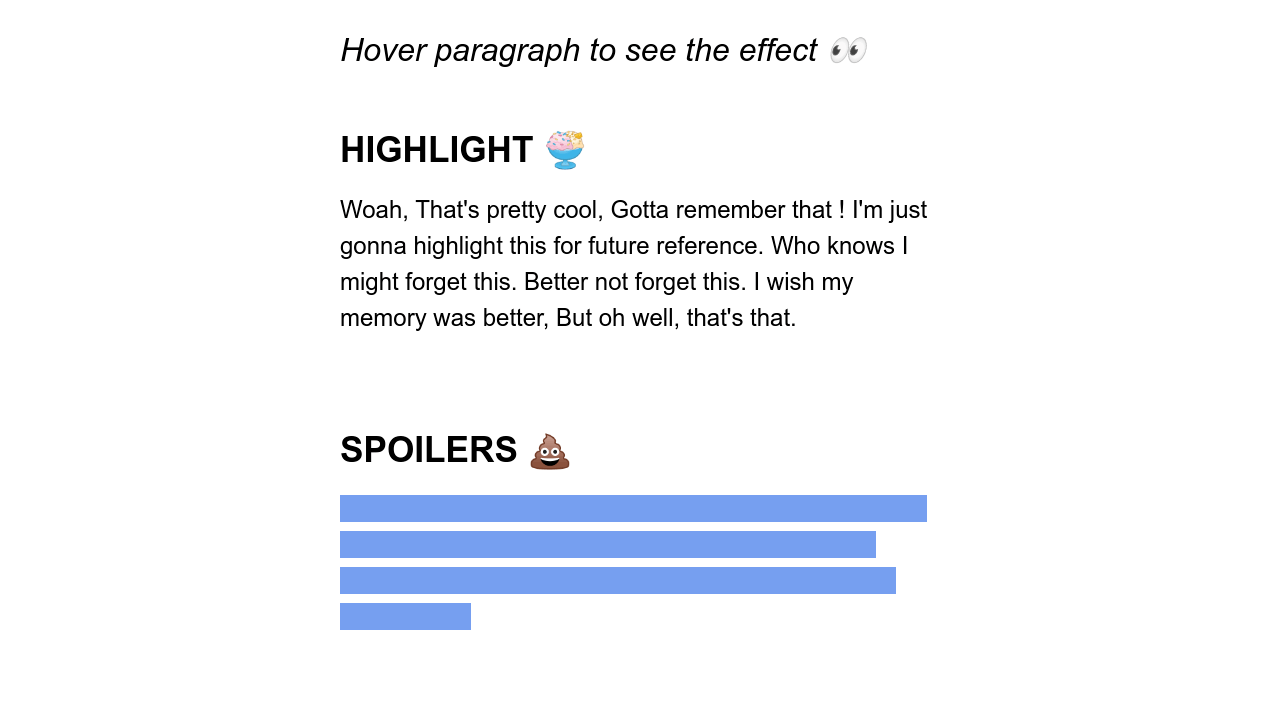
These lines aren’t injected using ::after or the like, but are done via backgrounds. The key CSS property you’re looking for is display: inline; though, as set on the p elements; without it, it won’t work. That last swipe effect also uses box-decoration-break clone; so that each line animates in parallel.

A Practical Overview Of CSS Houdini

Adrian Bece writing for Smashing Magazine: Houdini, an umbrella term for the collection of browser APIs, aims to bring significant improvements to the web development process and the development of CSS standards in general. Frontend developers will be able to extend the CSS with new features using JavaScript, hook into CSS rendering engine and tell …

Positioning Text Along a Path with CSS

Michelle Barker has used CSS Motion Path to align text along a path: The “Motion Path” name is a little misleading, as it doesn’t only relate to movement. In fact, although the specification still goes by the name “Motion Path”, the property used to define the path was changed from motion-path to offset-path. It’s easy …

Building with Friction

Tim Kaldec takes a look at our modern workflow – in which lots of tools have removed friction – and makes the case to add some “healthy friction”: A lot of modern workflow improvements have been around removing friction. We want to make it easier to deploy rapidly. Tools like npm make it very easy …

Use an Emoji as a Favicon

Great “hack” popularized by Lea Verou (but first discovered by Leandro): if you place an emoji inside <text> in an SVG Favicon you instantly have an Emoji Favicon 🙂 Now that all modern browsers support SVG favicons, here's how to turn any emoji into a favicon.svg: <svg xmlns="http://www.w3.org/2000/svg" viewBox="0 0 100 100"><text y=".9em" font-size="90">💩</text></svg> Useful …