In this video, which is a part of the Mailcoach video course, Freek shows us how he refactors a complex if-statement. A technique which I nowadays also like using myself – especially in a React Component’s render method – is to use early returns: instead of nesting if-statements and using else-statements, the function body uses …
How to refactor complex
Why new diseases keep appearing in China

Again a very interesting video by Vox, especially in these COVID-19/Corona times: why is it that this new disease emerged from China and not from another country? As of early March 2020, a new coronavirus, called COVID-19, is in more than 70 countries and has killed more than 3,100 people, the vast majority in China. …
How and when browsers load and execute JavaScript from script tags
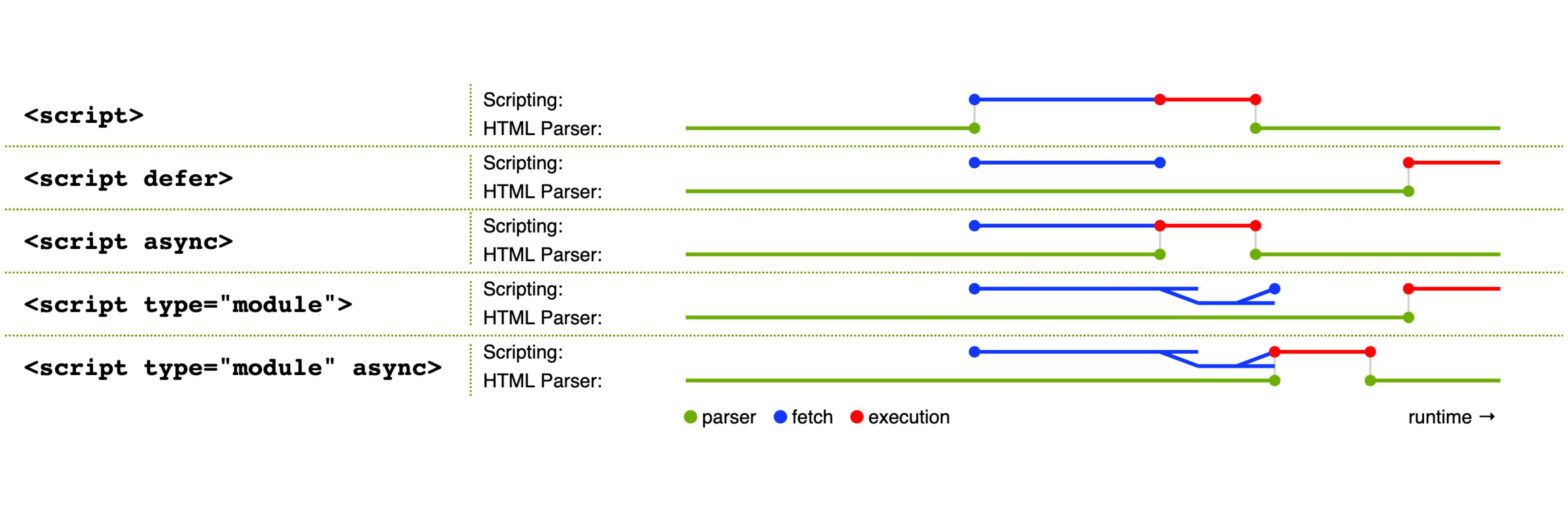
When exactly is a script loaded and when is it executed? How do the async and defer attributes affect it? What about modules? This overview/cheatsheet sums it up nicely: The cheatsheet was extracted from this tweet by Addy Osmani
React: Hooks vs. Render Props vs. Higher-Order Components

Nice post comparing these three approaches and detailing why you should use the version with hooks. // #1 – Hooks const MyComponent = () => { const mousePosition = useMouse(); // mousePosition.x, mousePosition.y } // #2 – Render Props const MyComponent = () => { return ( <Mouse> {({ x, y }) => { // …
Continue reading “React: Hooks vs. Render Props vs. Higher-Order Components”
Going Serverless with Google Cloud Run

Recently I was invited as a speaker to Full Stack Ghent and PHP-WVL. At both events I brought a new talk called “Going Serverless with Google Cloud Run”. Cloud Run is a fully managed compute platform by Google that automatically scales stateless containers. By abstracting away all infrastructure management, us developers can focus on what …
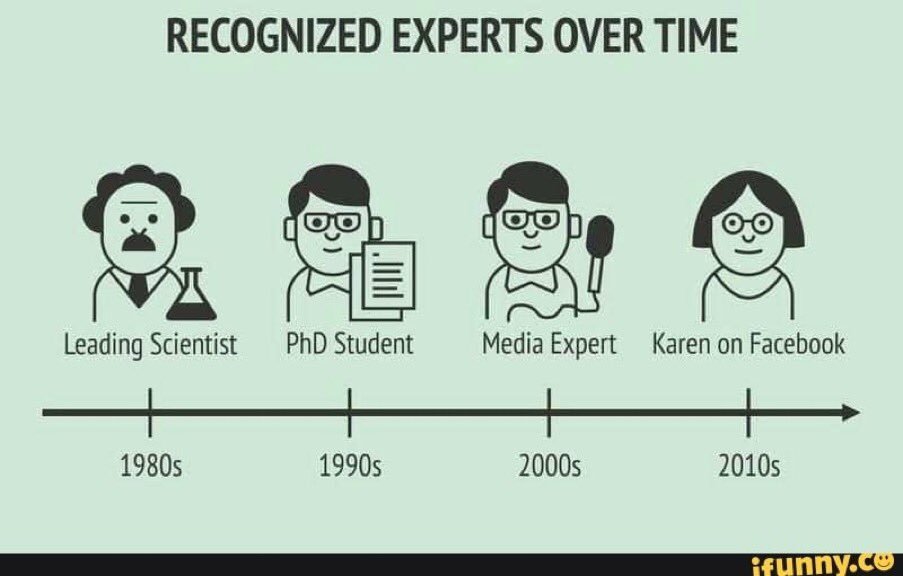
Recognized Experts over Time
React useDeepCompareEffect Hook: A useEffect using deep comparison

A custom Hook by Kent C. Dodds (who else?) that might come in handy for “those situations”: React’s built-in useEffect hook has a second argument called the “dependencies array” and it allows you to optimize when React will call your effect callback. React will do a comparison between each of the values (via Object.is) to …
Continue reading “React useDeepCompareEffect Hook: A useEffect using deep comparison”
Component Variations: Considerations for Creating a Card Component

Chris Coyier wants to create a Card Component in React. But then he suddenly finds himself down the rabbit hole: how flexible does he make it? What is configurable and what is not? Where to draw the line? It sounds very familiar, as I’m always pondering over things like this when writing libraries/reusable things in …
Continue reading “Component Variations: Considerations for Creating a Card Component”
New media queries you need to know

Apart from the quite well known prefers-color-scheme and prefers-reduced-motion features, the Media Query Level 5 spec comes with a few more new ones. The Media Query Level 5 spec is being drafted as we speak, and it includes some really nice ones. Some of them are still being figured out, but several of them are …
Six professionals review the Mac Pro

I like this review of the Mac Pro by The Verge. Very nuanced, something you don’t come by often these days. In short: It’s a hell of a machine which costs a ton. Adobe’s software is not taking advantage of all of the machine’s power. The XDR Display might or might not work for you. …