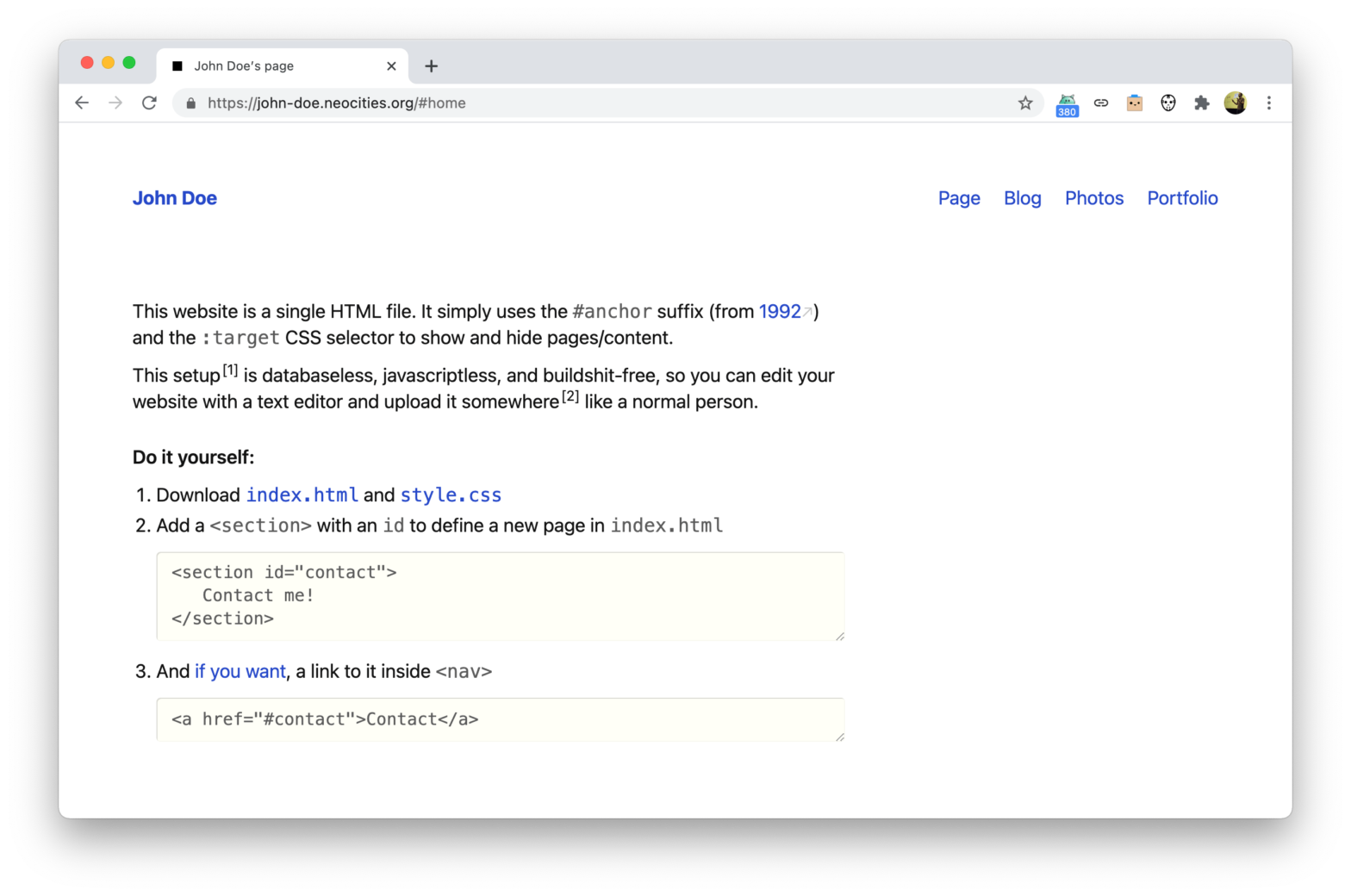
“This website is a single HTML file”

This website is a single HTML file. It simply uses the #anchor suffix (from 1992) and the :target CSS selector to show and hide pages/content. This setup is databaseless, javascriptless, and buildshit-free, so you can edit your website with a text editor and upload it somewhere like a normal person. Brilliant! 🤩 John Doe → …
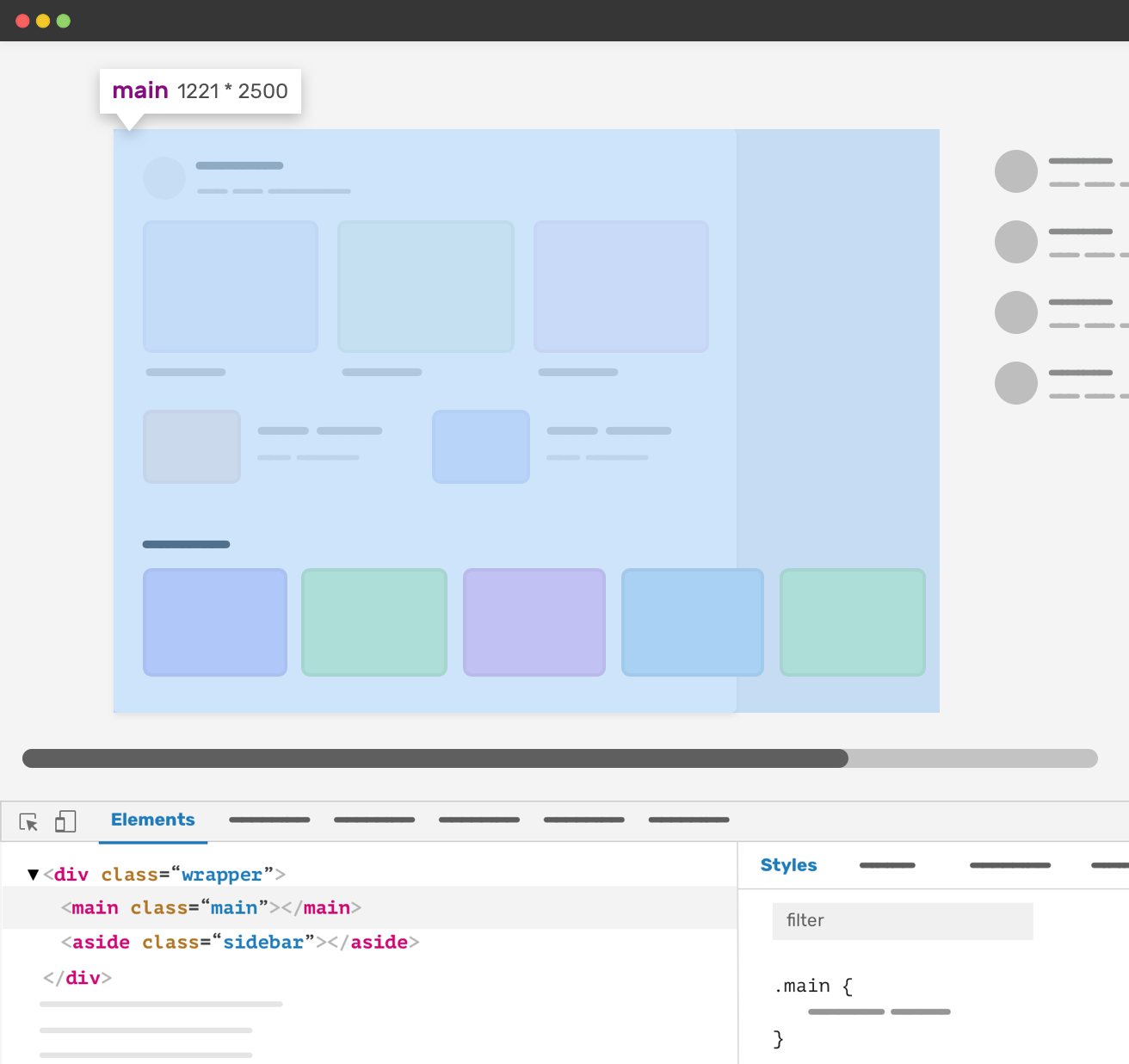
The Minimum Content Size In CSS Grid

Ahmad recently encountered an issue where a CSS Grid column grew too large: .wrapper { display: grid; grid-template-columns: [main] 1fr [aside] 16em; grid-gap: 2em; } The main column has a 1fr value. That means it will take the available space minus the sidebar and the gap. However, the minimum content size of a grid item …

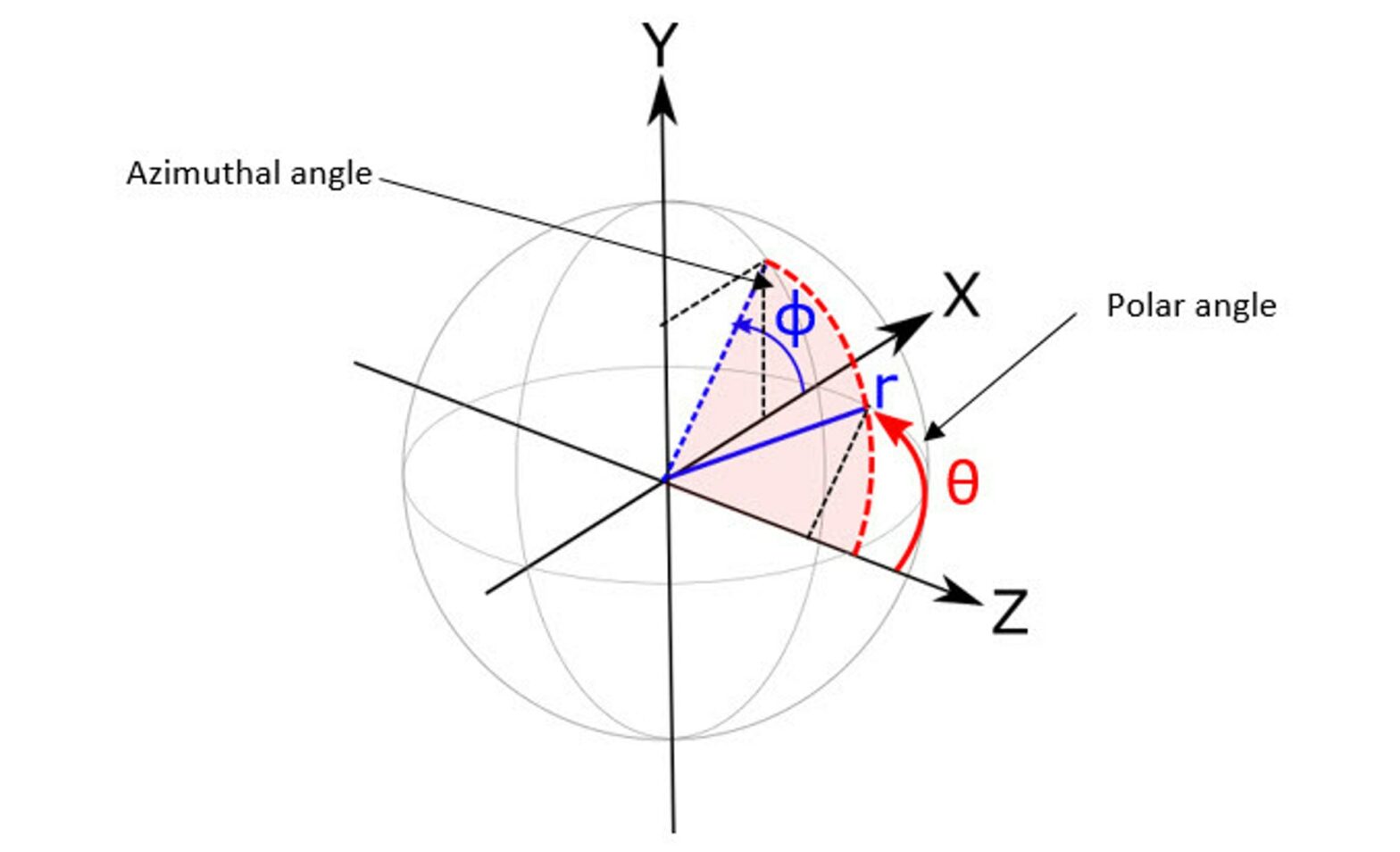
How to render 3D in 2D canvas

Louis Hoebregts walks us through how they rendered a 3D globe on a 2D canvas. Because as all the following animation steps were plain 2D, I couldn’t use a 3D renderer such as Three.js. And so I had to figure out how to render a 3D shape using only the Canvas 2D API. In this …

How to Record Screen Actions as a Puppeteer Script

One of the new (experimental) additions to the Chrome 89 DevTools is the Puppeteer Recorder: DevTools can now generate Puppeteer scripts based on your interaction with the browser, making it easier for you to automate browser testing. Simply start a new recording and as you click around you’ll see Puppeteer code being generated. Stefan Judis …

Implement footnotes in HTML with the <ruby> element

Looking for a way to implement footnotes in HTML, Thomas Steiner experimented with using the <ruby> element. The MDN docs describe the ruby element as follows. “The HTML <ruby> element represents small annotations that are rendered above, below, or next to base text, usually used for showing the pronunciation of East Asian characters. It can …

How We Improved SmashingMag Performance

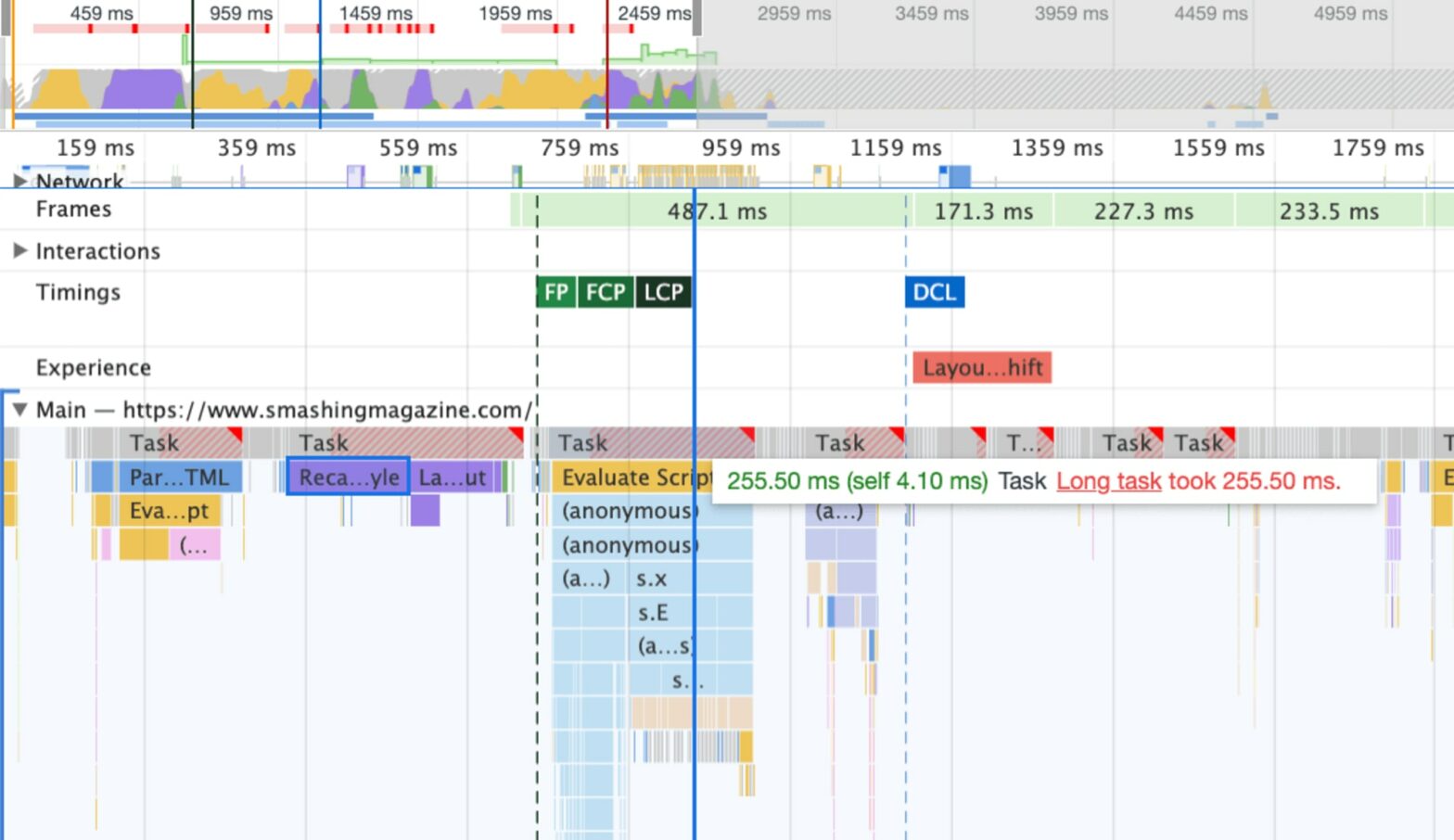
Interesting real-world case-study over at Smashing Magazine: In this article, we’ll take a close look at some of the changes we made on this very site — running on JAMStack with React — to optimize the web performance and improve the Core Web Vitals metrics. With some of the mistakes we’ve made, and some of …

How to Play and Pause CSS Animations with CSS Custom Properties

Mads Stoumann, writing for CSS-Tricks, starts off with a simple idea: set a Custom Property to either playing or paused to control animation-play-state. [data-animation] { /* … */ animation-play-state: var(–animps, running); } /* Use a checkbox to pause animations */ [data-animation-pause]:checked ~ [data-animation] { –animps: paused; } But one of the listed use cases is …

Understanding CSS clip-path

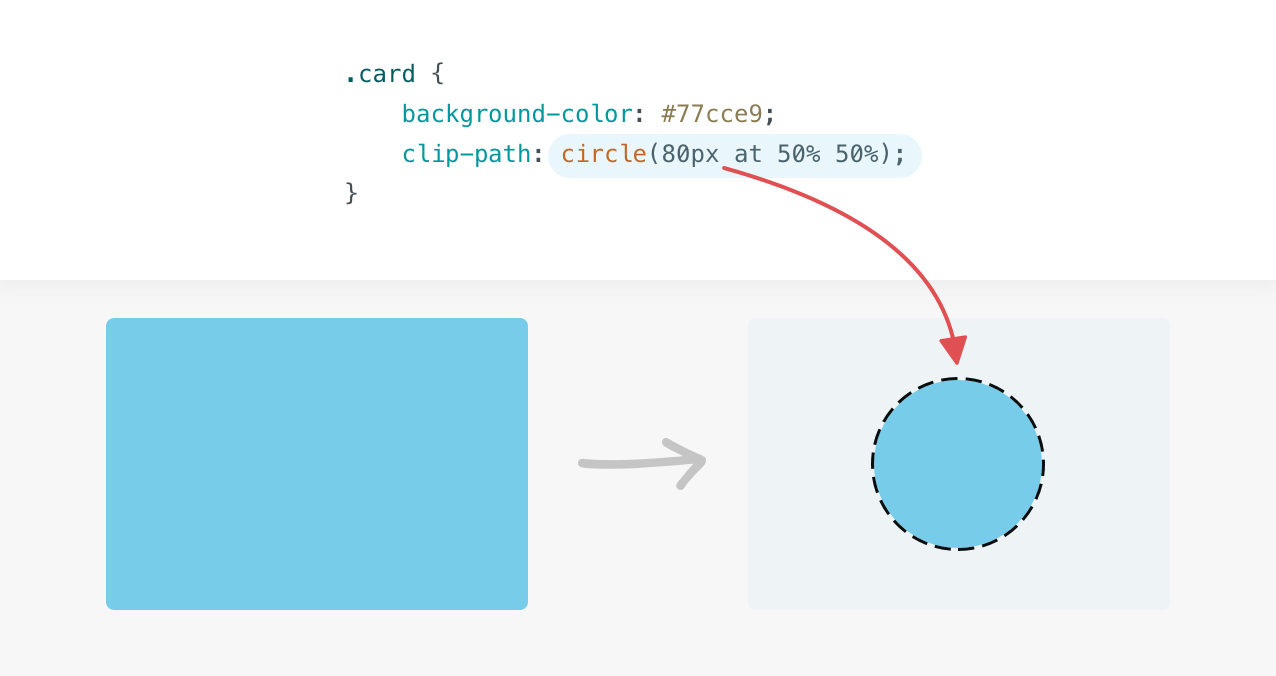
Ahmad Shadeed is at it again, this time covering CSS clip-path. In this article, I aim to provide you with a clear explanation of how clip-path works in detail when to use it, and how you can use it today in your web development projects. Are you ready? Let’s dive in. As per usual: tons …

Building a Side Navigation

Adam Argyle, writing for web.dev: In today’s GUI challenge we create a responsive, accessible slide out side navigation user experience using CSS and JS. The sidenav works on multiple browsers, screen sizes and input devices. Rad right? Follow as we employ grid, transforms, pseudo classes and a dollop of JavaScript to handle this UX. On …