
This website is hosted across a network of solar powered servers and is sent to you from wherever there is the most sunshine. My inner geek rejoices! Solar Protocol → Via Jeremy
A rather geeky/technical weblog, est. 2001, by Bramus
This website is hosted across a network of solar powered servers and is sent to you from wherever there is the most sunshine. My inner geek rejoices! Solar Protocol → Via Jeremy
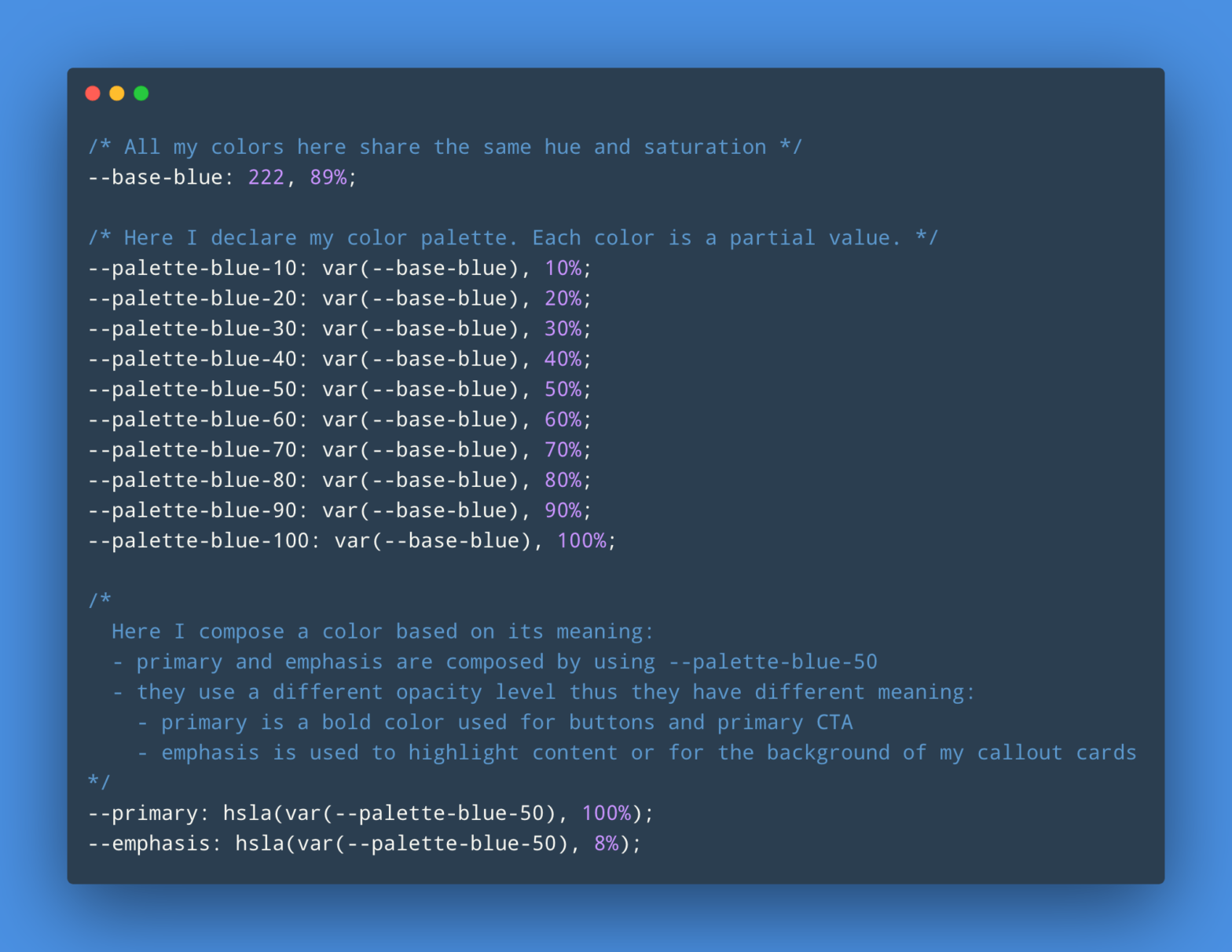
Maxime Heckel, while revamping the theme on his blog: I stumbled upon this pattern of composing CSS partial values for my HSLA colors, assign them to variables. Thanks to this, I was able to build my fairly complex theme and a full color palette that made sense for my websites by only using CSS. No …
Continue reading “The Power of Composition with CSS Custom Properties”
Jake Archibald: JavaScript’s this is the butt of many jokes, and that’s because, well, it’s pretty complicated. However, I’ve seen developers do much-more-complicated and domain-specific things to avoid dealing with this this. If you’re unsure about this, hopefully this will help. This is my this guide. JavaScript: What is the meaning of this? →
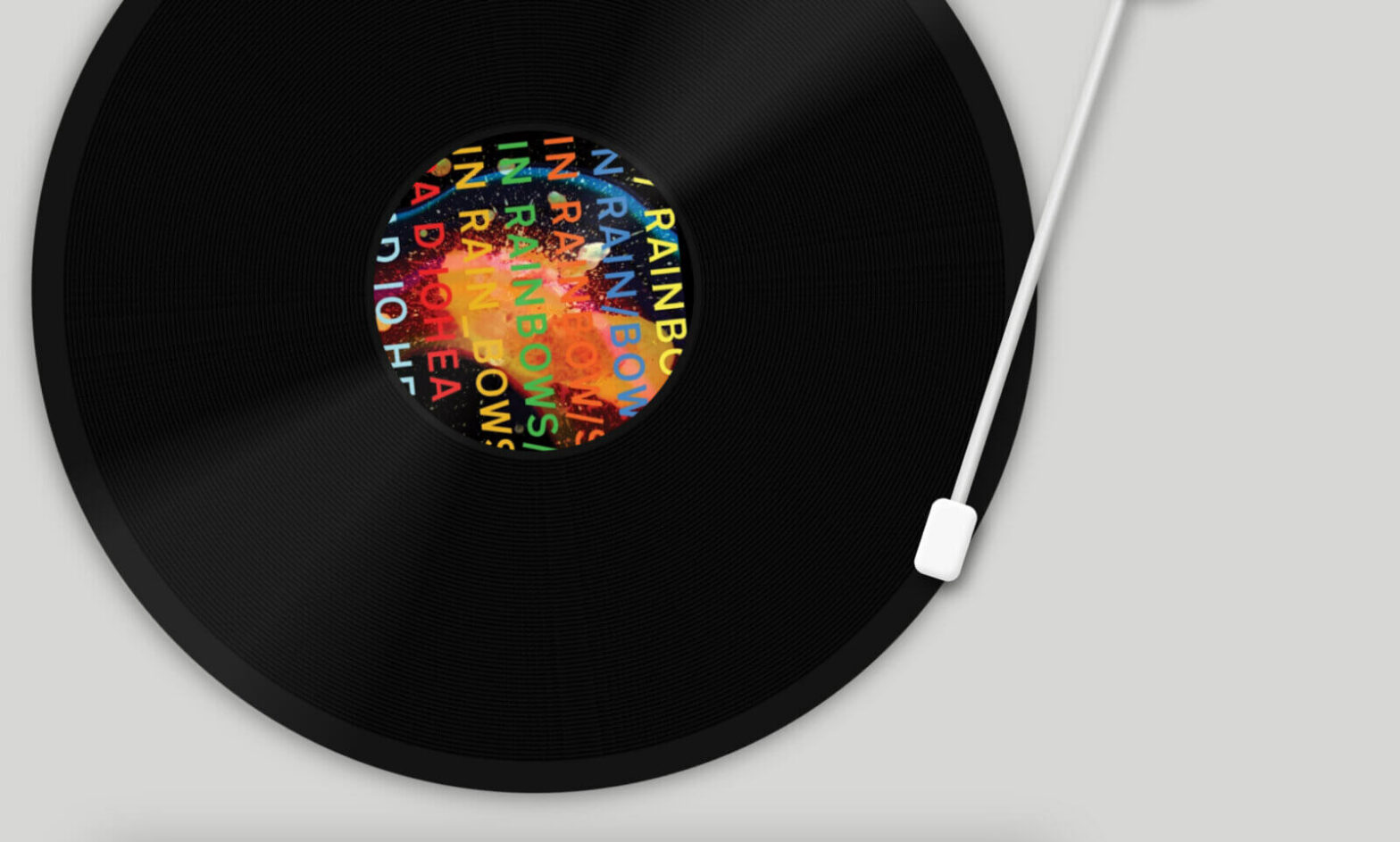
Leveraging the JavaScript YouTube Player API and with a good pinch of CSS on top, Thomas H. Park created this record player for you to play with. Drop the needle and find your favorite track, more or less. It’s fuzzy and inexact, and emphasizes the continuous listening experience an album can be. Clever usage of …
Continue reading “Needledrop: A Turntable Interface for Music Playback”
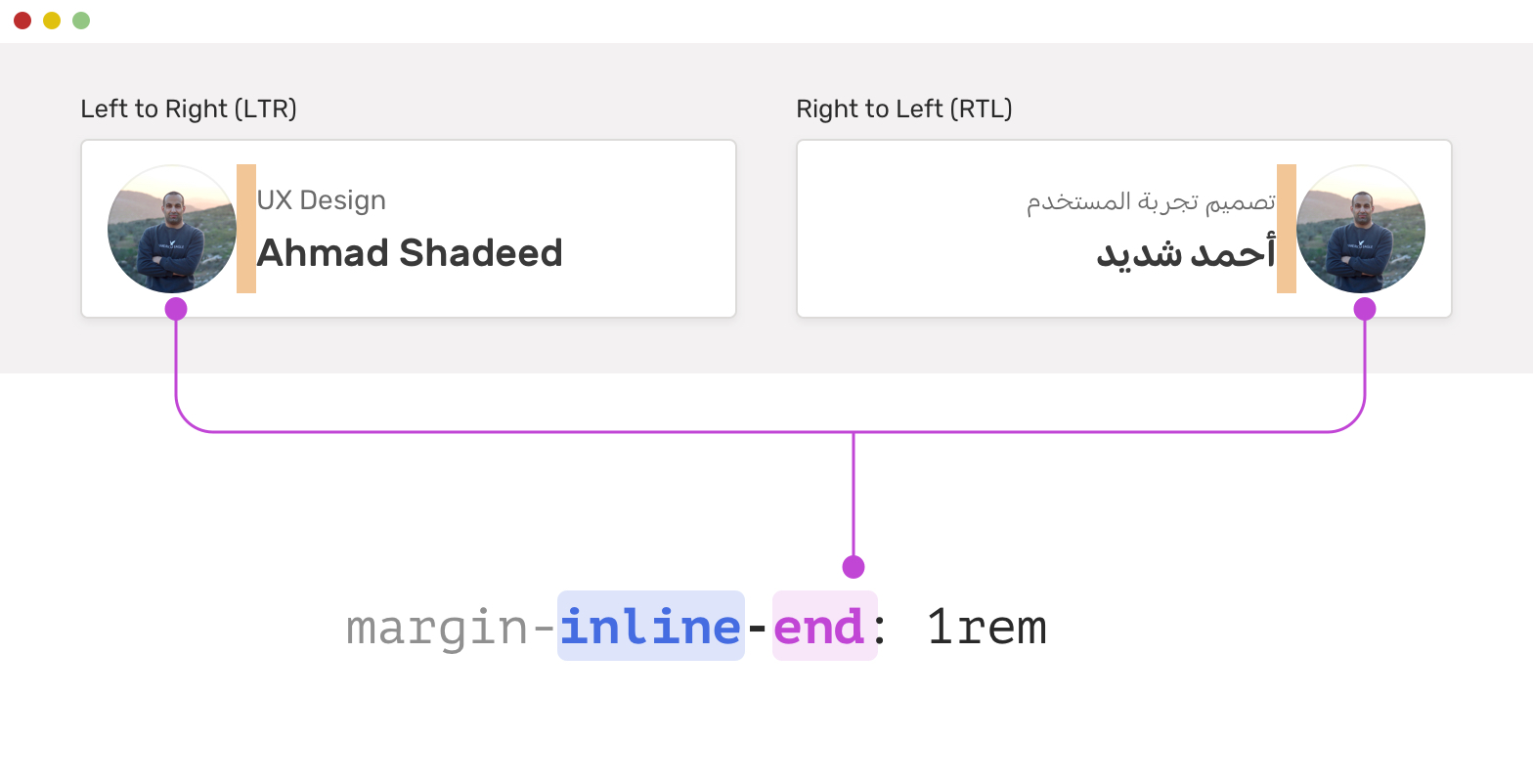
Ahmad Shadeed digs into CSS Logical Properties The basic idea of CSS logical properties is that we won’t use physical directions in CSS properties. Instead, we will use properties that depend on the direction of the HTML document. Those properties are called logical properties. As I said before: Exciting stuff. This will have a huge …
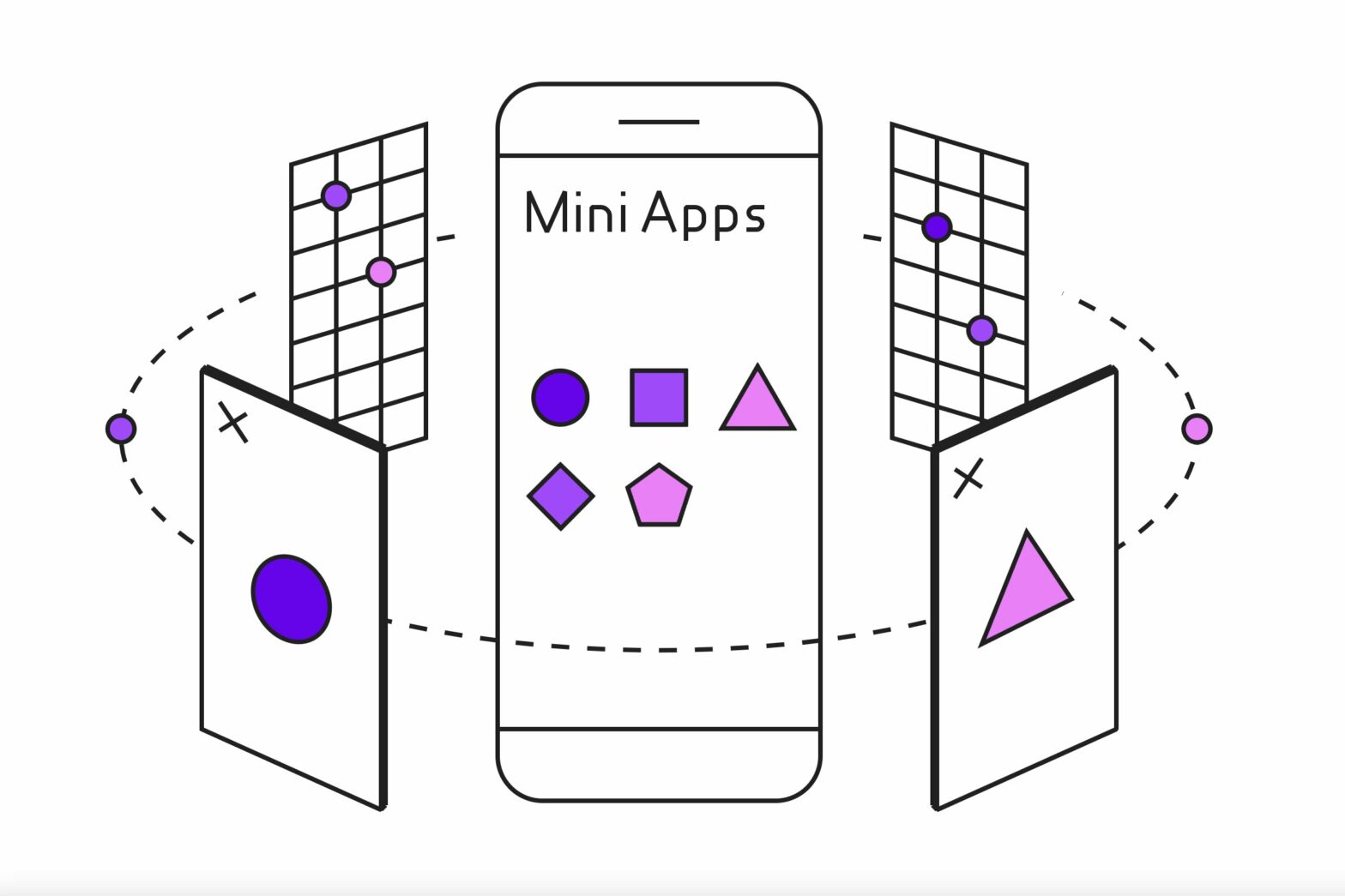
Over at web.dev Thomas Steiner has published a series of posts on Mini Apps. Mini apps are small apps that require a super app to run. They are built with (“dialects” of) the web technologies HTML, CSS, and JavaScript. The runtime of a mini app is a WebView in the super app, not the underlying …

HTTP is fundamental to modern development, from frontend to backend to mobile. But like any widespread mature standard, it’s got some funky skeletons in the closet. Some of these skeletons are little-known but genuinely useful features, some of them are legacy oddities relied on by billions of connections daily, and some of them really shouldn’t …
Continue reading “HTTPWTF — Looking at some of the HTTP quirks”
blurhash-to-css
If you want to display Blurhash Placeholder Images on your site you need a JavaScript solution to do so. The blurhash-to-css package bypasses that, as it allows you to convert a Blurhash to a set of CSS properties that need to apply. import { blurhashToCss } from "blurhash-to-css"; const css = blurhashToCss( "eCF6B#-:0JInxr?@s;nmIoWUIko1%NocRk.8xbIUaxR*^+s;RiWAWU" ); { …
Continue reading “Display a BlurHash using only CSS thanks to blurhash-to-css“
Date in JavaScript with Intl.DateTimeFormat
Phil Nash walks us through using Intl.DateTimeFormat to format a Date to a specific timezone and format. const shortcutFormatter = Intl.DateTimeFormat("en-AU", { timeZone: "Australia/Melbourne", timeStyle: "long", dateStyle: "short" }); shortcutFormatter.format(date); // => "22/2/21, 5:05:52 pm AEDT" How to display dates in your user’s time zone with the Intl API → Related: Think you know a …
Continue reading “Formatting a Date in JavaScript with Intl.DateTimeFormat“
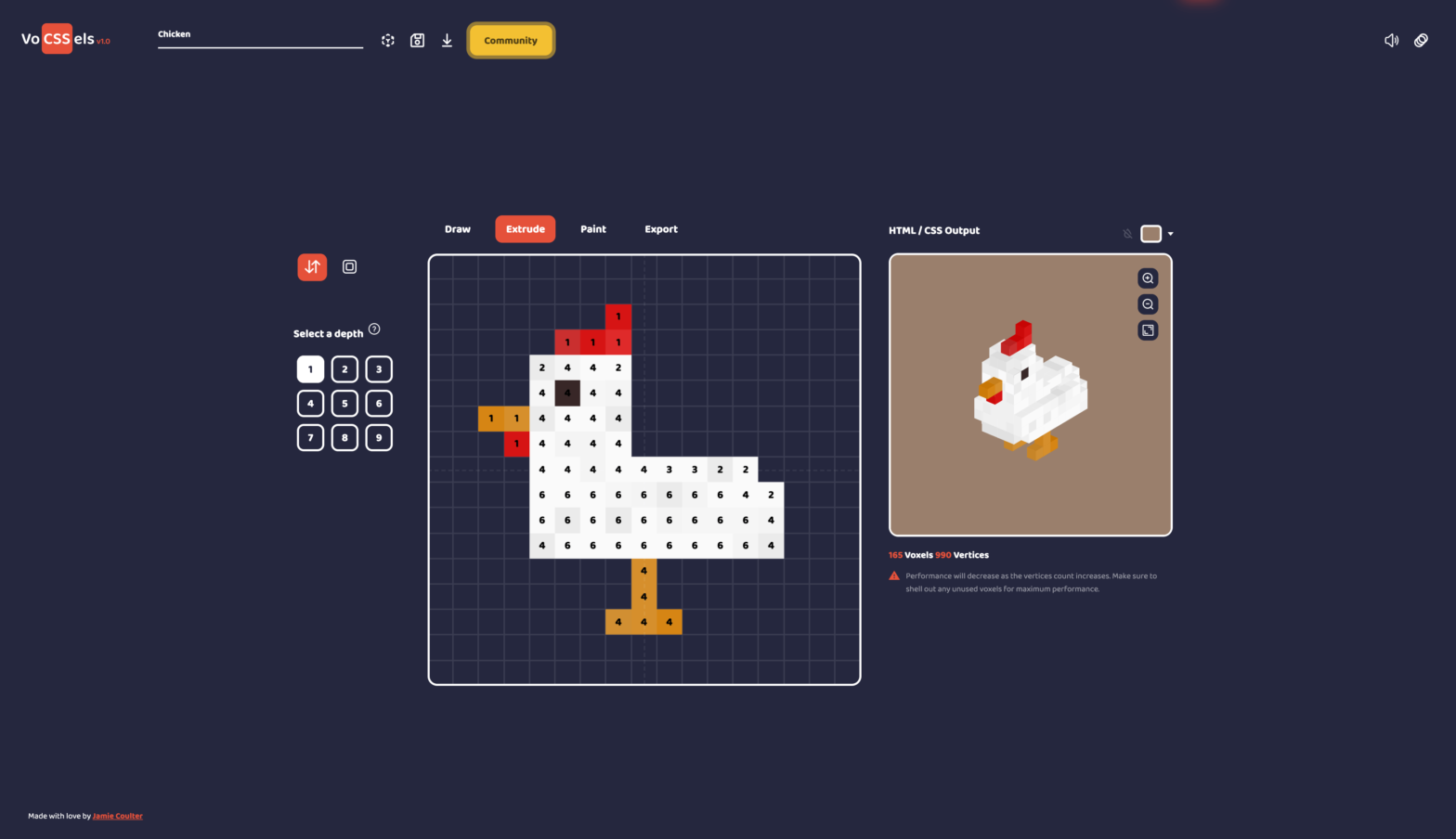
Crazy work by Jamie Coulter: Build your own 3D CSS and HTML models, export them to CodePen and share with the community. Simply Draw, Extrude, Paint and export! VoCSSels — Easily create 3D CSS & HTML Voxel Models → ❤️ Be sure to give his work a heart on CodePen there.