1loc – Single Line JavaScript Snippets

1loc is a site packed with small JavaScript snippets that take up 1 line of code. For example: Compare Two Dates const compare = (a, b) => a.getTime() > b.getTime(); Generate Number in Range const random = (min, max) => Math.floor(Math.random() * (max – min + 1)) + min; Get all siblings of an element …

Tackling TypeScript: Upgrading from JavaScript

New book on TypeScript by Dr. Axel Rauschmayer, who also wrote Exploring ES6 (and a few other books on JavaScript). This book consists of two parts: Part 1 is a quick start for TypeScript that teaches you the essentials quickly. Part 2 digs deeper into the language and covers many important topics in detail. This …

Emoji Customizer created with CSS Variables

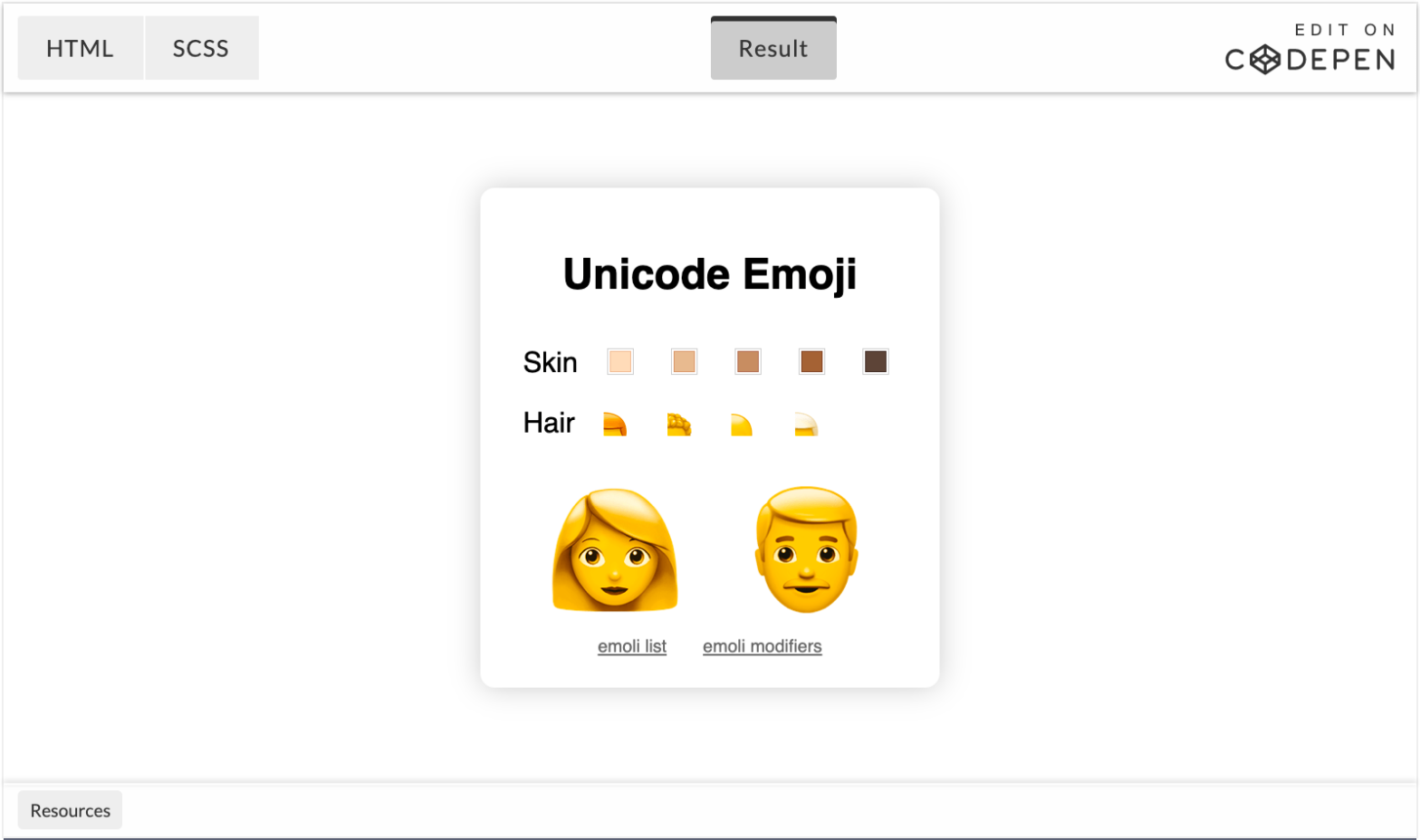
Fun pen by Jakob Eriksen in which he combines Emoji and CSS Custom Properties to create an Emoji Customizer. The reason that this works is because of the fact that emoji can have modifiers. Skin Tone and Hair, as used in the demo above, are such modifiers. Using the ZWJ (“\u200d”) you can glue all …

Using React’s Key Attribute to remount a Component

Nik Graf details a little trick I also use from time to time: changing the key of a React component to force remount it. Upon clicking a contact in the list, the active contact’s id is used as the key for the Detail component. <Detail key={activeContact.id} contact={activeContact} /> Using React’s Key Attribute to remount a …

JavaScript’s Syntactic Quirks

Jason Orendorff looked into the JS spec, in detail … JavaScript is rather hard to parse. Here is an in-depth accounting of its syntactic quirks, with an eye toward actually implementing a parser from scratch. One quirk most JS devs have will have certainly heard of is Automatic Semicolon Insertion (ASI). JavaScript’s Syntactic Quirks →

Using CSS to Control Text Selection

Will Boyd digs into the user-select CSS property: CSS lets you control how text selection behaves and appears on your pages. This can help you improve usability in certain situations and add a little bit of visual flair. Let’s dive in! His posts includes a very nice hack to make user-select: all; work only at …

Responsive Images the Simple Way

The logic behind displaying an image responsively is complicated. It involves determining how large the image will be displayed, as well as understanding whether the user is on a high-resolution display, among other things. Thankfully, the browser is better equipped than we are to handle this logic. All we need to do is give it …