Adobe Photoshop in the browser thanks to WASM/Emscripten, Web Components, and Project Fugu

At (the ongoing) Adobe MAX 2021, Adobe announced that Photoshop and Illustrator are coming to the web, with Photoshop already in beta. Your collaborators can open and view your work in the browser and provide feedback. You’ll also be able to make basic edits without having to download or launch the apps. It’s not the …

Jetson ONE — Personal Electric Aerial Vehicle

(Warning: Spinning Imagery 😵‍💫) Jetson ONE is an ultralight and extremely fun to fly recreational all-electric personal vertical take-off and landing (VTOL) aircraft, powered with eight powerful electric motors. For a mere 92,000 USD this baby can be yours. Orders are limited and delivery is expected in 2023. Flight time of 20 minutes. Jetson ONE …

100 Bytes of CSS to look great everywhere

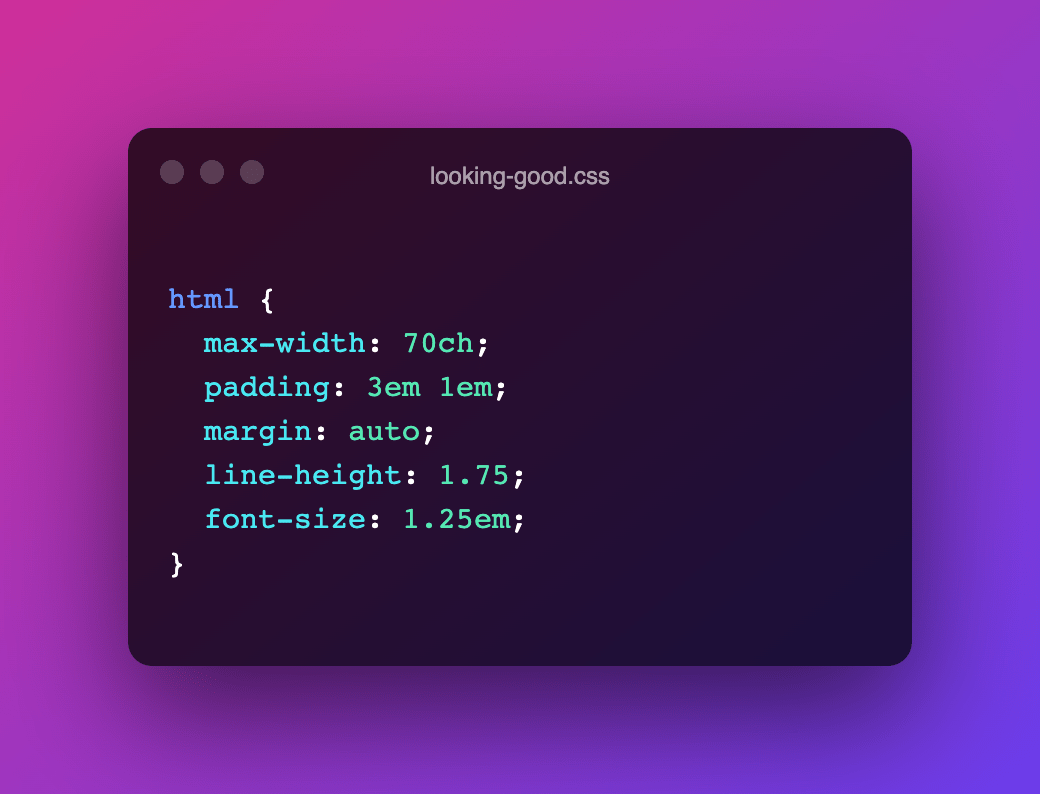
Interesting little CSS snippet by Shawn Wang. This should be simple drop-in css to look good on most displays It’s an enhancement that builds on top of the User-Agent provided styles to make your content more easily consumable by limiting line-length, centring the content column, adding some whitespace, bumping up the font-size, etc. html { …

Cleanup.pictures — Remove objects, people, text and defects from any picture

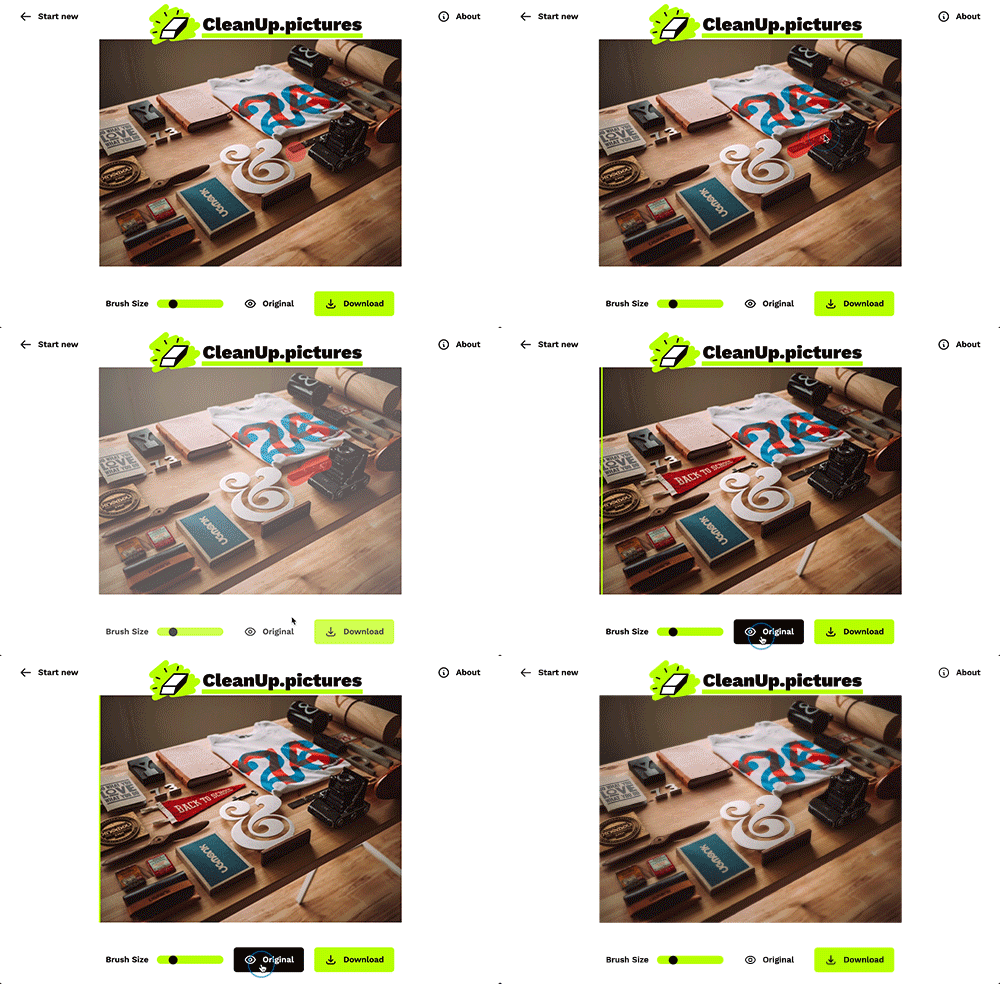
Load in a photo, and simply paint on top of the part you want to see removed. Works very good I must say. Was expecting some WASM here, but turns out the heaving lifting is done by “LaMa” — an open-source model from Samsung’s AI Lab to automatically & acurately redraw the areas that you …

Tonic — A thin wrapper around Web Components

A Low Profile Component Framework – Stable, minimal, easy to audit, zero-dependencies and build-tool-free. Basic component definition is really simple: import Tonic from "https://cdn.skypack.dev/@optoolco/tonic" class MyGreeting extends Tonic { render () { return this.html`<div>Hello, ${this.props.name ?? 'Stranger'}.</div>` } } Tonic.add(MyGreeting); Tonic will automatically convert the CamelCased class name to the proper custom element name. <my-greeting></my-greeting> …

Alpha Paintlet

Dave Rupert created a little lovely Houdini Paint Worklet that allows you set a background color with an alpha on elements. The Worklet’s code is as simple as this: registerPaint(‘alpha’, class { static get inputProperties() { return [‘–bg-alpha’, ‘–bg-color’] } paint(ctx, size, props) { ctx.globalAlpha = props.get(‘–bg-alpha’); ctx.fillStyle = props.get(‘–bg-color’); ctx.fillRect(0, 0, size.width, size.height); } …

Natively Format JavaScript Dates and Times

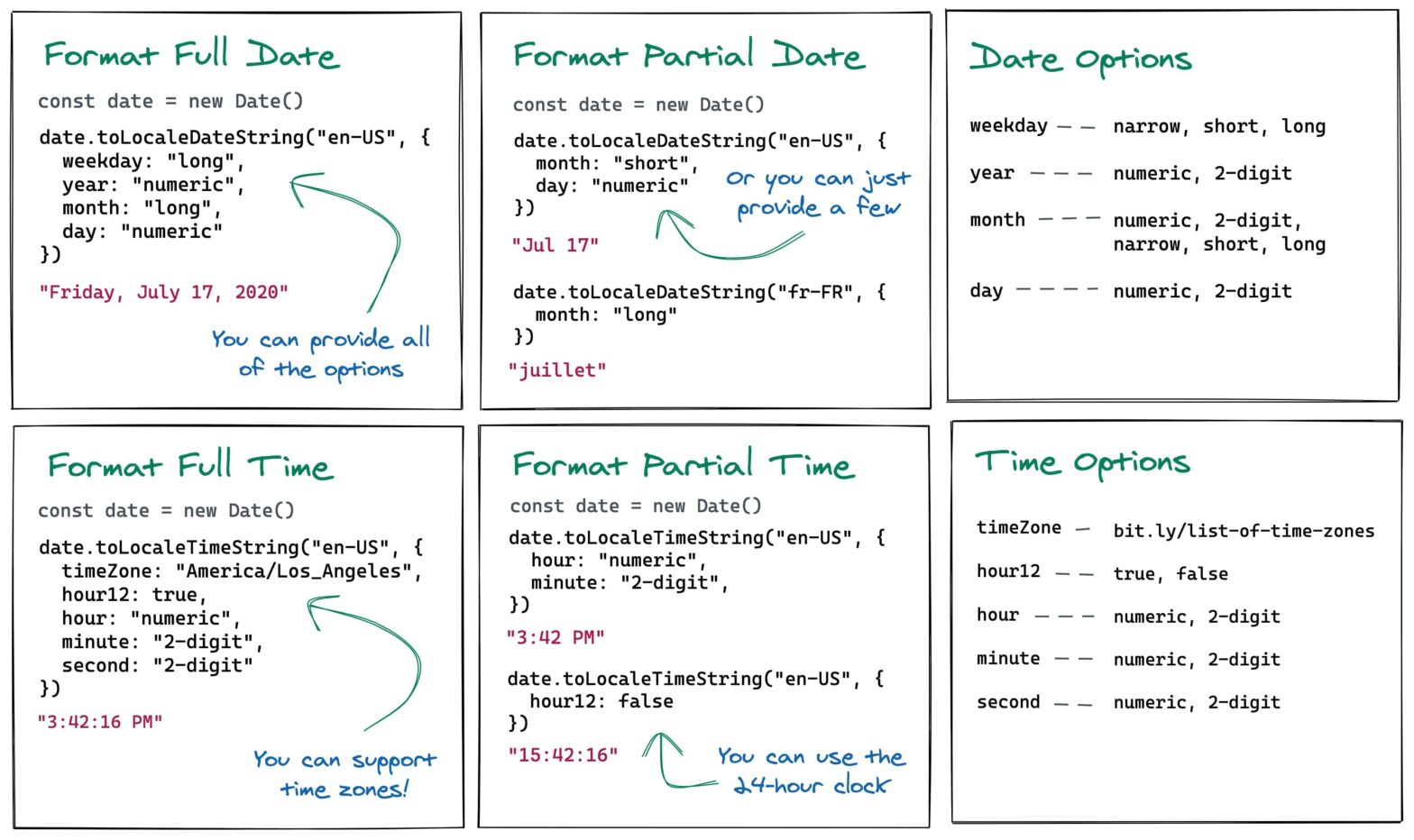
Elijah Manor digs into Date’s toLocaleDateString() and toLocaleTimeString() methods to format Dates and Times in JavaScript, with respect to a passed locale. const date = new Date(); console.log(date.toLocaleDateString(‘en-US’)); // 7/19/2020 const dateOptions = { weekday: ‘long’, year: ‘numeric’, month: ‘long’, day: ‘numeric’, }; console.log(date.toLocaleDateString(‘en-US’, dateOptions)); // Sunday, July 19, 2020 console.log( date.toLocaleDateString(‘fr-FR’, { month: ‘long’, …

Non-Euclidean Worlds Engine

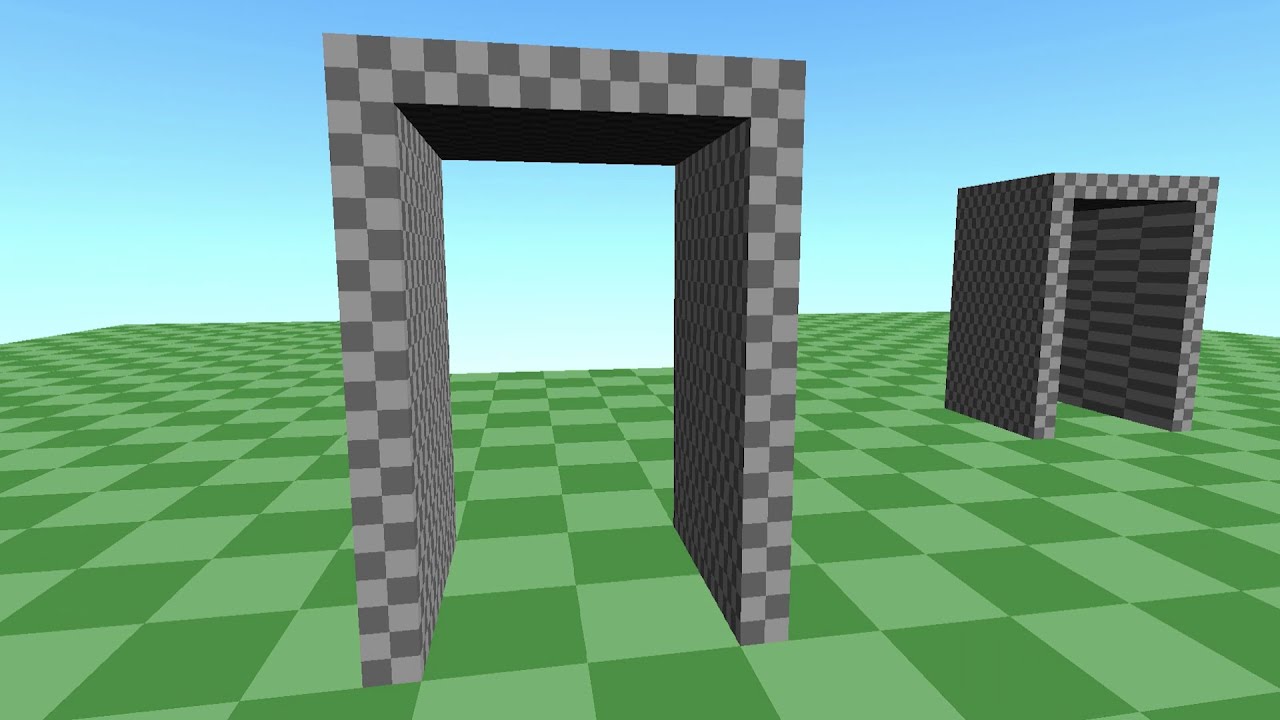
Here’s a demo of a rendering engine I’ve been working on that allows for non-euclidean worlds. What kind of sorcery is this?! 🤯 I do wonder what would happen when multiple players are walking around simultaneously, and how objects that pass through the tunnels would behave. NonEuclidean (GitHub) → Related: How were the portals in …

How I Structure My CSS

Matthias Ott: In this post, I will share my current take on CSS structure. It does not religiously follow any particular methodology, although people familiar with Harry Roberts’ ITCSS (“Inverted Triangle CSS”) will definitely recognize parts of his methodology. The folder structure indeed looks very familiar: /scss/ ├── 1-settings ├── 2-design-tokens ├── 3-tools ├── 4-generic …

Customise the React Native Developer Menu with Dev Settings API

Azim Ahmed comes with a few practical code snippets to alter the React Native Developer Menu from within your code, via the DevSettings Module: Toggle why-did-you-render Perform an action on the current route import {DevSettings} from 'react-native'; import React, {useEffect, useState} from 'react'; if (process.env.NODE_ENV === 'development') { const whyDidYouRender = require('@welldone-software/why-did-you-render'); whyDidYouRender(React, {trackAllPureComponents: false}); …