New WebKit Features in Safari 15

If you’re looking for a technical roundup of what’s new in Safari 15, head over to the WebKit blog With the release of Safari 15 for macOS Monterey, iPadOS 15, iOS 15, and watchOS, as well as macOS Big Sur and macOS Catalina, WebKit brings significant advancements in privacy and security, improved interoperability, and a …

Adobe Photoshop in the browser thanks to WASM/Emscripten, Web Components, and Project Fugu

At (the ongoing) Adobe MAX 2021, Adobe announced that Photoshop and Illustrator are coming to the web, with Photoshop already in beta. Your collaborators can open and view your work in the browser and provide feedback. You’ll also be able to make basic edits without having to download or launch the apps. It’s not the …

100 Bytes of CSS to look great everywhere

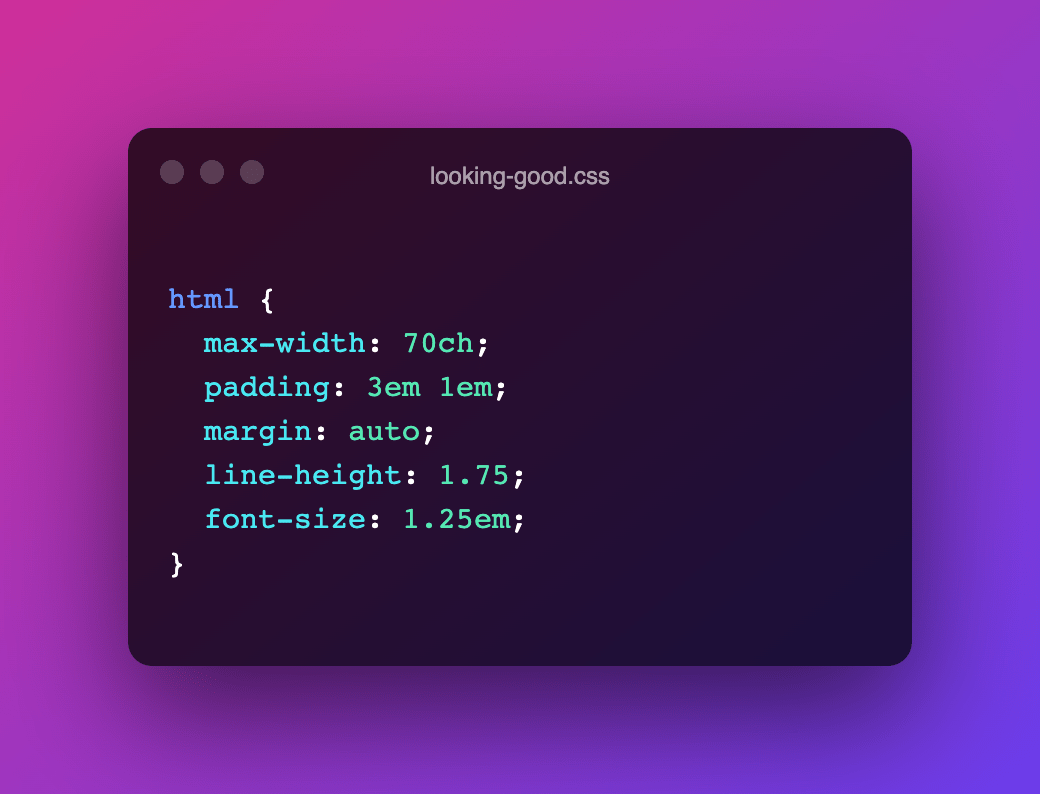
Interesting little CSS snippet by Shawn Wang. This should be simple drop-in css to look good on most displays It’s an enhancement that builds on top of the User-Agent provided styles to make your content more easily consumable by limiting line-length, centring the content column, adding some whitespace, bumping up the font-size, etc. html { …

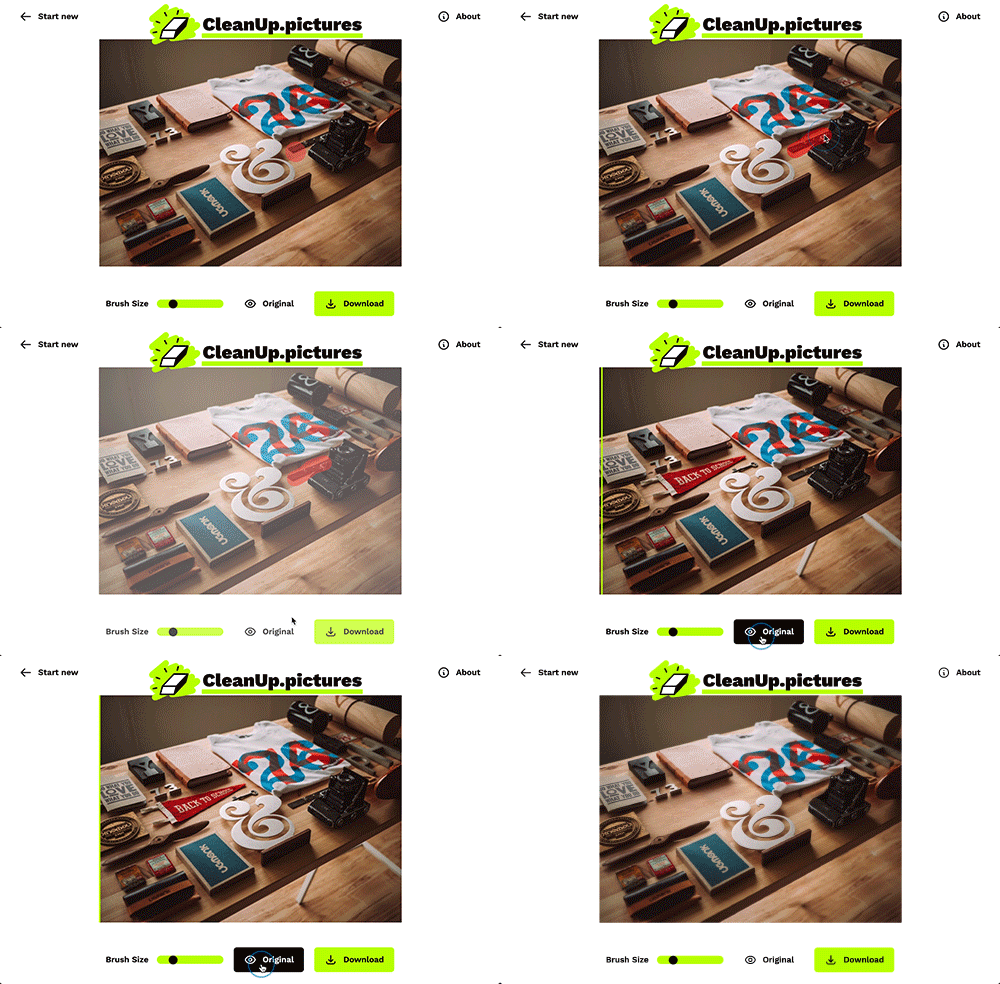
Cleanup.pictures — Remove objects, people, text and defects from any picture

Load in a photo, and simply paint on top of the part you want to see removed. Works very good I must say. Was expecting some WASM here, but turns out the heaving lifting is done by “LaMa” — an open-source model from Samsung’s AI Lab to automatically & acurately redraw the areas that you …

Tonic — A thin wrapper around Web Components

A Low Profile Component Framework – Stable, minimal, easy to audit, zero-dependencies and build-tool-free. Basic component definition is really simple: import Tonic from "https://cdn.skypack.dev/@optoolco/tonic" class MyGreeting extends Tonic { render () { return this.html`<div>Hello, ${this.props.name ?? 'Stranger'}.</div>` } } Tonic.add(MyGreeting); Tonic will automatically convert the CamelCased class name to the proper custom element name. <my-greeting></my-greeting> …

Alpha Paintlet

Dave Rupert created a little lovely Houdini Paint Worklet that allows you set a background color with an alpha on elements. The Worklet’s code is as simple as this: registerPaint(‘alpha’, class { static get inputProperties() { return [‘–bg-alpha’, ‘–bg-color’] } paint(ctx, size, props) { ctx.globalAlpha = props.get(‘–bg-alpha’); ctx.fillStyle = props.get(‘–bg-color’); ctx.fillRect(0, 0, size.width, size.height); } …

Natively Format JavaScript Dates and Times

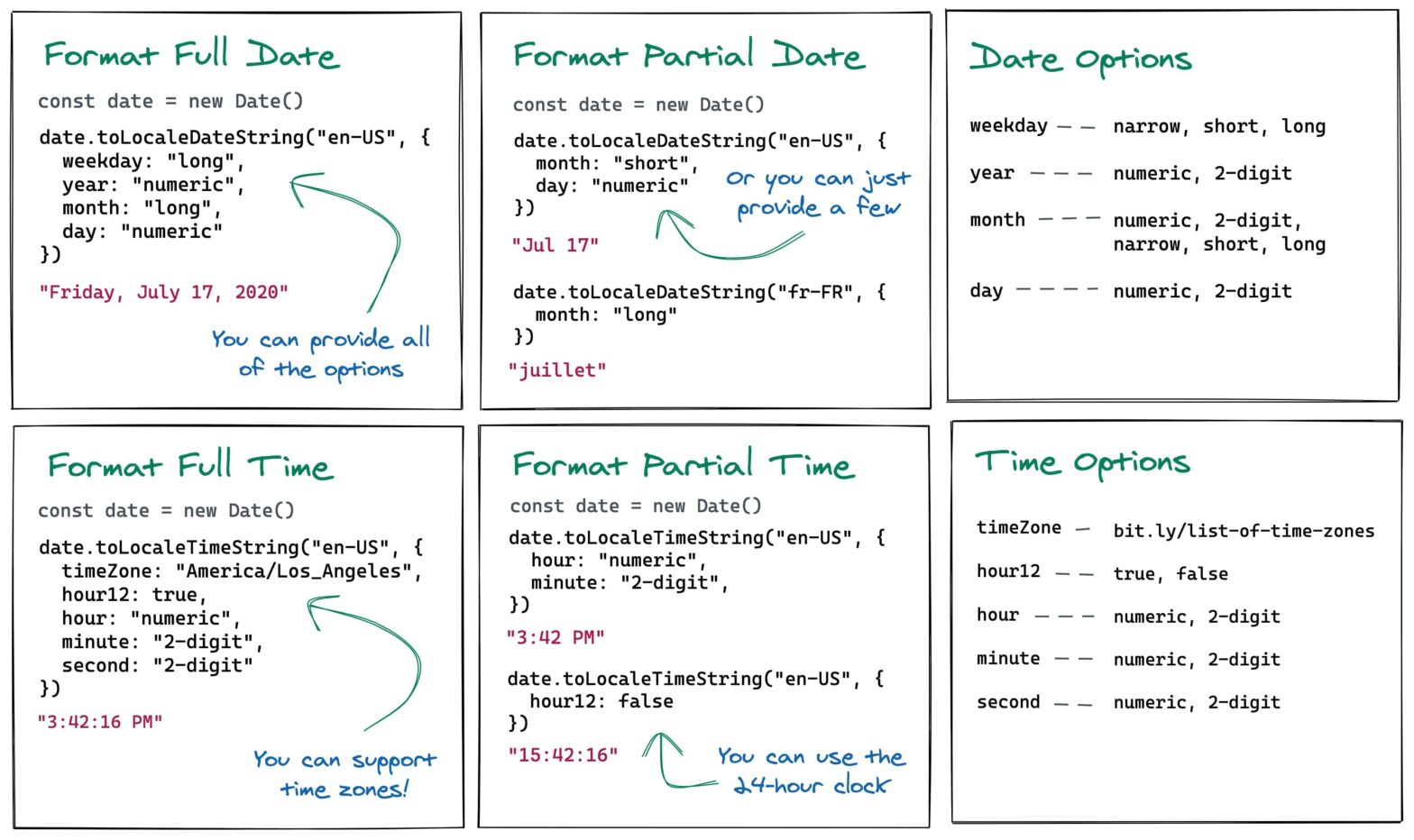
Elijah Manor digs into Date’s toLocaleDateString() and toLocaleTimeString() methods to format Dates and Times in JavaScript, with respect to a passed locale. const date = new Date(); console.log(date.toLocaleDateString(‘en-US’)); // 7/19/2020 const dateOptions = { weekday: ‘long’, year: ‘numeric’, month: ‘long’, day: ‘numeric’, }; console.log(date.toLocaleDateString(‘en-US’, dateOptions)); // Sunday, July 19, 2020 console.log( date.toLocaleDateString(‘fr-FR’, { month: ‘long’, …

On Using Custom Properties

On Twitter, John Allsopp recently shared that Flexbox is the greatest thing that happed to CSS. I quickly chimed in with my personal favourite. To me the single greatest addition to CSS over the past 20 years is Custom Properties. They’ve opened up a ton of possibilities, and make us CSS Authors way more productive. …

How I Structure My CSS

Matthias Ott: In this post, I will share my current take on CSS structure. It does not religiously follow any particular methodology, although people familiar with Harry Roberts’ ITCSS (“Inverted Triangle CSS”) will definitely recognize parts of his methodology. The folder structure indeed looks very familiar: /scss/ ├── 1-settings ├── 2-design-tokens ├── 3-tools ├── 4-generic …

Customise the React Native Developer Menu with Dev Settings API

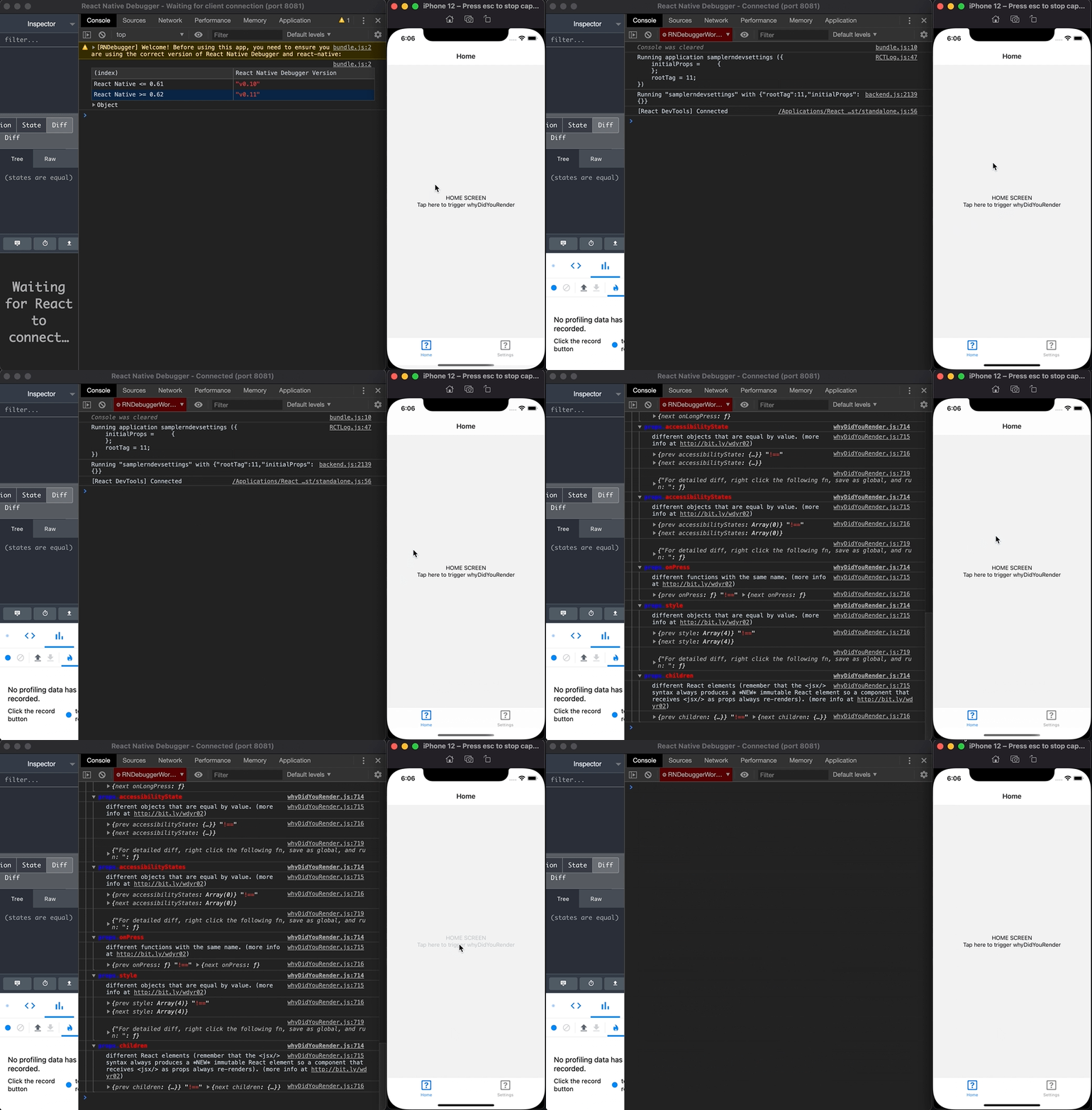
Azim Ahmed comes with a few practical code snippets to alter the React Native Developer Menu from within your code, via the DevSettings Module: Toggle why-did-you-render Perform an action on the current route import {DevSettings} from 'react-native'; import React, {useEffect, useState} from 'react'; if (process.env.NODE_ENV === 'development') { const whyDidYouRender = require('@welldone-software/why-did-you-render'); whyDidYouRender(React, {trackAllPureComponents: false}); …