Earlier today I ran some tests to see how text-wrapping/hyphenation of long uninterrupted strings works in browsers. I tested both “normal” strings and strings of emojis.
The tests (and its rendering results per browser) are stored on Codepen and embedded below:
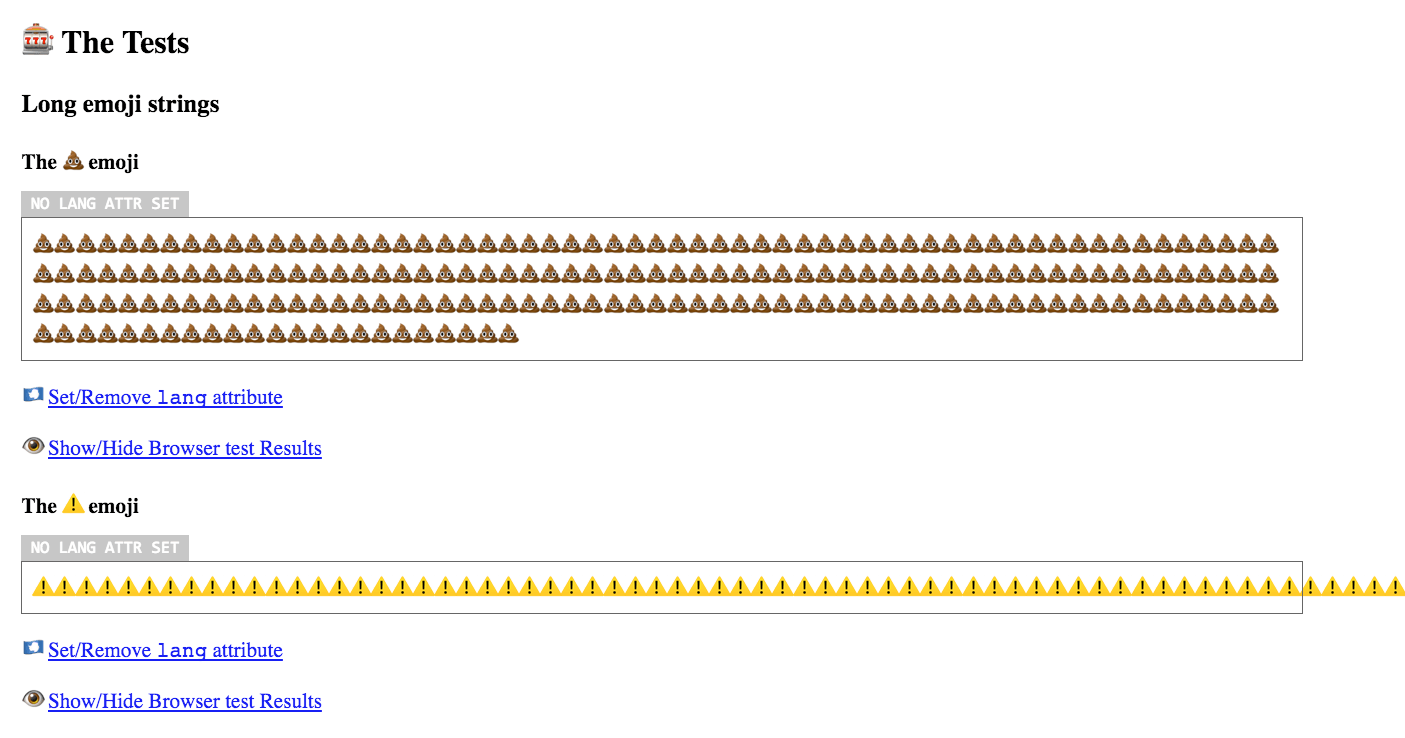
💩 and ⚠️ behave differently (click to enlarge):
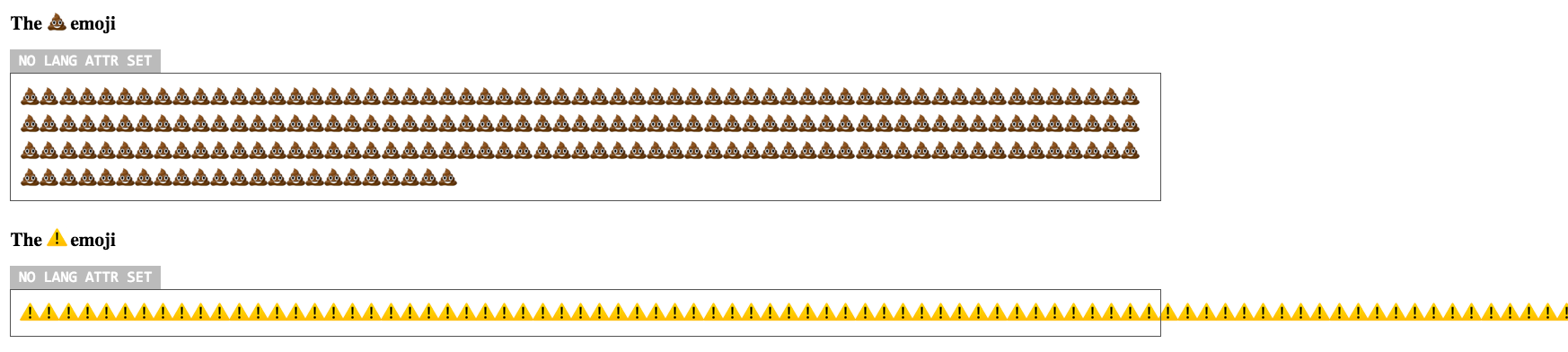
These tests left me with some core questions:
- Why do some emojis get text-wrapped, and some not?
- If the above is a feature: is there a list of emojis – or can we detect which emojis – that get text-wrapped (and those who are not) available somewhere?
- Why do emojis get text-wrapped, and not hyphenated?
~
Later in the afternoon Khaled Hosny jumped in on Twitter, and pointed me towards the needed Line Breaking Properties Specification, by which I was able to answer the core questions. Here goes …
1. Why do some emojis get text-wrapped, and some not?
This is dependent on the “Line Breaking Property” which is set for/on a character.
The Line Breaking Properties Specification defines a set of possible classes:
(A)- Allows a break opportunity after in specified contexts
(XA)- Prevents a break opportunity after in specified contexts
(B)- Allows a break opportunity before in specified contexts
(XB)- Prevents a break opportunity before in specified contexts
(P)- Allows a break opportunity for a pair of same characters
(XP)- Prevents a break opportunity for a pair of same characters
These classes are then combined into properties. To us relevant properties (extracted from the spec) are:
IDIdeographic
(B/A)Characters with this property do not require other characters to provide break opportunities; lines can ordinarily break before and after and between pairs of ideographic characters.
ALOrdinary Alphabetic and Symbol Characters
(XP)Characters with this property require other characters to provide break opportunities; otherwise, no line breaks are allowed between pairs of them.
It’s these properties that can then be assigned to a specific character.
Say a character has the AL Line Breaking Property set, then it means that no line breaks are allowed between pairs of them.
Characters (and thus emojis) have a “Line Breaking Property”, which applies one or more breaking classes onto the character. Two of the possible values for said property are:
ID=(B)and(A)classes = allow breaks before and after the characterAL=(XP)class = don’t allow breaks in between pairs.
~
2. If the above is a feature: is there a list of emojis – or can we detect which emojis – that get text-wrapped (and those who are not) available somewhere?
The answer to question 1 clearly indicates that it’s an actual feature. Khaled also sent me a link to a plain text file mentioning the Line Breaking Properties per character. Linking back to the tests I ran, we can extract these values for 💩 and ⚠️:
- 💩 =
1F4A5..1F4A9;ID - ⚠️ =
26A0..26BC;AL
The plot thickens, right?
💩 and ⚠️ have a different Line Breaking Property set:
- 💩 =
ID= breaks allowed before and after the character - ⚠️ =
AL= no breaks allowed in between pairs.
~
2b. (Bonus question) Can I somehow force emojis with the AL-property to split in between pairs?
Yes you can! From the spec:
Use
ZWSPas a manual override to provide break opportunities around alphabetic or symbol characters.
ZWSP = ZERO WIDTH SPACE (U+200B or HTML ​).
When looking that one up in the list, we can see that is has ZW set as a value for its Line Breaking Property. The spec mentions that ZW applies the (A) class, thus allowing breaks after it 😊
Manually sprinkle a ZWSP character in between pairs of AL-emoijs to provide break opportunities.
Using CSS you can use word-break: break-all; to allow breaks be inserted between any two characters.
~
3. Why do emojis get text-wrapped, and not hyphenated?
Browsers use a language-based hyphenation dictionary to apply hyphenation. The dictionary to use is defined by the set language on a document or element. From the CSS Text Module Level 3 Spec:
Correct automatic hyphenation requires a hyphenation resource appropriate to the language of the text being broken. The UA is therefore only required to automatically hyphenate text for which the author has declared a language (e.g. via HTML
lang) and for which it has an appropriate hyphenation resource.
(*) As seen in the tests it should be noted that firefox follows this guideline quite strictly, as hyphenation only works when explicitly setting the lang attribute to a one of its supported languages (see tests). Chrome and Safari, apparently, are not so strict in this and use a default language. There’s a bug filed for Chrome on this.
There is no hyphenation dictionary for emojis.
Emojis don’t hyphenate because they have no hyphenation-dictionary. For regular text, be sure to set your lang attribute if you want hyphenation to work properly. Also: IE/Edge don’t like my tests, apparently.
~
Now, that was an interesting journey I must say. I now understand why certain things (should) happen. 🙂
Remains – as per usual – a few browser-specific quirks to be answered …
- Why, in Chrome, is hyphenation not applied on the last string?
→ It’s a bug! andhas been fixed in Chrome 56 and up. This issue regressed, and is now properly fixed in Chrome 90. - Why, in Firefox, does the container stretch out on the ⚠️-test, whilst other browsers overflow?
→ … - Why, in IE11/Edge, does the 💩-test not wrap, whilst other browsers do?
→ … - Why, in IE11/Edge, does hyphenation not work even though it should? Setting the
langtoen-US, or setting thelangon thebodyorhtmlyield the same result.
→ … - Why, in Chrome and Safari, is hyphenation applied even when the required
langis not set?
→ Bugs for Chrome and Safari have been filed.
Consider donating.
I don’t run ads on my blog nor do I do this for profit. A donation however would always put a smile on my face though. Thanks!
Leave a comment