UPDATE SEPTEMBER 2013: PS_Bramus.GoogleMapsTileCutter has been updated and now includes a nice UI dialog. A video of the new version in action can be viewed on YouTube. The download link below links to the latest version, so no worries there.
Last week, I coded a Google Maps Tile Cutter script for use with Adobe Photoshop. The script automatically cuts/carves a very large image you’ve opened in Photoshop into tiles which you can immediately use in Google Maps.
Download
Example
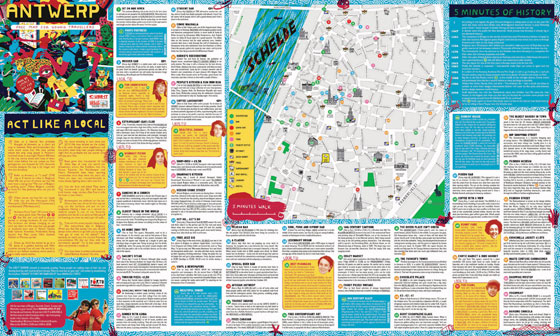
The source image (originally 5670 x 3402)
The script in action
Note: the flickering is due to the constant canvas resizing that needs to happen
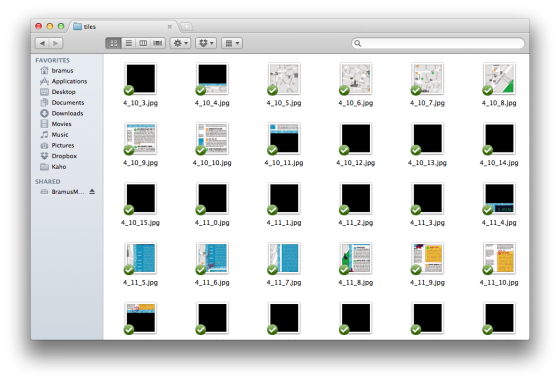
The resulting tiles, ready for use with Google Maps
The Google Maps Integration
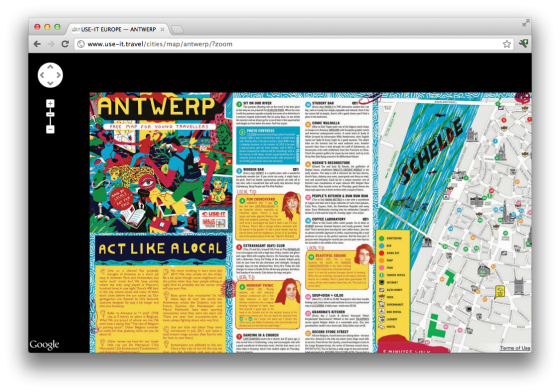
A live example of an integration is available at http://bramus.github.com/photoshop-google-maps-tile-cutter/example/
Installation
- Download and extract
PS_Bramus.GoogleMapsTileCutter - Move
PS_Bramus.GoogleMapsTileCutter.jsxto your Photoshop scripts directory- For Photoshop CS5 on Mac OS X this is
/Applications/Adobe Photoshop CS5/Presets/Scripts - For Photoshop CS5 on Windows this is
C:\Program Files\Adobe\Adobe Photoshop CS5\Presets\Scripts
- For Photoshop CS5 on Mac OS X this is
- Restart Photoshop if it was already running
How to use
Cutting tiles
- Open Photoshop and open the image you want to process.
- Access the script from the scripts menu in Photoshop:
File>Scripts>PS_Bramus.GoogleMapsTileCutter. - The script will start carving the tiles for as many zoom levels as possible.
- During this phase it will look like Photoshop is going berzerk, this is normal, as it is.
- Depending on the size of the image it might be a good idea to take coffee break.
- When the script has finished carving, you will find the tiles on your desktop, in a tilecutter subfolder (
~/Desktop/tilecutter)
Implementing the tiles
The resulting tiles can be used directly in Google Maps by setting up a custom map type, using a google.maps.ImageMapType instance
A fully working example is included in the examples directory that came with the download of PS_Bramus.GoogleMapsTileCutter. Just drop in your tiles and it will work.
A live example is available at http://bramus.github.com/photoshop-google-maps-tile-cutter/example/
Notes
- The included example and Google Maps documentation referenced is for Google Maps Version 3.
-
PS_Bramus.GoogleMapsTileCutterwill resize the canvas to being a square one, as this is easier to process and implement- A result is that extra (empty) tiles will be generated. In a future version it’ll be possible to omit these tiles from being saved, to save diskspace from being wasted.
- If you’re familiar with JavaScript, you can adjust lines 11-25 of the script to change some settings like the
targetPath(where to save the files),bgColor(background color for empty tiles), etc.
Credits
PS_Bramus.GoogleMapsTileCutter is built by Bram — Bramus! — Van Damme and is based upon the Automatic Tile Cutter by Will James, Curtis Wyatt, and Nate Bundy.
Basically PS_Bramus.GoogleMapsTileCutter is an improved, cleaned up and optimized version derived from their work.
Consider donating.
I don’t run ads on my blog nor do I do this for profit. A donation however would always put a smile on my face though. Thanks!


Dear Bram,
Is this script only available for CS5 photoshops? I still have CS3 and it doesn’t show up in my scripts list.
Thanks,
Barry
Barry, the script has only been tested with CS5. Even if the script would fail in CS3, you’d still have to see it in the scripts menu.
What you can also do in Photoshop is go to File > Scripts > Browse… and manually select the .jsx file.
It works by-the-way. It makes my computer “flicker” but it does the job. I accidentally put the script-file in the wrong folder… Thanks!
Hi Barry, this flickering is normal. I’ve updated the blogpost with a recording of the script in action to notify users of this normal behavior.
Regards,
B!
\o/
I was thinking of developing exactly this tool for a future website, so thanks.
Greetings from Brooklyn, New York.
I stumbled on your blog by accident, but I am glad I did. You have a depth of creativity and intelligence.
I was interested in your tile cutter..I use Inkscape (linux user).
Would your script happen to work with Inkscape? I would gladly pay for something like that…it would make my work so much easier.
I
Hi DW. I’ve quickly taken a look at Inkscape and it has no built-in scripting engine.
However, it can be run from the command line. I guess a combination of the -e and -a parameters, along with quite a few codes of bash scripting, could do it, yet I’m not that profound with bash scripting.
If you’re interested, I also have a PHP version (which needs some polishing) lying around which does the job too.
Regards,
Bram.
Thank you for your fast reply!
I am not too well versed in scripting myself, but I will try to make it work.
Inkscape is my software of choice…much more direct and intuitive than Adobe (for me). Not to mention it’s much easier on my system—and it’s free.
I have been trying forever to learn how to make my own maps to post online–I figured it cannot be as hard as it seems.
Also–
Inkscape does render scripts….the files end in .px and .inx (don’t know what that means, lol). I am actually going to try to put your script in the Inkscape plugin folder and see what happens.
Aha, turns out that Inkscape supports many plugins which are written in Python. If I ever learn how to speak fluent python, I’ll give it a shot (but it’s not high on my priority list).
If you find someone who knows both Python and JavaScript, converting the PS .jsx will be easy.
Thank you for your time…
An extension like this would open up a lot of opportunities not only for Inkscape users but for you as well. If say, you presented this as an Inkscape extension to the open source community, it would be a huge hit, I’m sure.
If I had the expertise, I would start coding extensions myself. I think Inkscape with its SVG support has a lot of untapped potential. I was reading about Raphael.js and d3.js (for the wb) and if there were ways to seamlessly integrate Inkscape with those tool–WOW!
The possibilities!
Thank you for your time. i will try to find other ways to get the tiles cut.
I just tried your Photoshop Google Maps Tile Cutter Script and it worked. How do I align the tile map with the real google street map?? Or how do I plot real markers (with real lat / long ) into the Tile map?? Thanks, Yan
You can plot markers on to the maps as you’d normally do (example). You’ll have to figure out the coordinates yourself though (the map is centered onto lat:0,lng:0).
Hey man!
You did a great job. That script helped allot to develop my new project.
Thank you for your time.
Cheers from Brazil!
Glad you like it 🙂
Hi!
Your script is fabulous.
I’d like to know if it’s possible to set the zoom level.
I’d like to have at least 10 levels but the script gives me only 3…
How can I figure it out?
Just make your image bigger, the script will stop at image size 100%
Great plugin. This is exactly what I’ve been looking for! And it didn’t require me to code anything either. Great work, thanks a lot!
Hi
Thank you for your work, it is very helpful.
I have a question. Is it possible to have the page load at a specific zoom and place? Ie not zoom out and full image, but zoomed in to a bottom corner.
I am not experienced with coordinates in Google map API etc but am willing to learn if you point me in the right direction.
Kind regards
Joakim
Joakim,
Check the Google Maps API JavaScript documentation. When initializing a map you can pass along the center and zoom options with that — https://developers.google.com/maps/documentation/javascript/reference#MapOptions
Regards,
Bram.
Hi Bram, thanks for the script! I wanted to make you aware of a typo in the code: line 229, you have jpegSaveOptions.formatOpsions = … where options is misspelled the second time. Take care!
Hi Ricky, thanks for mentioning. I’ve fixed the typo and have pushed the new version to GitHub.
Hi, thanks for this great script!
Do you know how I could have the tiles to be saved in .png instead of .jpg?
Hi !!
thxs so mush for the tips , i have one more question , how can you put several pictures on one map ??
i have to do a portfolio and i have a lot of pictures but i can’t download them all and have them all in one map ??
thxs !!
Nice script and was more than happy to make a small donation, thank you for sharing.
I am meeting some issues though. I have a file that is 4096X2048 and after many attempts, it seems to miss some tiles or make blank tiles.
Am I doing something wrong?
Hi Olivier,
I’ve just sent you an e-mail regarding this, in order to find a solution to the problems you’re running into. Please note that transparent tiles are not cut by default. If you do want empty tiles to be cut, uncheck the “Don’t export transparent tiles” option.
Regards,
Bram.
Congratulations on your great application.
It would be possible to get the tiles without the black box. I need only the tiles of the original image.
regards
Hi Rulzman.
All images used with Google Maps needs to be square, therefore the image needs to be altered into a square one adding some (most of the time) horizontal bars.
You can change the background color from black to anything you want using the background color field.
Regards,
Bram.
Just an FYI, when a user uses the new UI and selects anything other than the output to be .jpg the index.html file that is produced doesnt change its extension for the tile image files…I just had to go in and manually change out the .jpg to .png or .gif.
Ok onto my questions, it goes along the lines of one of the above questions in regards to plotting real world LatLng coordinates. I saw you mentioned that the map is centered at 0/0, but how in the world do you change it to center on a different coordinate? I’ve been looking all day and just can figure it out…
Thanks for the excellent script!
Hi Snipet,
Extension issue got fixed in commit #0062fc4046cf1a5103f231c9cbb4864d0c9e728c
Check the Google Maps API JavaScript documentation to center the map on a different location. The
google.maps.Mapclass has asetCenterinstance method which you can use. — https://developers.google.com/maps/documentation/javascript/reference#MapRegards,
Bram.
I’m trying to use your script, but it appears to only be kicking out 5 zoom levels. Is there a way to control this?
Also, I don’t see anywhere to set the initial lat/long, which it seems like I need to do, as Google Maps appears to request image tiles with zoom level and lat/long.
Tim,
The number of zoom levels exported depends on the dimensions of the image you are using. If you chop up a small image, you’ll only have a few zoom levels. If you chop up a large image, you’ll have a few more. The script limits itself until it is at a Photoshop zoomlevel of 100%.
You needn’t worry about lat and lon, we’re (ab)using Google Maps here to show the tiles which themselves have no relation to lat/lon. If you want to know more about tile numbering, I recommend reading http://www.maptiler.org/google-maps-coordinates-tile-bounds-projection/
Regards,
Bram.
Awesome stuff. Took awhile to generate from my 18000×8000 pixel pana photo but it works.
I find it more efficient to generate tiles of 512×512, but for a wierd reason, the default view (centered 0,0) is a bit ‘off centered’ as compared to the 256×256 version. I checked 0_0_0.jpg for both and they look identical !
any idea ?
Hey, completely new to anything like this. I tried another application and it completely fell on its face when I tried to get it to cut my 55mb panorama (about the size you mentioned to take around 20 min actually). I have it all cut up, but have no idea how to load it to my website (Im using go daddy’s site builder btw). It allows for html upload fyi. If you could tell me what Im supposed to do (I can’t make sense of the link you posted on how to upload it), I would REALLY appreciate it. Thanks
Nathan, when cutting the tiles an
index.htmlis also generated. That web page contains all the code necessary to show the tiles in a Google Maps interface.First of all: great script! It is really a big help. Did you think about adding an option for a higher zoomlevel so ppl could generate more tiles without expanding the whole picture, which takes a lot of memory?
Hi,
I’ve tested your script with CS6 but I have a problem. Every tiles are white if you choose white as background color or black if you choose black and so on.
Same issue but not every tile. The original image is covered with background color to more extent even though image itself is 1:1. Any help
Hallo Bram, thank you for your script. When I try to picture than 5000px (or less) with tile – 200 then Photoshop CC 2015 experiences a crash. I want to achieve a higher zoom of the sixth
This is wonderful. THANK YOU! <3<3<3
Hey Bram,
I love your script, works perfectly! the only downside is that it forces a white background even though I am using a PNG file. I would like to keep it transparent, is that possible and if yes how?