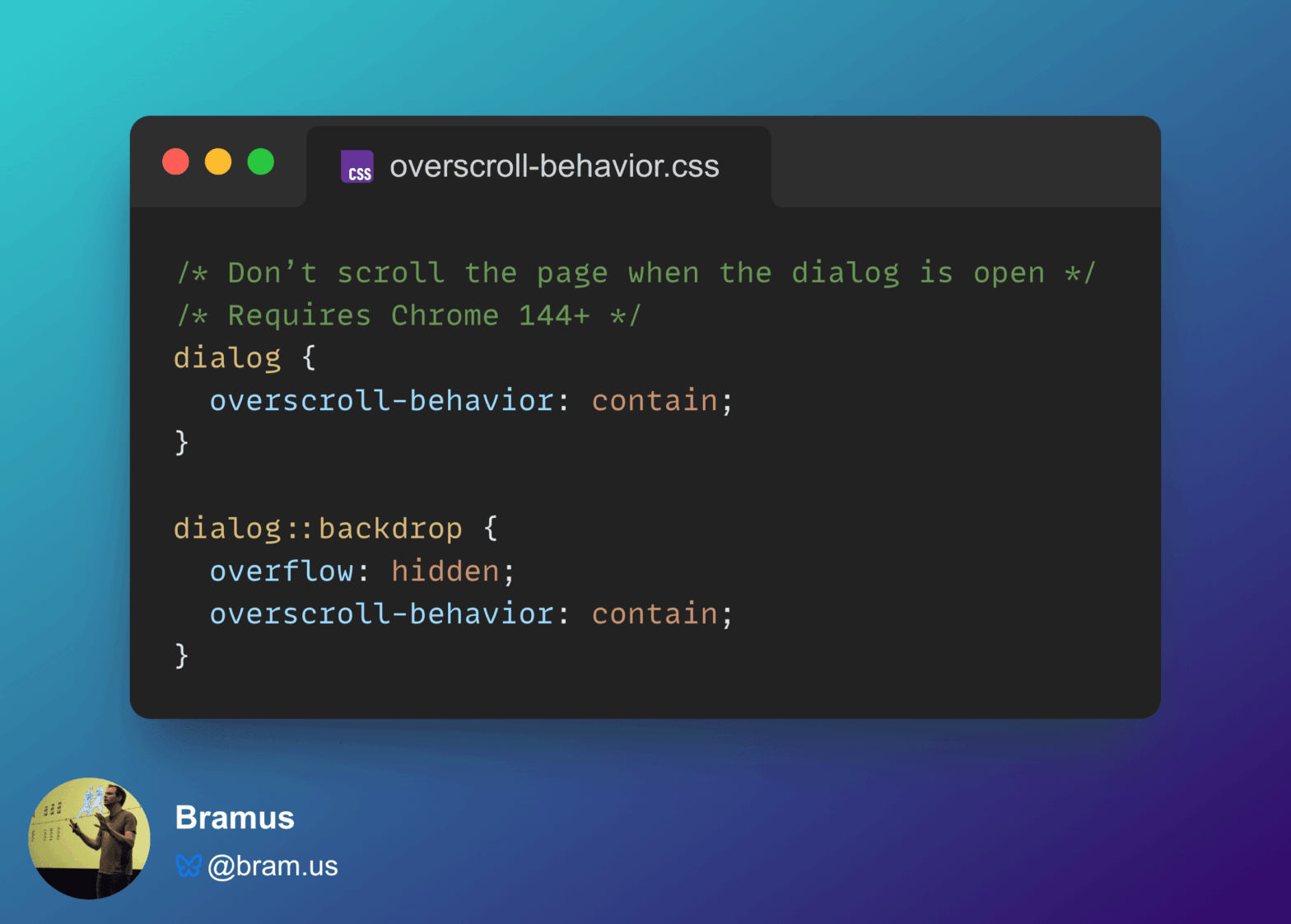
Use overscroll-behavior: contain to prevent a page from scrolling while a <dialog> is open

Chrome 144 features a small change to overscroll-behavior: it now also works on non-scrollable scroll containers. While this change might seem trivial, it fixes an issue developers have been dealing with for ages: prevent a page from scrolling while a (modal) <dialog> is open.

Using the <details> element to create modals and menus

The folks over at GitHub have been leveraging the <details> element to create modals and menus: <details class=“dropdown”> <summary class=“btn” aria-haspopup=“menu”>…</summary> <ul class=“dropdown-content”> <li><a href="/muan">profile</a></li> … </ul> </details> Very clever, as <details> trumps the <modal> element in many ways: Semantic Accessible No JavaScript Next to that, they’ve also released a few custom elements that make …

HTML 5.2: The <dialog> Element

HTML 5.2 has introduced a new <dialog> element to show modal dialog boxes. Here’s a small demo by @bdc (forked version by me, including polyfill): Already available in Chrome; a polyfill is available for other/older browsers. Meet the New Dialog Element →Polyfill for the HTML <dialog> element → Siderant: I cannot help it, but my …