#HTML tip for today:
<ol> element has `start` and `reversed` attributes!
Some examples where it's useful:
`start` → paginated results
`reversed` → "top 10 best … " lists pic.twitter.com/vkh88h2zGV— Tomek Sułkowski (@sulco) March 20, 2020
Handy for those end-of-year lists 😉
~
Apart from overriding the list style using CSS’s list-style-type (which you should set it on the <ul>/<ol> element, not the <li>), you can also set the list style for unordered lists it from your HTML using the type attribute.
afor lowercase lettersAfor uppercase lettersifor lowercase Roman numeralsIfor uppercase Roman numerals1for numbers (default)
⚠️ Do note that this type attribute only is allowed on the <ol> element – not the <ul> element – according to the spec.
~
Additionally, you can also override the value of an <li> element inside an <ol> element using its value attribute:
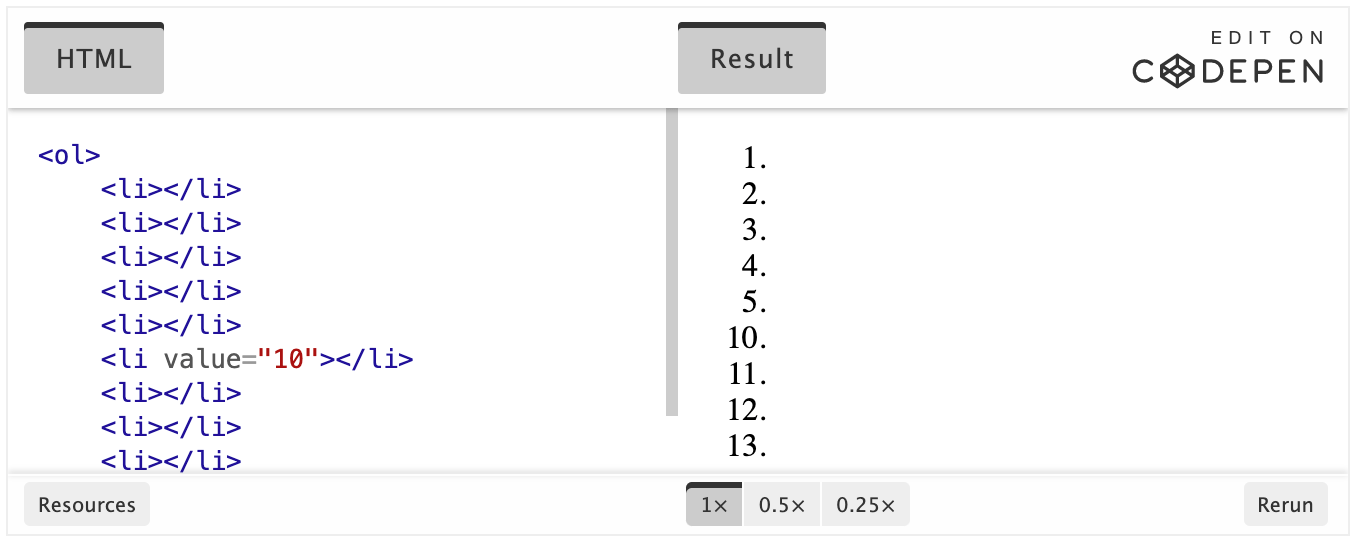
See how it jumps from 5 to 10? That’s value in action.
