Here’s a little Chrome DevTools gem: it supports the use of custom Object formatters. Object what?
Object formatters allow you to control how the value of a JavaScript object appears in Chrome’s console and debugger.
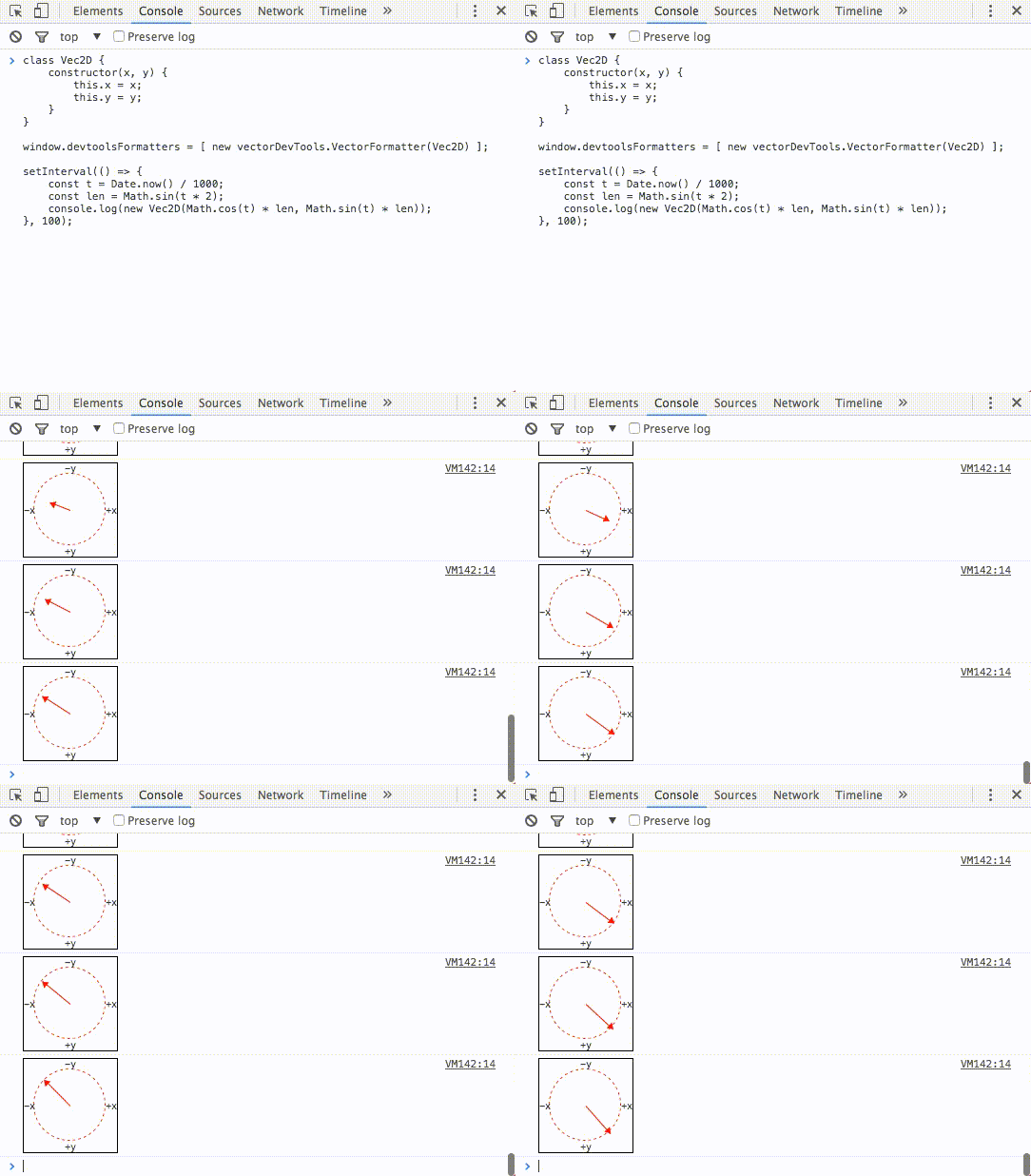
Say you’d like to visualize a 2D vector, instead of seeing “just” { x: 1, y: 2} appear when pushing it through console.log. Enter the custom VectorFormatter:
Or say you’d like to visualize a color, instead of seeing its R, G, and B values:

The possibilities are endless 🙂
Custom Object Formatters in Chrome DevTools (Article) →
Chrome DevTools VectorFormatter →
Github search results for devtoolsFormatters →


I can’t copy code from gif :'(
Follow the links at the bottom of the post. They will take you to the original sources.