In CSS you can feature detect support for things like selectors, properties + values, and at-rules using @supports. But how do you feature detect a change to an underlying implementation, or two existing properties suddenly working together? Enter @supports named-feature(), a function designed to expose these specific capabilities without relying on hacky workarounds.
~
The OG use-case: “Flexbox Gap”
Back in the day (and by back in the day, I mean 2020 😅), I wrote about the gap property for Flex layouts landing in Chromium. The property already worked with Grid Layouts, and the post celebrated the property also starting to have an effect on Flex layouts.
Historically, this gap property debuted in 2015 as grid-gap (as a shorthand for grid-row-gap and grid-column-gap), and worked exclusively for CSS Grid Layout. Later on, in 2017, driven by author demand, the CSS Working Group decided that spacing out items was useful across all layout methods. So they dropped the grid- prefix and created the shorthand gap property (and its longhands row-gap and column-gap) that applies to both Grid and Flex layouts.
- grid-gap: 2em;
+ gap: 2em;
Browsers followed suit, and started treating grid-gap as an alias for the newly created gap property. But — BUT! — that didn’t mean that gap also immediately worked with Flex layouts in browsers. While aliasing grid-gap to gap was quick and easy, there was a massive gap (pun intended 🥁) between it being specced to work with Flex layout and a browser actually supporting “Flexbox gap”.
During this limbo, there was no straightforward way to detect whether the browser supported “Flexbox gap” or not. You couldn’t do @supports (gap: 1em) because the browser would truthfully say “Yes! I support that!” (for Grid). You also couldn’t do @supports (display: flex), as the browser also said yes. And combining both — through @supports (display: flex) and (gap: 1em) — also didn’t work because the browser only checks whether it can parse the passed in <suppports-condition>s, not whether they have a combined effect.
/* This only checks if CSS can parse these declarations, not if they work together */
@supports (display: flex) and (gap: 1em) {
  …
}
So right after Chromium shipped “Flexbox Gap” in 2020, I filed w3c/csswg-drafts#5062 at the CSS Working Group asking how to properly feature detect gap also playing nice with Flexbox.
Turns out this was already on their radar, and the request got duped into the more generically worded w3c/csswg-drafts#3559 from 2019, which was about “testing support of properties and values with partial implementations”.
~
Enter named-feature()
The discussion in w3c/csswg-drafts#3559 eventually turned silent but at the end of 2023 it became very relevant again as browsers were about to support align-content having an effect on display: block containers.
Two months later, the Working Group accepted a proposal by David Baron to solve this. I really like David’s original pitch to solving this problem:
I think it might be reasonable to add specific, one-off solutions when we think they’re important enough. They’d need to be for significant enough features that we’d be willing to add an extra keyword to CSS for them, and that an implementor wouldn’t miss that it needed to be implemented, and that we’d be willing to write specific web-platform-tests to verify and monitor the results closely to make sure the rollout doesn’t go wrong. And we could probably choose reasonably verbose keywords.
The result is named-feature(), which is a function that allows you to feature-detect very specific behaviors or behavior changes that cannot be caught using the traditional @supports-checks. The function require a keyword as its argument, and the list of allowed keywords is predefined in the spec.
@supports named-feature(some-specific-behavior) {
  /* CSS for browsers that support 'some-specific-behavior' here … */
}
Keywords are only added for the handful of tricky edge cases where feature detection is highly requested but impossible to do using other mechanisms in CSS.
~
Real-World Use Cases
Currently the CSS Working Group has specified two keywords for named-feature(). I’m quite happy about these, as I proposed both of them at the Working Group 🙂
~
1. Transform-Aware Anchor Positioning
CSS Anchor Positioning initially shipped without taking transforms into account. Because author demand was huge, things changed and the spec got updated to support this use-case. The change shipped in Chrome 144, is included in the upcoming Safari 27, and is currently being prototyped in Firefox.
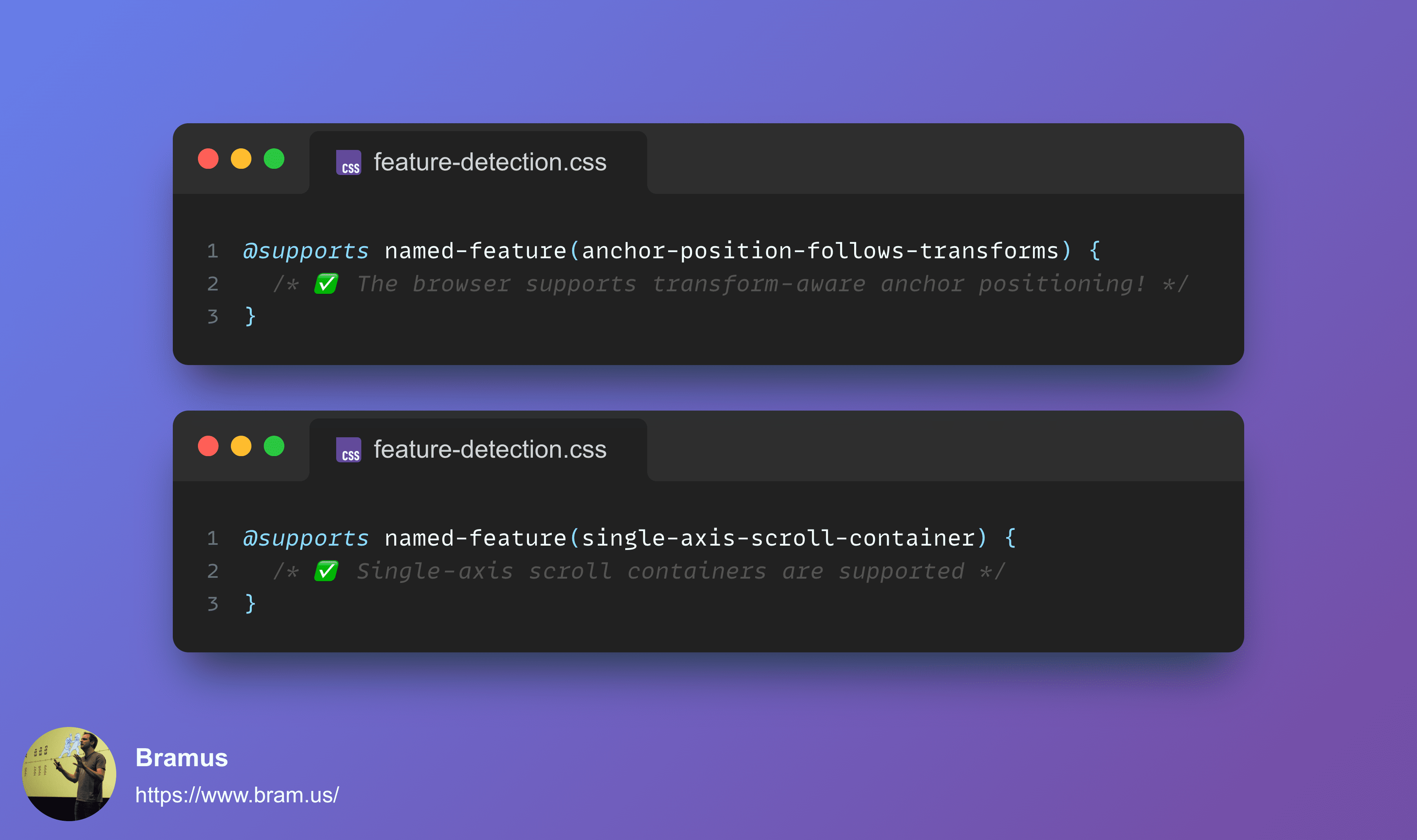
While you could already easily feature detect Anchor Positioning itself, you couldn’t detect if the browser respects transforms on the anchor. To solve this, you can now use the keyword that was resolved on in w3c/csswg-drafts#13678: anchor-position-follows-transforms.
@supports named-feature(anchor-position-follows-transforms) {
  /* ✅ The browser supports transform-aware anchor positioning! */
}
While not originally slated for their 27.0 release — the release that includes Transform-Aware Anchor Positioning — I reached out to the Safari team to add support for named-feature(anchor-position-follows-transforms), and the PR got merged earlier this month. Firefox is currently prototyping Transform-Aware Anchor Positioning, and they announced that they will ship named-feature() simultaneously.
~
2. Single-Axis Scroll Containers
Another feature that needs more advanced feature detection is the recent change that allows containers to be a scroller for only a single axis. This fixes a longstanding issue where position: sticky on one axis gets trapped by an unrelated scroller on the other axis, as detailed in my post on CSS sticky per axis.
While you can feature detect Single-Axis Scroll Containers by throwing lots of JavaScript at the problem, there was no way to do this in CSS. But thanks to my proposal in w3c/csswg-drafts#13677, we now have the single-axis-scroll-container keyword for use with @supports named-feature(single-axis-scroll-container):
@supports named-feature(single-axis-scroll-container) {
  /* ✅ Single-axis scroll containers are supported, so sticky per axis just works! */
}
~
# Browser Support
💡 Although this post was originally published in August 2026, the list below is constantly being updated. Last update: August 27, 2026.
Support for named-feature() looks as follows:
- Chromium (Blink)
-
✅ Supported in Chrome 150
- Firefox (Gecko)
-
☑️ Supported in Firefox 156 (soon in beta)
- Safari (WebKit)
-
☑️ Supported in Safari Technology Preview
What is more interesting though, is support for the various keywords.
Support for anchor-position-follows-transforms:
- Chromium (Blink)
-
✅ Supported in Chrome 150
- Firefox (Gecko)
-
☑️ Supported in Firefox 156 (soon in beta)
- Safari (WebKit)
-
☑️ Supported in Safari Technology Preview
Support for single-axis-scroll-container:
- Chromium (Blink)
-
✅ Supported in Chrome 153
- Firefox (Gecko)
-
❌ No Support. There is no bug tracking this yet.
- Safari (WebKit)
-
❌ No Support. There is no bug tracking this yet.
One unfortunate thing to note here that you’ll get false negatives for anchor-follows-transforms Chrome 144–150 and Safari 27 as there was a gap between shipping the feature itself and the feature detection part with named-feature().
~
What about other features?
If you are wondering about the older features I mentioned here, and why they don’t have a keyword, here goes:
- CSS
gapwithdisplay: flex - All browser support this by now. Too much time has passed since it shipped and this feature detection through
named-feature()becoming available. align-contenthaving an effect ondisplay: block- Chrome did it’s homework and did (internal) testing against the top X websites. The only notable breakage that came out of that was Netflix being broken (they had
align-contenton an element that switched fromblocktoflexthrough a media query) but we got them to fix their CSS.
And then there’s also these features that are currently hard to detect:
- Style Queries
-
I have filed w3c/csswg-drafts#13975 for it a while ago. The tricky thing with it though, is that a lot of time has passed since Chrome first shipped it in March 2023 and Safari in September 2024 … so shipping a check now would yield a lot of false negatives. Additionally, there is a documented workaround to feature detect style queries.
For completeness: Other at-rules — such as @property — can be feature detected using at-rule().
Even with at-rule() and named-feature() now existing, some things are still not covered by. For example, you can’t use those to feature detect support for scrolled scroll-state queries (see The Hidey Bar). While one could argue to add an extra keyword to named-feature(), the thing that will solve this are custom supports conditions (@supports-condition). At the time of writing, that feature only has a WG resolution though.
~
Spread the word
Feel free to reshare one of the following posts on social media to help spread the word:
~
🔥 Like what you see? Want to stay in the loop? Here's how:
I can also be found on 𝕏 Twitter and 🐘 Mastodon but only post there sporadically.

Leave a comment