~
Today I learned that CodePen supports Mermaid diagrams — Chris Coyier has a a whole collection with examples here — and I also learned that there is no custom element to easily include these in your markup … so I built one.
~
Looking at Chris’s demos, I see CodePen relies on Markdown code blocks with backticks (```mermaid) to render the diagrams. Seeing that in action got me wondering: is there a standalone custom element out there to drop Mermaid diagrams declaratively onto any web page? Turns out, there wasn’t.
So I built one, assisted by Antigravity: <mermaid-element>.
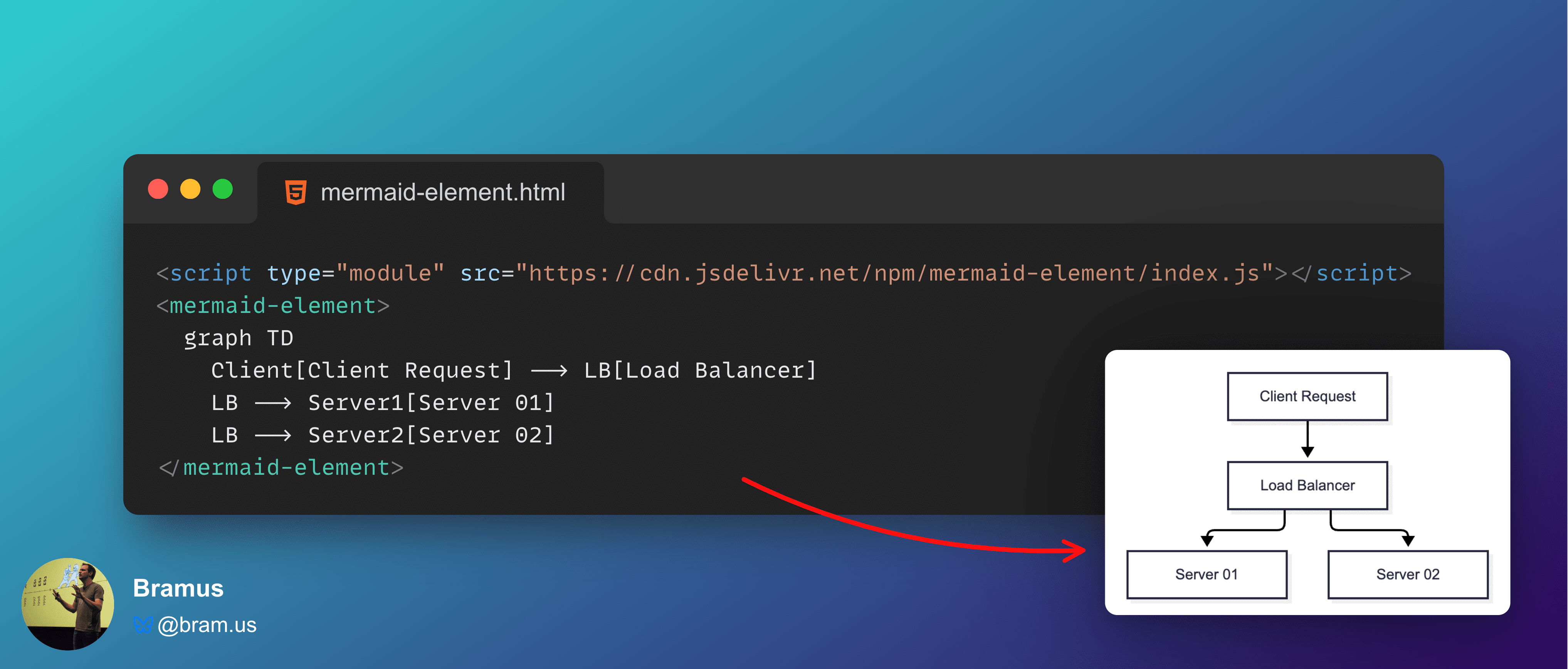
It’s a zero-config, dependency-free web component that renders Mermaid diagrams inside an open Shadow DOM. Simply import the script and put your Mermaid syntax directly inside the custom element:
<script type="module" src="https://cdn.jsdelivr.net/npm/mermaid-element/index.js"></script>
<mermaid-element>
  graph TD
    Client[Client Request] --> LB[Load Balancer]
    LB --> Server1[Server 01]
    LB --> Server2[Server 02]
</mermaid-element>
(Yes, you can also get the component from npm)
~
By default, <mermaid-element> is a drop in component that will automatically load Mermaid (version 12) on demand via jsDelivr. However, if you want to use a different version of Mermaid, you can pin a specific version or supply a custom endpoint using the mermaid attribute. Just set mermaid to a version string (e.g. mermaid="10.9.8") or a full URL, and <mermaid-element> will use that.
The component also comes with a built-in in-memory cache. If you have multiple diagrams on the same page, they will download Mermaid only once. Also, if your app already bundles Mermaid, you can assign your own copy to MermaidElement.defaultMermaid to bypass external CDN requests altogether.
~
I also built an interactive playground to show some examples and to show how you can configure the component. The resulting HTML is shown right underneath the visualization, ready for you to copy and paste:
See the Pen
<mermaid-element> playground by Bramus (@bramus)
on CodePen.
The <mermaid-element> website has some more examples (and instructions).
~
Check out the live documentation or grab the package from npm:
~
🔥 Like what you see? Want to stay in the loop? Here's how:
I can also be found on 𝕏 Twitter and 🐘 Mastodon but only post there sporadically.
