~
Chrome 154 adds support for responsively-sized iframes, letting an <iframe> size itself based on the intrinsic size of its embedded document. This is perfect for seamlessly embedding third-party comment widgets, varying-height social media embeds, or any other type of embed that uses an <iframe>.
~
# The Code
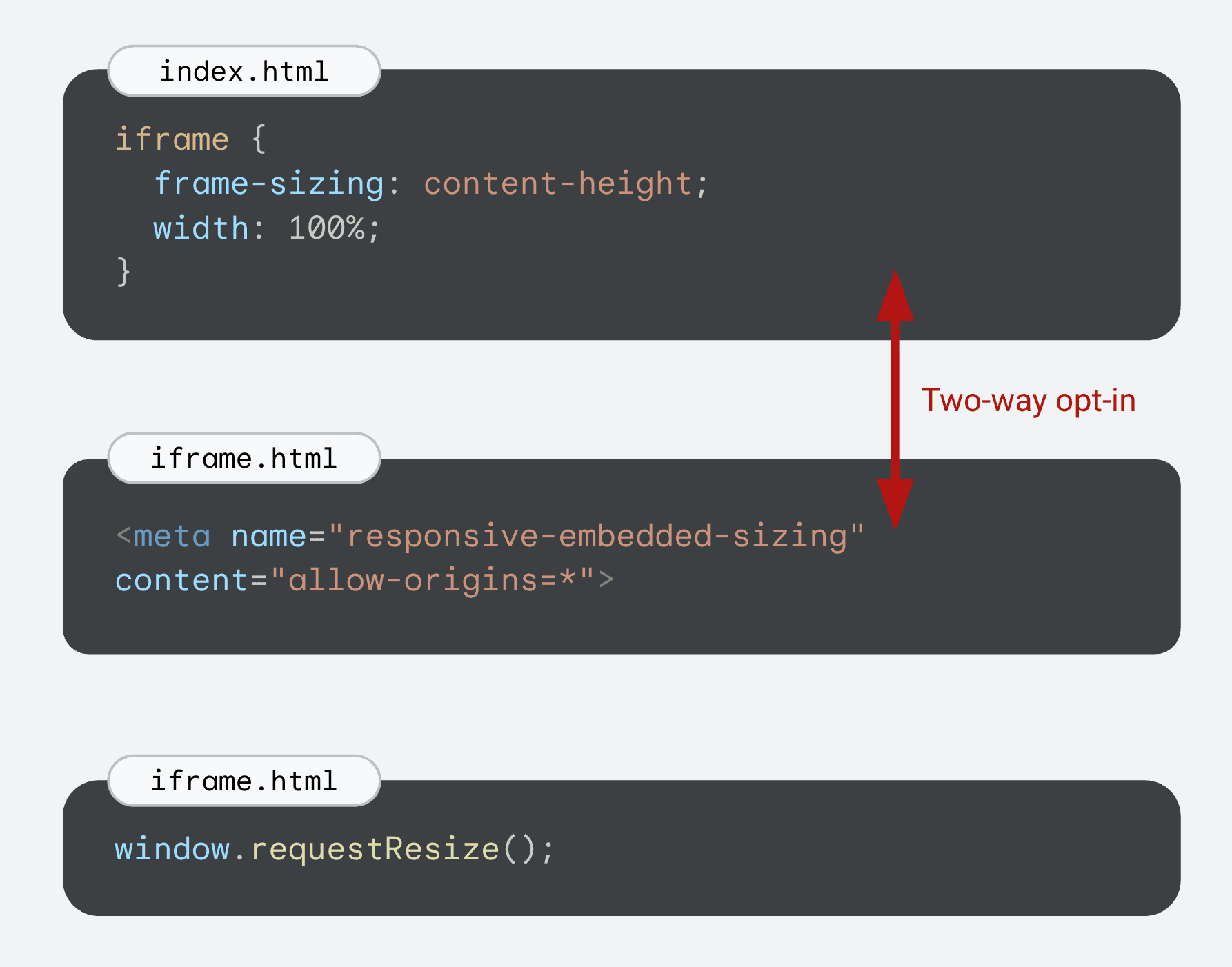
To make this work there is a two-way opt-in:
- The embedder (e.g.
index.html) needs to set theframe-sizingCSS property with a value ofauto,content-height, orcontent-width(or its logical variants) on theiframe. - The document loaded in the
<iframe>(e.g.iframe.html) needs to include a meta tag to indicate that it’s OK to communicate its size the parent embedder.
In code:
/* In styles.css for index.html */
iframe {
  frame-sizing: content-height;
  width: 100%;
}
<!-- In the iframe.html’s head -->
<meta name="responsive-embedded-sizing" content="allow-origins=*">The content’s size is communicated from the embedded document after page load. To communicate a new size, the document in the frame must call window.requestResize();
Use allow-origins to limit which origins the document communicates its size info to.
~
# Demo
Here’s a demo that contains a form which is an <iframe>. Whenever you go to a next step of the form, the <iframe> resizes itself to its contents … if your browser suppports frame-sizing that is.
Because the iframe resizes itself, the form is seamlessly embedded, without any scrollbar appearing at all.
~
# Browser Support
💡 Although this post was originally published in September 2026, the list below is constantly being updated. Last update: September 23, 2026.
Support for responsively size iframes is this:
- Chromium (Blink)
-
✅ Supported in Chrome 154
- Firefox (Gecko)
-
❌ No Support. Follow Bug 2035008 to stay up-to-date.
- Safari (WebKit)
-
❌ No Support. Follow Bug 314713 to stay up-to-date.
~
# Learn More
Get all the details about responsive iframes on developer.chrome.com, in this article I co-authored: Responsive iframes in Chrome 154 →
~
🔥 Like what you see? Want to stay in the loop? Here's how:
I can also be found on 𝕏 Twitter and 🐘 Mastodon but only post there sporadically.


Bramus, you’re often ahead, but so ahead—“Last update: September 26, 2026” (on Sep 23)? 🙂
On the feature, this feels like something we’ve waited a few decades for—nice to see this!
Oops, that’s what I get from copy-pasting from a previous article and only justing the 1 to a 2 😬