Looking for a jQuery version of jsProgressBarHandler? Then give this file a try. It’s a ported version created by Darryl Pentz, lead developer at CentraStage
Overview
What is jsProgressBarHandler ?
jsProgressBarHandler is a Javascript based Percentage Bar / Progress Bar, inspired upon JS-code by WebAppers and CSS-code by Bare Naked App. Next to a structural rewrite of the WebAppers code, this javascript progress bar can easily be extended and tweaked just by setting a few parameters.

jsProgressBarHandler has been tested and verified working in IE6, IE7, FireFox 2 and Safari 3.0.3. Other browsers should work fine too (untested though).
Demo
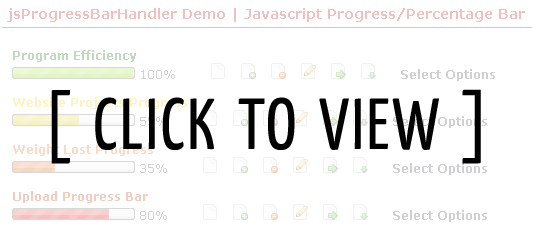
Download
Please download the latest version below:
Latest Version
▼ Download jsProgressBarHandler 0.3.3
Archived Versions
jsProgressBarHandler 0.3.2 was never released so you won’t find it here 😉
▼ Download jsProgressBarHandler 0.3.1
▼ Download jsProgressBarHandler 0.3.0
▼ Download jsProgressBarHandler 0.2.1
▼ Download jsProgressBarHandler 0.2
▼ Download jsProgressBarHandler 0.1
Don’t forget to read the License & usage and Installation/Configuration blocks on this page! 😉
Version History
Version 0.3.3 – 2008.11.10
- UPD: fixed IE compatibility issue (thanks Kevin – Sep 19 2008 / 6pm)
- UPD: setPercentage now parses the targetPercentage to an Integer to avoid infinite loop (thanks Jack – Sep 07 2008 / 9pm)
- UPD: Moved from Event.Observe(window, ‘load’, fn) to document.observe(‘dom:loaded’, fn) in order to force people to use an up to date Prototype release.
- UPD: setPercentage now takes an overrideQueue param. If set the current queue is cleared.
- ADD: Added onTick callback event which gets called when the percentage is updated.
- ADD: Added stable (as in “non-crashing”) versions of the additions which first surfaced in the (unreleased) 0.3.2 release
Preloading support partially implemented in IE as all versions (IE6,7&8) are quite hard to tame (one time they work, the next reload they don’t anymore)
Version 0.3.2 – 2008.04.09 (*UNRELEASED*)
- ADD: implemented preloading of images to avoid slight flicker when switching images (BUGGY!)
- ADD: percentage image now has class percentImage and percentage Text now has class percentText; This allows you to style the output easily.
Version 0.3.1 – 2008.02.20
- UPD: fixed queue bug when animate was set to false (thanks Jamie Chong)
- UPD: updatedPrototype to version 1.6.0.2
Version 0.3.0 – 2008.02.01
- ADD: animation queue, prevents from the progressbar getting stuck when multiple calls are made during an animation
- UPD: multiple barImages now work properly in Safari
Version 0.2.1 – 2007.12.21
- ADD: option: set boxImage
- ADD: option: set barImage (one or more)
- ADD: option: showText
Version 0.2 – 2007.12.13
- SYS: Total rewrite of
jsProgressBarHandler, now comes in two classes - ADD: Configuration Options (animate, width, height)
Version 0.1 – 2007.08.02 – * INITIAL RELEASE *
- Basic rewrite of the webappers.com version
License & usage
The script is now released under a creative commons Attribution-ShareAlike 2.5 license. Should you use the script within a commercial context please think about clicking the PayPal donate button.
Installation/Configuration
Working with Ruby on Rails? Then check out Progress Bar Helper, written by Thomas Gendulphe
Progressbars can either be manually created, or automatically.
Automatic Creation of Progress Bars
-
Include the needed javascript (2 files) in your HTML document (included in download)
[html] <!– jsProgressBarHandler prerequisites : prototype.js –>
<script type="text/javascript" src="js/prototype/prototype.js"></script><!– jsProgressBarHandler core –>
<script type="text/javascript" src="js/bramus/jsProgressBarHandler.js"></script>[/html]
-
The elements you want to change with a dynamic progressBar must be scripted as this:
[html]<span class="progressBar" id="myElementId">15%</span>[/html]
- Yes, it must be a
spanelement progressBaris the className that will triggerjsProgressBarHandlerto change it with a progress bar- the id (
myElementIdin the example) must be unique (as per HTML specification) and is required forjsProgressBarHandlerto work properly - the innerHTML of the element must be the percentage (either with or without the &proc; character)
- Yes, it must be a
- You might want to edit the first few lines (#28-35) of
js/bramus/jsProgressBarHandler.jsto change some settings like width, height, animation and the images to use - That’s it, you’re done!
Manual Creation of Progress Bars
-
Include the needed javascript (2 files) in your HTML document (included in download)
[html] <!– jsProgressBarHandler prerequisites : prototype.js –>
<script type="text/javascript" src="js/prototype/prototype.js"></script><!– jsProgressBarHandler core –>
<script type="text/javascript" src="js/bramus/jsProgressBarHandler.js"></script>[/html]
-
Create a container (viz. a regular HTML element like a paragraph or a span) in your HTML file to hold the progressbar. Make sure it has an
idset.[html]<div class="percentImage1" id="hereComesMyFirstProgressBar">[ Loading Progress Bar ]</div>[/html]
- If you’re using the default markup used (with
spanelements which hasprogressBarasclassName), then editjs/bramus/jsProgressBarHandler.jsand set the varautoHooktofalse(line #25) -
Create a new
JS_BRAMUS.jsProgressBarinstance by adding this javascript to your HTML page (the code will be executed when the DOM is done loading):[js]Event.observe(window, ‘load’, function() {
firstManualPB = new JS_BRAMUS.jsProgressBar($(‘hereComesMyFirstProgressBar’), 50, {animate: false, width: 240, height: 24});
secondManualPB = new JS_BRAMUS.jsProgressBar($(‘hereComesMySecondProgressBar’), 10, {animate: true, showText: false});
}, false);[/js]- The first param is the element to create the progressbar in
- The second param is the (intial) percentage the progressbar should hold
- The third param is optional and holds a specific configuration for that instance. Parts of this object can be omitted (and parts of the default options will be used instead), or the param can even be dropped (the full default options will be used)
- You might want to edit the first few lines (#28-35) of
lib/jsProgressBarHandler.jsto change the default settings for width, height, animation and the images to use - To configure an
onTickcallback function, please read the post introducing jsProgressBarHandler 0.3.3 😉 - That’s it, you’re done!
FAQ
Coming soon:
- How can I implement my own images?
- How can I create a multi-colored progress bar? (tip:
options.barImage) - How can I invoke a certain action when a certain percentage is reached? (tip:
options.onTick– see this page for now.)
Feedback/Support
One can always leave a comment in case any questions should arise or if a bug were to be found; and one can always support me by donating me a tidbit to my paypal 
Make a donation
Thank me with a coffee.
I don’t do this for profit but a small one-time donation would surely put a smile on my face. Thanks!
To stay in the loop you can follow bramus on Bluesky or subscribe to the RSS feed.


This is quite a nice piece as I was noticing the lack of functionality in the original post (testing in Safari). I don’t think it will be construed as a “bash” and strongly encourage and look forward to evolutions of experiments/projects like this.
I really like your product 😉 Keep it going!!!
Hi,
I really like this script, works wonderfull in all modern browsers. Keep up the good work!
I got a small question: Is it possible to use this script together with prototypes Ajax.updater function? For example I have a page which does 5 Ajax-Updates through the Ajax.updater of prototype.
With Ajax.Responders.register and Ajax.Responders.unregister I can count the requests that are running and finished. So I thought, when I put a myJsProgressBarHandler.setPercentage(‘progress’,’+20′); in Ajax.Responders.unregister it should count up until 100%, but it doesnt. If I use the function on generic links (like in your example page) it works fine without problems.
Im quite new to ajax (and Javascript as whole), so it would be nice if you could give me a tip how to do this.
Thx in advance
@ Chris : I’ve knocked up an AJAX Powered jsProgressBarHandler Demo for you. Reason I’m using my own activeRequestCount is that the
Ajax.activeRequestCounttends to give the wrong number back. TheAjax.Responders.register-codeblock is based upon .Hope it helps!
Hi Bramus,
thank you for that, really nice example to study for a beginner like me :).
Is there a way to insert this into WordPress? It seems like the code words simple enough but I am not quite sure where I would insert this.
I would imagine I can upload it as a plugin but that does not sound right?
Good project! very very useful!
@ Mark: A plugin indeed would be needed … what do you want exactly? I’m thinking of a simple method to showing progress bars, without the manipulative controls 😉
This code is very nice. I’m using it in a project and I noticed 1 small bug. I work in a SEO-Optimized environment, meaning I have URLs like http://example.com/something/somethingelse/somethingnew. In your javascript you have the function buildProgressBar() which makes an image with as source “images/percentImage.png”. Since I have all my images in my docroot (like most programmers nowadays), I changed it to /images/percentImage.png. Maybe this is can be valuable as a fix? 🙂
regards,
Jan
wow,
Thats a very nice work there Bramus!
Good job!
@ Jan : thanks for mentionning, will implement (amongst with some other stuff I have planned)
Hello. Your progress bar is super. But i have one problem. I want to use “Weight Lost Progress ” that orange bar. But when I reload site and progress bar reload too to standard 50%. I want for example when I set it to 4% or other percent to stay like this all the time until I change it.
Can you please help me
And one more question how to change perception by NOT using button near progress bar
@ Dario: set the innnerHTML of the span you wish to change to 4% (see step #2 of the installation/configuration – change that 15% to 4%)
@ Dario: dynamically updating can only be done through javascript, as the script itself IS javascript … can be hooked to any event of course (
onClick,onBlur,onFocus, etc.)Any chance a version for mootools will be made? I have constructed my site using that and don’t really want to change to prototype.
do you have a sample to post a form?
@ javier: jsProgressBarHandler is meant for presenting percentages, not for inputting them. If you want a script to insert percentages through a slider element, I suggest you take a look at the Unobtrusive Slider Control by Frequency Decoder, but maybe I’ll crank up some code in the future … kinda busy right now though 🙁
Anywho, worth mentioning is that it’s possible to hook an input element to a progressbar … set the onChange (or onBlur) event of that input element to update the progressbar 😉
@ Mitt: not right now no … very busy atm :S
hi bramus, i’m an absolutely beginner in this stuff, so your example don’t really helps for me: i try the steps »installation/…« and »static code…«, but my flash application don’t accept to place the code »import flash.external.*« in this way. my question is: should i replace the »star« 😉 with anything else? i’ve no idea for this, have also the same situation with »…onRelease = function() {« – what have i to set instaed of »function« ???
dont call my stupid, i’m an old man, but a phoetus on coding ;-)… zsoga
@ zsoga: that impor rule should be one of the first lines of your actionscript for a given frame/object. The star does not need replacement, as it stands for “anything” contained in the flash.external package. The onrelease still needs to be there, as it’s hooked to an element on the stage.
I suggest you read up on Actionscript a bit, just Google it and you’ll find lots and lots of tutorials (kirupa.com, actionscript.org, etc.) 😉
Is there a way to make this simply show the progress, rather than having it fill the bar each time the page is loaded? While I like the effect, just a static bar is what I’m looking for.
Thanks, nice work!
Hi, great script!!!
I would like to implement it in my upload form to show the upload progress in real time, but i am newbie to Ajax.
I saw the demo for ajaxprogressbar. How can i get the byte downloaded and then attach to it a percentual?
Ehm.. sorry about my orrible english 🙂
Bye
@Martin: planning on rewriting jsProgressBarHandler … will implement that 😉
@T-Rex: uploading a file through AJAX cannot be done (src)
would it be possible for you to post or send the source of ajaxprogressbar.php? would be very helpful.
@ Joel: That’s just a dummy 1-line script that waits a few seconds (using the PHP sleep() function) and then echos “Processed Call” when it has finished; nothing spectacular about it.
Hi,
The progress bar looks great, but I honestly don’t know how to use it on my site. I have a webpage that takes about 7-8 seconds to load and I would like to use the progress bar to show the progress of the page load.
Is that possible and in that case how? Can I make the progress bar dissapear once the page has loaded.
Regards,
Zvon
Hi Zvon, that can’t be possible as you don’t know how long exactly the page will take to load (on a slow connection it can be more than 8 seconds), thus cannot calculate how much % of the page is loaded (the progressbar indicates “loaded X percent”)
However, you can show a spinner (a spinner indicates “loading”, doesn’t specify a percentage) or something alike. For that I suggest you take a look at how lightbox works (to show an overlay) and to take a dive into the
window.loadfunction (or in the case of prototypeEvent.observe(window, 'load', ....);Hey Bramus,
i really like your script but i have one question.
I want to make the progress bars larger than the normal ones. I’ve tried to resize the images but then the script does not longer work.
Is there any possibility to enlarge the progress bars?
thanks for answer…
regards,
paddiii
Hi,
Thanks for your great script ! I would like to use it for my stats package if you are agree. I will allow users to watch the stats being computed when scripts are running (and avoid
timeout from the web server). I had to make some little changes in your code in order to use it (my output page being sent to the browser while computing, so the page is never fully loaded).
regards,
Laurent
Hi, Bramus.
Thank you for your work. I use your progress bar. It looks very nice.
I would like to propose some improvements if you don’t mind. In `setPercentage` function if to change `setTimeout` call for:
setTimeout(this.setPercentage(id,percentage).bind(this),10);
then we can create our own JS_BRAMUS.jsProgressBarHandler object in any place and use any variable for that. Right now we depend on `myJsProgressBarHandler` and it’s not convenient.
@Paddiii: should be more easy in jsProgressBarHandler 0.2 😉
@ Laurent: sure! Glad to see this is helpful to you! What exactly did you need to change? I think your change isn’t needed with the new version 😉
@ Dmitry: Your suggestion made it into jsProgressBarHandler 0.2 as this one’s a full rewrite and no longer depends on
myJsProgressBarHandler(the handler even is optional now!) 😉Thanks for your answer ! Glad to see 0.2 coming 🙂
I had to remove the last line because with cgi output, the page is never fully loaded.
I’ve added the ability to change the progression step (Math.floor(10*prevPercentage)/10 for step 0.1), and so the printing ( percent_value.toFixed(1))
As I display many progress bar in the output, I’ve added
$(id + “_percentImage”).style.display = “none”;
when the bar reach 100%.
I can send my updated script if you want to include some part in the official release 😉
Laurent
There is a problem with the graphs in Internet Explorer – a mistake pops up – is says: SysFader: iexplore.exe – an unknown exception (0x0eedfade) address 0x7c812a5b
havn’t found anything in comments or feedback about it
whats the problem do you think?
pete
@ pete : the only thing I find not working in IE is the manual progressbar which gives a JS error in IE6 (works in IE7 though). Don’t know if it’s the same error.
PS: Note to self: test your shizzle in BOTH IE’s before releasing 😛
Hallo Bramus,
Bedankt voor dit super script.
De progressbar laadt bij mij alleen niet in onder firefox.
Heb jij enig idee hoe dit zou kunnen komen.
Misschien komt het door de css die ik naast jouw css gebruik?
@ Ruben: dan zou die ook in IE niet mogen werken … werkt de demo bij jou in FX (Hier gebruik ik steeds FX, welke ik ook al m’n scripts standaar in check, dus zou moeten werken …)
@Bramus dat is het vreemde, script werkt wel in IE, maar in FX lijkt de CSS niet goed te worden ingeladen. Hij geeft een kleine groene balk met het percentage erin geschreven. Lekker Vaag…
@ Ruben : test-page available?
@ bramus nee draait local, maar volgens mij wordt het veroorzaakt doordat ik de boel toepas in phpcake. Ik zal wel eerst een helper moeten maken. pffff
I’m trying to use this with my PHP upload script. Can you help me with implamenting this to get it to show percentage of the uploaded file? This may be simple but im baffled.
I would like the users to bebale to select the files to upload then once they press submit the progress bar kicks in and gives them a readback of the upload percentage complete.
Is this possible?
@Jeremy: what you need to create is a script that can upload and then steer a
jsProgressBarinstnace via thesetPercentageto reflect the percentage uploaded. All you need to do is code a script which returns the percentage while uploading.Ok, I have the script made. It’s a simple php upload script but I am not sure how to do what you stated. I have not worked with js very often and would like to ask if you could help me out. If I send you the script can you modify this then I will overlook the script to learn how you do this?
It doesnt seem like it would take you long and I would be willing to donate for your help.
@ Jeremy : what you need to get is that while uploading PHP returns the uploaded percentage of the upload and then manipulate a
jsProgressBarthrough thesetPercentagemethod.Notice that italic part I just wrote above? Well, that’s not possible without an unpatched PHP unfortunately (more info in this article on PHP file uploading I wrote a while back).
So I’m afraid it’s no-go 🙁
Good work!
@ Roberto: thanks! And thanks for the donation too! 😉
hi Bramus
Is it possible to use this script together with prototypes Ajax.updater function? For example I have a page which does 5 Ajax-Updates through the Ajax.updater of prototype.
With Ajax.Responders.register and Ajax.Responders.unregister I can count the requests that are running and finished. So I thought, when I put a myJsProgressBarHandler.setPercentage(’progress’,’+20?); in Ajax.Responders.unregister it should count up until 100%, but it doesnt. If I use the function on generic links (like in your example page) it works fine without problems.
Im quite new to ajax (and Javascript as whole), so it would be nice if you could give me a tip how to do this.
Please provide me the source code which you have provided to chris in this discussion
Thanks in Advance
Narendra
@ Narendra : you might want to take a look at the source of the javascript progress bar ajax demo 😉
Hi Bramus
I have seen the demo. Its excellent. I need same kind of solution like my ajax event fires periodically and updates the percentage complete from DB and display on a jsp page. so that progress bar show that percentage complete. I have to stop periodical updater after reaching 100% complete. How to stop periodical updater at this moment. Please provide me the solution.
The demo is excellent. Its greate help if you provide me that source.
Thanks in advance.
Narendra
Anyone able to get the “Multi Color Bar” to work in Safari? On 3.0.4, it doesn’t seem to be showing the images (on the demo site). Maybe there’s a quick fix?
Excellent work! Do you have any idea how we can have a commit button to modfiy the .html file to make the progress bar percentages stick across page refresh/reloads?
Hey Bramus!
I want to include it in a CMS module. What i need to do additional to add it in the credits and the licence of the jsProgressBar?
I want to use it in the upload function of the Relay port that i’m implementing demo here.
Very good work Bramus!
congrats!
@ Narendra: that’s something you should find in the PrototypeJS docs
@ Chris: Even after a reload? It tends not to work when ran for the first time as the images need to be loaded first. Maybe I should build in some preloading stuff
@ gachaser: at the page that already processed the data (and where the progressbar should “stick”) I suggest you implement a manual PB on it, with animate set to false so that it immediately shows the percentage and does not tween towards that percentage.
@ Mateo: Just leave my name in the core files 😉 If you’re generous you can always provide a link in some sort of readme/help section 😉
Yep, even after a refresh, the actual progress color images don’t show up. Just the container image. It works just fine in every other browser (FF [Win/Mac], IE [Win], Opera [Win/Mac], and Camino [Mac]), just not in Safari [Win/Mac].
I’m kinda stumped on this one… Then again, that’s an easy thing to do! 😉
Hi Chris,
I think the problem has to do with Safari checking differently if the barImage is an array (multiple images) or a string (one image). Will look into that.
Thanks for informing me about this one.
Regards,
Bram.
@Chris: fixed in 0.3.0 😉
secondManualPB = new JS_BRAMUS.jsProgressBar(……
i think must be new JS_BRAMUS.jsProgressBarHandler(…
@Dan: no it shouldn’t. The
jsProgressBarHandlerobject scans the document for span elements to be converted tojsProgressBarinstances when called upon. In other words: the handler is a script which creates several progressbars.Now, when creating a progress yourself (viz. the manual way), you should invoke it through
new JS_BRAMUS.jsProgressBar(.....as you want a new progressbar, and not a scanner which creates progressbars. This is explained in the guidelines and can be seen in the source of the example 😉sorry, i has old version…
@Bramus: i was trying version 0.1, now i upgrade to 0.3 and it’s fixes all my problems (i making multibars whith dynamycly create)
thanks for that’s greate control!
Bramus,Thanks for this nice plugin.One thing you sohlud really talk about in the documentation is to tell people to check the path is correct for the images.I usually organize my wesites as:root/index.phproot/js/progressBarFiles.jsroot/js/images/bramus/imagefiles.pngI spent an hour trying to figure why the images were not showing until I realized, the script was looking in:localhost/website/images/bramus/image.pnginstead of going to:localhost/website/js/images/bramus/image.pngHope these helps some people. Great script though.
@Dan: I’ve fixed it so that version 0.1 (linked to from many sites) cannot be downloaded anymore, preventing users from having a really really outdated version 😉
You have a bug in 0.3.0 when you configure the progress bar for animate = false.
Just add this line:
this.queue.splice(0,1);
To your this.options.animate == false if block.
I hope that helps!
Jamie.
I am trying to implement the js progress bar into a php loop, but it doesn’t actually initiate the animation/display until the php loop finishes.
Any idea how I can implement it for the loop?
Hello Bramus, your script is great but I have a issue with it.
I followed your instructions but when I submit the form the bar doesn’t start.
You can see my code here
If you could take a look and let me know what I’m missing it will be great.
Thanks and have a nice day!
Great piece of software! I use it for multiple instances within software applications. I will send you links to software on wed. Thanks again. Have you released the tutorial for creating your own bars yet? Or should I go on ahead with creating my own for people?
Also I would like to add that there has been a new release of prototype software may want to add it to your latest 3.0 release.
@Jamie: Thanks for spotting the bug! Fixed in 0.3.1 😉
—
@Adam: that’s because PHP will only output (viz. send the generated data to the browser) after it has finished. That can be bypassed by using some Ouptut Control Functions such as
ob_start,ob_flushand the alike.However, jsProgressBarHandler still will not kick into action as it hooks itself on the ready state of the DOM; That can be bypassed by manually creating a progress bar.
Other scenario is to output a holder for your progressbar and then use some AJAX-magic to get the state of the loop and update the progressbar.
—
@Sig: You’ve hooked the
manualPB2.setPercentage('0');to the submit event of the form, which sets the percentage to 0 on the progressbar.What you need to do instead is start an AJAX-call on an interval which gets the percentage of the file currently being uploaded. In the
onSuccesmethod of that call you then set the percentage viamanualPB2.setPercentage(percentageReceivedThroughTheCall);😉Oh, and to say I’ve never worked with RoR before; That code reads like a hot knife sizzling through some butter!
—
@Adam: See this reference for the time being.
—
@Adam: Latest Prototype (1.6.0.2) added in the 0.3.1 release 😉
Thanks Bramus
even if I’m not sure I know what to do
@Sig: don’t worry. I’m planning on showcasting a PHP upload demo with progressbar any time soon (don’t expect it by the end of the month though) 😉
I look forward for it and I hope I will be useful even for Rails developers 😉
Have a nice day!
I’ve changed my name to AdamM to differentiate myself from the other Adam. I was the one asking about using the progress bar in a php loop.
Care to explain?
Was this directed at me or the other Adam.
Thanks in advance!
@ AdamM: Here’s a little scenario:
1. Output your page with a progressbar set to 0% (see the static code examples); you don’t need any php for this
2. When the page has loaded, hook a function to the load event of the window Object (via the Event.Observer in Prototype)
3. That function should first call a PHP script that starts your loop.
4. When that first script is called, the function should call a second PHP script which gets the status of the loop you started in the first script (maybe the first script should write the status somewhere to disk?)
5. Upon getting the status of the loop (through the second script), update the progress bar to reflect that percentage
6. if the percentage is smaller then 100, re-call the second script to get the updated status.
@AdamM: reference was to the “other” Adam on how to create your own progressbar images 😉
Hi,
I trying to load jsProgressBar like this without sucess:
XMLRequest req = new XMLHttpRequest();
req.open(“GET”, urlToJsProgressBar, true);
data=req.responseText;
node.innerHTML = data;
Any suggest?
@Glauco: if you set the innerHTML of something to “82” for example, quite obviously no progressbar will be created.
After assigning the value, you should create a new
jsProgressBarinstance, as described in the manual creation/instantiation.Alternatively you can create on at page load (at 0%; again see manual part) and then call
setPercentagewith the reveived data (which should be a number)Hi,
Congratulations for this nice script!
I didn’t find the way to personalize (manual creation of progress bar) starting with the given ajax demo!
Is ther a way to do this by modifying the event observer?
Event.observe(window, ‘load’, initProgressBarAjaxHandler, false);
Could you provide an exemple?
Thanks for your support
@Mark: open up jsProgressBarHandler.js and set autoHook to false (line #29). Then check the normal demo (linked above) and check out lines 164 – 193 😉
Hi Bramus!
Thanks for your answer!
I set the autoHook to false, but didn’t found the way to set up the MultiColor bar provided in your demo, but in AJAX mode!?
I tried the following:
function initProgressBarAjaxHandler() { myJsProgressBarAjaxHandler = new JS_BRAMUS.jsProgressBarAjaxHandler(
$(‘progress’),
0,
{
barImage : Array(
‘../../_scripts/progressBar/images/bramus/percentImage_back4.png’,
‘../../_scripts/progressBar/images/bramus/percentImage_back3.png’,
‘../../_scripts/progressBar/images/bramus/percentImage_back2.png’,
‘images/bramus/percentImage_back1.png’
)
}); }
Event.observe(window, ‘load’, initProgressBarAjaxHandler, false);
… but the jsProgressBarAjaxHandler class doesn’t seem to manage options !?
Would you have an exemple ? And I also have troubles using IE.
Thanks again
Mark, you need to invoke a
JS_BRAMUS.jsProgressBar, not aJS_BRAMUS.jsProgressBarAjaxHandlernor aJS_BRAMUS.jsProgressBarHandler😉I noticed on the multi-colored example it takes a while to reload colors. I think it would work much better with styling than image backgrounds, which I suppose is the case. Great project othersise
Good work!!
I’m working on a update for my works website. And needed a progressbar for it. And thought this looked amazing. Problem though it dosent work.. And I can’t find the problem. I followed your instructions and so on. But nothing. I’m using JSP for coding. And mainly IE7
Aren’t a browser problem due to I tried in mozilla too with same luck. Seems to be a problem with import of the .js or something. Or maybe problem with vars
@ Yan: tried bypassing that by preloading the images, yet IE abruptly throws errors on it 🙁
@ Andres: thanks!
@ Linus: any (temporary) link available where I can take a look at your problem?
I’m a JavaScript noob and I was wondering if you could explain exactly what that AutoHook feature does? I’ve set it to true and false but the demo still runs the same way…
It looks to me like it simply creates a second jsProgressBarHandler after the page finishes loading?
I worked it out. Was something wrong with my placement of the code in my current code.
I sent you another comment though. On some other prob
Hi Bramus,
great work, I really like it. Especially the ajax demo is very interessting. But I´m a beginner and wondering what code is in the “ajaxprogressbar.php” file. Could you please describe it or post the code?
Thanks
Greg
Hi,
Congratulations for this nice script!
I didn’t find the way to personalize (manual creation of progress bar) starting with the given ajax demo!
Is ther a way to do this by modifying the event observer?
Event.observe(window, ‘load’, initProgressBarAjaxHandler, false);
Could you provide an exemple?
Thanks for your support
http://jquery.com/
Is it possible to make this software compatible with jQuery and not prototype. Or both?
Here is why:
http://www.prototypejs.org/api/array
Prototype does some serious modification to the Array prototype, which tends to break “for(var x in arr)” constructs. Which is used a lot in Vbulletin core. Is there a work around for this does your bar use this type of back-end of prototype or can I eliminate a large portion of Prototype to make both work together and play nice.
Hi Bramus,
Thank you for a great progress bar.
I have one problem. The progress bar disappears after an ajax calls to the server. You any idea why? Thanks
@techphets: When set to false no automatic progressbars will be created; only the manual ones will come through.
@Greg: it merely is a PHP script with only 1 line in it: sleep(x); to fake some delay that could be cause by some processing.
@Hakan: Check the normal example, not the Ajax one (scroll down in the sourcecode of the HTML) 😉
@Adam: Been gooffing around with jQuery for about 9 months by now (nearly dropped all Prototype development) but the only problem is that jQuery doesn’t support classes from within the library itself (it however can be done manually, but I don’t like that method). On the other hand, I urgently need to check out Low Pro for jQuery by Dan Webb, as he’s ported the Class.create() functionality to jQuery 🙂
@Ran: any demo link?
Yeah let me know the outcome. I am in need for a fix asap. Thanks for all your help and software A++
I’d love to see a jQuery version. I’m thinking about using the Webappers version so that I can use jQuery instead of prototype.
Has anyone managed to use prototype and jQuery together with these progress bars?
@Adam: You can use jQuery and Prototype (or any other library) together without any troubles 😉
I am having some huge problems with jQuery and vBulletin also. I have tried all fixes from the jQuery link you’ve posted above and have not gotten it to work with my other javascripts (highslide, dock menu, jQuery).
Is this because the script uses $?
Any info or help would be greatly appreciated!
Wohoo I just got it to work!!!!!!!!!! 2 Hours of playing around but I got it. Thanks, this is great stuff. 😀
Hi Bramus,
I was wondering if you knew of any way to speed up the loading of the progress bars. I am currently using them to show Quiz Statistics and I have about 5-7 of them showing simultaneously but it takes a good 5-6 seconds to show before they start their animation (in Firefox).
It looks like they only start looking for the spans once the entire document is finished loading.
Any help would be greatly appreciated!
Thanks. 🙂
Hi Bramus,
I have done the following modifications to the .JS and thought I would share with other people who also wanted the same results as me.
1. I preloaded the images using:
if (document.images) {
img1 = new Image();
img1.src = “progressbar/images/bramus/box.png”;
}
2. Replaced Loaded Line in Handler Function
Event.observe(window, ‘load’, initProgressBarHandler, false);
with
document.observe(‘dom:loaded’, initProgressBarHandler, false);
Thanks for this nice script, it really works well now that these small modifications were done.
Bramus, this is one devilish piece of hot js candy.
I was trying to use it to execute several instructions , and I would like to know how can I do the progress in a for loop manner silently, without showing anything but the bar itself.
If this is possible can you give a few pointers ?
Thank you very much
Beautiful script.
Is it possible to create a multi colored bar automatically? I want to show a bar representing used disk space and I would like it to change color as disk space changes.
Thank you.
The issue is I can “NOT” use prototype at all because of conflicts I specified above. So your saying by the above statement I can use jQuery instead of prototype and your system will work fine. To my knowledge and what you said earlier is that is has issues with classes. So please explain a little further for me. I need a fix for prototype or use another library because of how prototype handles the above stuff I already stated. Thanks for your help.
YUI by default is part of Vbulletin as well is there a way to just use that system to work with your software that way I wouldn’t need to add another library to the system?
@Jean:
Event.observe(window, ‘load’, initProgressBarHandler, false);is a leftover of previous Prototype releases. Should indeed be replaced withdocument.observe(’dom:loaded’, initProgressBarHandler, false);(which got introduced in 1.6). Will update so in the next version.@Jean bis: a few weeks ago I experimented with preloading images, yet IE turned out to be one massive failure at it, even breaking the normal progressBar behavior.
@Ederico: check out the manual examples and then call
myManualPB.setPercentage('98');for example 😉@Joep: Edit the
defaultOptionsvariable in jsProgressBarHandler.js so thatbarImageis an Array, as seen in the manual examples.@Adam: What I said is that you can continue to use jQuery for all the stuff on your site (instructions at the link I posted before) without it conflicting with the (extra) Prototype.js include as jQuery plays nice with other libraries 😉
excellent work dude,
beautiful script =)
would love to see a jquery version of this too.
I don’t think you get what I am saying. I can NOT use Prototype because of how it handles the for statements. It conflicts with Vbulletin. So I can not use/load prototype on pages where it conflicts with VB. So I need another solution. Your software seems to only work with Prototype. So I was wondering if your software will work with YUI or any other js package. I prefer YUI since it is the best and comes default with Vbulletin. So the combining of two jquery and prototype is not an issue it is prototype it self and that your software requires it.
I researched it more and seems I would have to code my own class function type system. I may just do that. I need code as slim as possible cause this code gets called a LOT and need it super fast. Let me know if you have any other ideas.
@Adam: Ah, forgot about the Vbulletin conflict. *oops*
Anywho, you might want to check out Low Pro for jQuery. Dan has done an excelling port of Prototype’s Class.create() capabilities to jQuery.
Hi, thanks for this great script!
I am wandering if there is a way I can temporarily disable the animation when setting the progress bar back to zero? I ideally want a sort of clear function which overrides the animation property. Thanks.
Anybody can help me, please?
I need to full the 100% in 60 seconds, How I must do it?
Thanks
Hello,
I’m a newbie to Javascript.
I got a problem in using the setPercentage function.
Here is the code:
Event.observe(window, ‘load’, function() {
// first manuale progressbar : different bar (width, height, images) and no animation
manualPB = new JS_BRAMUS.jsProgressBar(
$(‘myElementId’),
5,
{
……..
I tried to change the percentage with the following code:
function setMyFields(Result, Counter) {
manualPB.setPercentage(Result);
}
But I get an error message:
manualPB is undefined
If think it is a trivial newbie problem.
Can someone help?
Greetings
Hello,
It doesn’t seem to handle decimal values eg 50.75% etc. Any suggestions ?
Thanks
Hi
I also would like to know how the progress bar can accept decimals
i.e. I have a next and previous buttons and an arbitrary number of pages per modules i.e 80 pages, sometimes, more or less. So I need to have a progress bar that accepts decimals i.e. If I had 80 pages then each increment will need to be 1.25.
How do I this
Thanks
Jon
// Perform some Ajax Calls
<?
for($i=0; $i
new Ajax.Updater(‘box’, ‘ajaxaddfile.php?filename=&genre=&location=&date_add=’, {
parameters: { sleep: 1 }
});
I have some problem! If there more that 100files …101 and etc! It does’nt work at all! Do’nt work anything…. but if there 99 – it works. WTF?
	// Perform some Ajax Calls

					<?

						for($i=0; $i

						new Ajax.Updater('box', 'ajaxaddfile.php?filename=&genre=&location=&date_add=', {

							parameters: { sleep: 1 }

						});
I want to make a progress bar for my website where many students will login at a time and i want progress bar to display the % of time left for a person to get to his home page.Can you help me doing this
Hi,
Great project, useful and helpful 🙂
but can I know how to get the background of the bar from the right cus i’m using RTL language !
Thanks in advance
Amr
can you translate the Manual to chinese ? thanks !
I have the same problem as Richard i think. I’m new with JS, but i think the myJsProgressBarHandler is not within scope of my other scripts that are trying to modify it.
I tried to work around it by creating my own jsProgressBarHandler within my own script, but every time i do that i always get the progress bar working in reverse, going into the negative range, never ending.
@Oliver: Not possible … unless you mod the script: Replace line 200 (
if (this.options.animate == false) {withif ((this.options.animate == false) || (targetPercentage == 0)) {@Tigran: init a manual
jsProgressBar(see documentation and comments above), start a javascript timer and at each tick, increment a param namedtickCountfor example and then callsetPercentageon your local jsProgressBar instance. (myManualPB.setPercentage(tickCount);for example)@Richard: if you get an error like that, then it means your
manualPBvar didn’t get inited (this is normal javascript, has nothing to do withjsProgressBarHandler;)). Now, question is: when do you invokesetMyFields? Reason I ask is thatmanualPBdoesn’t get created until after the document has fully loaded (and yoursetMyFieldsfunction might get called gefore that)@Ah: nopes, that’s not supported (yet?)
@Skitsko: your code seems to be truncated? Can you fully post it?
@sweet: read a bit up on the manual creation of a progress bar (see docs & comments above) and be creative with javascript timers.
@Amr: Created a flipped version of the image (where the filled part is on the left, and the non-filled part on the right) and then adjust the calculation part in the code at line #272 to something like (untested though, could be wrong!) from
(this.initialPos + (percentage * this.pxPerPercent))to(this.width - this.initialPos + (percentage * this.pxPerPercent))@Jade: erm … I don’t speak Chinese 😀
@nblracer: most likely the same thing as Richard indeed: when exactly does your script get executed? The progressbars don’t get inited until the document has fully loaded (and not when the DOM has been loaded!)
How can i include my page so if he is finish loading the page is showing
how i can use this script into a whit onsubmit= function?
I need to display upload progress bar only when i click on send button on the form for upload file..
it is possible?
Hi,
This is a really beautiful looking control – thanks for that!
Any thoughts on adding an “indeterminate” mode (a la Swing)?
Either display a small chunk of the bar cycling back and forth, or even just continue the animation with a full bar (so the stripes move across).
Thanks
Nice control!
I have an upload form, which loads with Ajax, and has a where all the notifications are displayed. I use an iFrame as the target to upload the file and then read the file (a txt file) and do some processing with it.
As the processing advances, I want to update the on the parent page with the progress bar.
Right now I do this:
var parDoc = window.parent.document;
parDoc.getElementById(‘upload_status’).innerHTML =;
This works perfectly, but I would like to add the progress bar.
Any ideas on how to?
Thanks
In your 8/9/08 post:
line 200 (if (this.options.animate == false) { with if ((this.options.animate == false) || (targetPercentage == 0)) {..
I have tried that and if you set the targetPercentage to 0 the first time, then it will keep updating $(this.id + “_percentText”).update(“” + percentage + “%”); forever with all ‘1’s when you try to set targetPercentage to any other number.
FYI. For my previous post, I need to modify one line in the same function in order to get it to work properly.
Change
// get the current percentage
var curPercentage = this.percentage;
To
// get the current percentage
var curPercentage = parseInt(this.percentage);
Further more, I am wandering if there is a way I can reset the progress bar back to zero while the progress bar is running? (eg. I want to cancel the loading process during loading). Thanks for your help.
Oh man, that’s such an awesome and useful piece of Javascript – definently gonna download
I would also like to know the answer to Jack’s question
Hi Bramus,
Great little widget — thank you! I encountered one bug while running this in IE 7 and it is related to IE-Prototype interaction. I was getting “Object doesn’t support this property” errors on line 118 — this.el.update. IE doesn’t work with Prototype extending elements so you have to do it manually by passing the id or reference through $(). I fixed it by simply changing to $(this.el).update
Hope that helps, and keep up the good work!
How do I make the progress bar fill from 0% to 100% in 30 seconds i tried to use the setinterval and interval was 1 second and every time it did a +(100/30) but when it was moving it was like teleporting to the other position. I want it to move slowly
Bramus, first of all great stuff 🙂
But probably due to lack of real js skills, I can’t make it do what I want 🙂
I’ve included this in my header:
<script type=”text/javascript” src=”#application.stApplicationData.sJs#progressbar/prototype.js”>
<script type=”text/javascript” src=”#application.stApplicationData.sJs#progressbar/jsProgressBarHandler.js”>
0%;
This works, no problem.
And after that I’m trying to update the ProgressBar after each executed query, since I want the user to know how long the pageload will take…
But since this isn’t invoked by a mouseclick, I don’t know how to use the:
myJsProgressBarHandler.setPercentage(‘ProgressBar’,’+5′);
…
As I said, not quite skilled in js yet…
Hmmm apparently I should’ve used code tags…
In the multi-color progress bar, how do I change the values of where the red/yellow/green change? I would like to have red be 1-50, yellow 51-75, green 76+.
Nice piece of coding this is. I still have some issues with it though and even though I am trying to work them out myself I thought I might mention them here:
Opera 9.52 does not correctly display the progressbar – on the left hand side there is one pixel cut off – havent found a fix yet.
Now the second thing is a bit hard to explain me thinks ^^ Instead of moving the progressbar image over the background to achieve the “filling-effect” it would be better imho (though harder too) to have some other image (plain white, or whatever) move over the already 100% filled bar. It does not matter in many situations but if you want to use bars wich have a dithering effect (from left to right), doing it your way will not look right (i.e. the right hand side color will always be at the current percentage position instead of that color part of the progress bar which represents the current percentage).
Hope it was clear enough – else maybe quickly create a dithered bar (left to right not top to bottom, etc.) and have a look yourself – if you care :o)
And before I forget: thx a lot!
Dear Bramus, I see you are keeping up with users requests for help via this comment thread, please could you simply tell me if I my use this load script before my webpage loads.
I read above somebody with a similar question but everybody’s different.
Many thanks.
Oh wait a minute, perceiverance got me there. Well sort of, the images for the percentage bar load after the site loads, so I need some pointers as to what I need to do in order to get the percent meter going first.
http://lovelago.googlepages.com/flow4f.html
Thanks.
Just want you to know Prototype 1.6.0.3 is out and everything is A ok. Not sure if you want to update your download to reflect it.
Also if you can confirm this as a fix and A ok to use:
Kevin Sep 19 2008 / 6pm
this.el.update => $(this.el).update
His post talks about the IE issue I have encountered this as well but mine is very random and intermittent not all the time. I am going to try his fix but want your feedback on it.
Sorry for posting again just wanted updates to all this
Change
// get the current percentage
var curPercentage = this.percentage;
To
// get the current percentage
var curPercentage = parseInt(this.percentage);
Is this a fix for the unlimitted loop issue the guys was talking about??
Sorry for spamming if I could edit the other messages or join them I would please do so at your transgression. Last but not least any way this can work with YUI class system? I am loading prototype just to run your script and really rather use YUI which is already present on every page. Thanks again.
Hi a nice addition would be to add a callback function like this:
in default options:
callback : function() {/*empty callback*/} // function to execute at 100%
and then when the percentage is 100% just call this callback.
this.options.callback();
In this way the callback can be passed in the constructor line really simply.
new PROGRESS_BAR.jsProgressBar($(‘myElementId’), 0, {animate: true, callback:addImg});
that’s it 😉
Davide
Adam:
1. I believe the “this.el.update => $(this.el).update” fix is specifically for IE7 and it won’t hurt when you use other browsers
2. The change to “var curPercentage = parseInt(this.percentage);” is to avoid the infinite loop if you want to stop the animation while you reset the progress bar to 0%
Hope this help
Dear all,
thanks for your feedback, extremely appreciated! Will be implementing the fixes mentioned sometime this week 😉
B!
jsProgressBarHandler 0.3.3 has been released. Please refer to that page for documentation on the
onTickcallback function 😉Bramus!, is there a way to change the percentage values of where the colors change in the multi-color bars?
Red=0-25
Orange=26-50
Yellow=51-75
Green=76-100
Would like to have these values able to be defined.
Hello Bramus,
Great JOB!
I see that this issue have been mentioned earlier: updating/refreshing progressbar. I’m working with asp and I want to read data from Excel. This is working fine but it takes a while.
I thought I will use a progressbar.After reading the data from excel, the progressbar is running to 100%.
So that need a refresh.
Maybe other improtant thing: it’s a popup window which will be closed after all the data has been read.
How can I refresh a popup (or div), so that if the progressbar has some progress is shown.
I think it can’t be solved with AJAX because it has nothing todo with client server. It’s all on the client side. (Because I think AJAX will only be used to get (refresh) some specific data from the server without refreshing the complete page. Correct me if I’m wrong)
Sometimes is said go to make a manual progressbar, but I don’t understand what I must do and/or implement. I’m new to AJAX maybe is that the problem.
I hope somebody can inform me what todo OR is refreshing of a popup (div) not possible while reading data from excel file?
Thanks in advance.
Nico van de Kamp
P.s. I thought that I had last weak asked this question but I don’t see at the “Trackbacks/Pings” or in the “Comments”
I am using the manual way to create the progress bars. I add the two scripts to my header and i added the container, exactly how you specify. Then when I run
ManualPB = new JS_BRAMUS.jsProgressBar($(‘element1’), 50);
it continues to work. However, when i try to then use the setPercentage function by doing, for example,
ManualPB.setPercentage(‘element1′, ’50’), it responds by giving me NaN% as the text of the percentage and the actual percentage bar doesn’t budge from 50%. Then, if i try to remove the qutoes from ’50’, it is stuck in a an infinite loop backwards.
How would I use the setPercentage function with the ManualPB that i created?
thanks in advance
This is awesome…
Just curious…I am creating a SPAN element with document.createElement(“SPAN”). I have given this element the class name “progressBar” and a unique ID. But it doesnt auto attach. Is there a better way to add the progress bar to an automatcly created SPAN element?
Thanks.
Works perfect the latest update thanks so much also like to mention prototype is on 1.6.0.3 and you have 1.6.0.2 in the zip 🙂 Not a huge deal at all
Looks like a nice control, but it doesn’t work for me. Tried everything, swapped out my prototype.js file for yours, changed where i place the span based on one of the comments here already, but nothing, nada. In IE I get a shadowdropped box, and in FF I just get two “15%15%”.
Problem with these JS controls you don’t know where to begin looking and what of 100 possible things you could have not done right because it depends on so many variables to work.
Oh well, woulda been nice to use. Pity.
@mark.
i’m not a wonder at Javascript. but this is how i get the page to load when the progressbar finished.
document.observe(‘dom:loaded’, function() {
manualPB2 = new JS_BRAMUS.jsProgressBar(
$(‘element1’),
100,
{
onTick : function(pbObj) {
switch(pbObj.getPercentage()) {
case 100:
window.location=”http://www.google.com”;
break;
}
return true;
}
}
);
}, false);
put this under this line:
100%
hmm… that’s no right…
put this somewhere in you’re body:
document.observe(‘dom:loaded’, function() {
manualPB2 = new JS_BRAMUS.jsProgressBar(
$(‘element1’),
100,
{
onTick : function(pbObj) {
switch(pbObj.getPercentage()) {
case 100:
window.location=”http://www.google.com”;
break;
}
return true;
}
}
);
}, false);
(you might wanna take those spaces away in those ‘script’ tags tough…) 😉
noooo way… an edit would be nice…
hmmm.. another try..:
script language=”javascript”
document.observe(‘dom:loaded’, function() {
manualPB2 = new JS_BRAMUS.jsProgressBar(
$(‘element1’),
100,
{
onTick : function(pbObj) {
switch(pbObj.getPercentage()) {
case 100:
window.location=”http://www.google.com”;
break;
}
return true;
}
}
);
}, false);
/script
@Darryl
i had that problem too with those two 15%15%, i had it inmediently fixed..
maybe it works for you to…
check your image url…
check jsProgressBarHandler.js on line 46 and 47. . . 😉
Ignorance is bliss eh?
I have the same question as Craig. Is there anyway to adjust the predefined percentages?
Nice control. Just one problem…
I am using the progress bar to make the user wait whilst loading initial data for a large AJAX application.
When I start up Firefox 3.0.5 and go to my URL, the progress bar reports a Javascript error on line 404 of jsProgressBarHandler.js saying ‘this.id + “_percentImage” does not exist’ (it’s null). This error stops the application load. Refresh the application and it works just fine.
The problem doesn’t occur in IE 7 (that must be a first!) but does occur with Safari 3.2.1 and with Safari, refreshing doesn’t get round it.
Any ideas?
Nice toy but why don’t you add some sample scripting to aid others in using it. This would only make since if you want others to use it and not have to use this comment section so much. I may me a noob and maybe you only like receiving positive comments about your work but I’m having the same problem as the post “Jeremy Jan 06 2008 / 4pm” and I think your reply was very unprofessional and that’s putting it nicely. What kind of help was that? Why don’t you post a real response with an example script so us noobs can also pretend to be as smart as you. He was even offering to make a donation. If I offered my work to the world I sure would be more helpful than that. Me
Where can I change the speed, please?
@ Craig (Nov 12 2008 / 5pm) / Ignorance (Dec 16 2008 / 11pm): Play with
options.barImagewhich you set generally (or per progress bar).If you define 1 image, it is the one image for the full 100%
If you define 2 images, 50% will show the first image the next 50% (51-100) will show the second image.
If you define 3 images, the first 33% will show the first one, the next 33% (34 – 66) will show the second image, …
–> in your case you need to set 4 images.
—
@ Nico van de Kamp (Nov 14 2008 / 3pm):
Maybe you could play around with
window.location.reload()and a timer?—
@ Eric Lubin (Nov 23 2008 / 8am):
Make sure you don’t use curly quotes as you posted. Think that is the wrongdoer there.
—
@ Aaron (Nov 25 2008 / 3pm):
Yes that’s possible, see the manual creation of progressbars.
—
@ Adam (Dec 05 2008 / 6am):
Will bundle an updated version whenever a new release is due.
—
@ Darryl (Dec 06 2008 / 12pm):
Any sample link for me to check out your problem? Have you tried what martijn said?
—
@ Mike (Dec 17 2008 / 6pm):
See first reply in this reply here 😉
—
@ Dave (Jan 13 2009 / 1am):
Make sure you don’t invoke a new progressbar when the page is still loading. Wait for the document to have loaded its DOM entirely.
If this is the case already: any sample link where I can check out your problem?
—
@ ET (Jan 16 2009 / 5am):
A (partial) manual already is posted on this page itself (↑) and the examples are there to study. Feel free to post your own tutorials on the interwebs.
—
@ Franky (Jan 24 2009 / 1pm):
On line 363 (in the current build), change the 10 in
this.timer = setTimeout(function() { this.processQueueEntry(targetPercentage); }.bind(this), 10);to anything you like in order to speed it up.I used your demo as example to test the script with differant images. The images are made with paint and saved as .gif. With this images the script is not working.
I also opend and saved as your custom1 images in paint, after that the bar is also not working anymore.
Wat are te specifications of the image files to use?
Hi there,
I have built a web application and would like to use your progress bar. What must I change in your javascript to tell it where to find the images.
best regards
Denzil
Hi,
I have the following code:
”
Teste
function teste(){
var span = ‘15%’;
document.body.innerHTML = span;
}
”
My problem is:
When I put the tag inside the body of the page it works perfectly.
But when I put it in a script and put onload inside of does not work.
What should I do?
Hi
Is it possible to see the script of update.php from the ajax demo, thanks
Remi
It works !!!!!!!!!!!
please just delete my posts
Great work
Help me pls. I test this http://www.bram.us/demo/projects/jsprogressbarhandler/ajaxprogressbar.html but in this script is all php scripts on server called in same time. But I need call first php script width start and end timestamp (output: server script is done after X second) and when is first php script is done after call second php script width ajax.
Sory for my En. lang.
Very THX
1) Great work fella.
2) Found a bug / feature that may be useful for others to know;-
Installed as per the instructions and managed to make it work with a manually created multi-color bar. BUT the whole thing was about 15px wide.
I searched and searched and could not see why the values i was using for width were not being picked up.
FIX: in the jsProgressBarHandler.js the values for boxImage and barImage had the wrong path for my system, even though i was defining which images to use in the html page.
Anyway, all working but NB: paths need to be working even if you don’t think you are using that variable (e.g. the defaults in the js file).
Hope this helps and thanks again.
Jez
setPercentage fun has bug if set a float number. it will be negative Percentage.for example setPercentage (‘+0.05’)
I have a problem with the progress bar. It works fine and I am able to chage it with a button click. However I am atempting to increment the counter with a javascript but i am not able to do it e.g. do the following (scrip tag is wrong due to blog limitations.
script type=”text/javascript”
myJsProgressBarHandler.setPercentage(’myElementId’,’80?) /script
After the progress bar has been created I could dynamically change it from javascript script tag. Thanks in advance.
Just want to follow up regarding the problem of AdamM, is it resolved already? ^^
Just an FYI the newest release breaks duel bars loading with your new pre-load images. When I remove your pre-load code it works perfect with it loads only one bar and other bar does not load. Obviously different ID for each bar etc but images are same so presume that is where the preload breaks think it needs a ID tag to identify pre-load for this bar then this bar etc.
Hi,
just wanted to say that I used your progress bar in an “file upload progress” example and I loved it.
See how it looks http://www.alfersoft.com.ar/blog/2009/03/28/file-upload-progress-with-mod_python/
thanks for this great tool.
Hi!
First of all this is a great work!
I have a question:
How can i lock the “bar %” to my last settings?
I want to make a progress bar to show my members,% of my works.
I put the Program Efficiency to my web and i set it to %70 forexample.And then i finished my special work and set the bar to %100.But when i refresh the page it is %15 again.
I want to protect my last settings.What must i do?
Hi Bramus,
can barImage be swapped ?
is like, initially the bar is green, when a failed test is encountered, I would like to swapped the bar to a red bar.
Can it be done?
thanks
prototype newbie
Hi,
I see bramus has not replied for a long time now; i hope someone else could be able helping…
I’m using the progress bar for a quiz game. as soon as a user click on any answer i’m using manualPB2.setPercentage(‘0’, true); to reset the bar. However the bar will go to 100% and then requires another manualPB2.setPercentage(‘0’, true); to reset it. I’ve noticed that this happens when the bar is in progress. If it’s stopped then there’s no problem.
So i’d like to know if there’s a function to stop the bar as soon as a button has been clicked…
Thanks for creating this great script!
I’m trying to use jsProgressBarHandler setPercentage in the XMLHttpRequest callback. I’m issuing a new XMLHttpRequest from the callback every time the previous request is done. I’m doing that a few hundred times and want to monitor the progress of the job.
What happens is that the progress bar is only updated when the last XMLHttpRequest callback is executed.
I’m quite new to AJAX and JavaScript. Is there some fundamental problem in the way I’m doing it.
The problem is solved! I’ve just analyzed the implementation in Fernando’s post above and did the same.
As soon as I add a link to this script at the top of my page, it causes another jQuery plugin called EasyWidgets to function really strangely. As a note, this plugin requires jQuery UI so that could be part of the problem too.
(http://www.bitacora.davidesperalta.com/archives/projects/easywidgets/)
Any advice on how to remedy this?
Sorry – you can ignore the above. When I moved the reference to the Prototype library BEFORE the jQuery reference, the problem fixed itself. I’m a bit new at this – I didn’t know what prototype was haha. Thanks!
This also helped for others with my above problem!
http://docs.jquery.com/Using_jQuery_with_Other_Libraries
Hello,
I have unsuccesfully tried to render the progress bar vertically. At least the background image animation is not working. Could you please help me in to right direction?
Thank you!
When loading 40 or more of those custom progressbars with animation IE8 is animating them to slow while FireFox 3.0.11 is handling them correctly. After …possibly the way IE handles javascript, but maybe there is a fix possible? why 40: i have to show the progress of 45 competences for school 😉
Hi,
Could you please give me a hint how to have the progessbar vertical instead of horizontal?
I try to script the load of my computers (Memory, Disk, Load, Latency).
Glad to share my findings..
Regards,
Christian
Thanks for sharing this!
How reload every progressBar after a ajax request?
Thanks, Celso
I have a problem with the progress bar. It works fine and I am able to chage it with a button click. However I am atempting to increment the counter with a javascript but i am not able to do it e.g. do the following (scrip tag is wrong due to blog limitations.
script type=”text/javascript”
myJsProgressBarHandler.setPercentage(’myElementId’,’80?) /script
After the progress bar has been created I could dynamically change it from javascript script tag. Thanks in advance.
Hi Love It !!!!!
Could i ask is there a way to show the % text with 2 decimal places?
Seems like it rounds off
Hello, I am building a video sharing site in ASP.NETand although I like the look of progress bar I am baffled as to how I could hook it up to the upload of videos. So far, after many hours of trying, I have not found a working solution. I am using SoThink for Windows video uploader and .flv encoder engine but sadly the upload bit does not yet incorporate a progress bar… Any help, however small appreciated.
Very nice script.
I miss one feature, though: the ability to use it as ‘progress unknown progressbar’ (progressbar which doesn’t actually show the progress, but just shows something moving).
I think this would be a very useful feature. Tell me what you think.
Hello!
How use this cool script whis DB (MySQL)?
I need insert getPercentage() to db.
Thanks!!!
Hi, great progress bar….. works perfect….
just an addition if you need the progress bar to change to a specific colour only at 100% (in my case red) here are the changes:
in bramus/jsProgressBarHandler.js function:
_setBgPosition : function(percentage)
change var newBackIndex to
var newBackIndex = Math.floor((percentage-1) / (100/(this.options.barImage.length-1)));
and add after that :
if (percentage == 100){
var newBackIndex = this.options.barImage.length-1;
}
so the way it works is it will cause the last image in your list of images for the progress bar to only show at 100 percent other than that whatever other images you use will work as it did before e.g. if i was using the example code where there are 4 images first one is a green bar, second yellow, thrid orange and fourth red, this new code will cause green to load until 33%, yellow until 66% and orange until 99% and red at 100%.
Great script… hope I get i working 🙂
Well, actually, it works perfectly well when I load the page.
However, if I thereafter try to change the innerHTML value (the percentage) via a JavaScript, the bar disappears and I will only see the percentage (in text) counting up.
Any ideas?
OK, solved… Note to myself… “Don’t use innerHTML to change the percentage. Use the SetPercentage”.
Anyway, if I have Animation=true, the bar goes crazy, counting down all the time (one time it was at -19000). If I put Animation=False, there is no problem though.
Help!
I need to apply this nicely done progress bar to my “code behind” … i tried this one…
Dim I
For I = 1 To 20
System.Threading.Thread.Sleep(1000)
Response.Write(“”)
Response.Write(“myJsProgressBarHandler.setPercentage(‘element4’,’+” & I & “‘);”)
Response.Write(“return false;”)
Response.Write(“”)
Next
but my progressbar aint movin at all…
thanks! in advance! ^______________^.
Hey, first of all great work.
I would like to ask if it´s possible to use this to incorporate a program for commercial use.
I ask this because I was not clear after reading the license.
Hey Bramus, can this be used for donations? maeaning instead of showing percentage, we show a dollar amount, progressing towards a final dollar amount or goal?
Thanks,
Doug
Verry nice progress bar script. Though it would be nice to have a feature to set the time, and in stead of showing the percentage , showing the time left.
I’m showing the progress of converting files and using ajax to hit my db for the current percent. this bar would GREAT for this project. however, i’m running into an issue when trying to dynamically add more progress bars to the page AFTER laod (say if another file is now being converted). I get all sorts of null errors and the bar never shows. Any ideas?
–error:
Microsoft JScript runtime error: ‘this.pbArray[…]’ is null or not an object
–javascript:
var tbody = document.getElementById(“tbl”).getElementsByTagName(“TBODY”)[0];
var row = document.createElement(“TR”);
var td2 = document.createElement(“TD”);
var elmPgBar = document.createElement(“span”);
elmPgBar.id = “pgBar” + id;
elmPgBar.innerHTML = “0%”;
elmPgBar.className = “progressBar”;
td2.appendChild(elmPgBar);
row.appendChild(td2);
tbody.appendChild(row);
Hi Bramus,
Very nice script you have there! Unfortunatly I’m not the best with javascript and completly new to AJAX. I linked the bar with a keyCheck method, so if I press spacebar, the bar begins to load (animated) to 100%. I want that if I press spacebar again, the bar is setted to 0% unanimated and then goes to 100% again animated.
Is there a way to just ‘reset’ the bar without animations? I came up with something like:
this.options.animate = false myJsProgressBarHandler.setPercentage(‘element1′,’0’);
this.options.animate = true myJsProgressBarHandler.setPercentage(‘element1′,’100’);return false;
But didn’t work (bar didn’t show percentage at all). I even tried to write a new setAnimate(animation) function by changing the defaultOptions var, but that didn’t work. Can you help me?
Thanks in advance!
Hi,
firstly, thanks for developing such a wonderful progress bar!!
But i have a question on it.
I would like to know how to store the ‘latest value’ that i changed after i reloaded the page?
Because now i can change the value, but after reload the value resume to the default one.
Any suggestion?
Hi, I just downloaded your class to use, and I realized that it can only work with elements which have IDs, since it is not a universal truth that all elements need IDs, I changed the code so it can work even with non identifyable elements. It does not use, id, or className on the elements, just a DOM reference.
Since that would be very bad to put all the code here, i posted it on pastebin under link http://pastebin.com/f66fdd9d8.
I also changed the datamembers to not being static, once that would crash the container element reference.
Actually there is no real need of doing that (the only difference is a very tiny speed improvement if you were going to work with lots progress bars).
Regards.
EMoreth
Hi! I have tried jsProgressBar and doesnt work properly. I put the progress bar into a jspx page, with apache-trinidad controls. The frame png is visible, the text showing the percent value is updated, but the bar is not visible at all. What can be the problem? Thanks in advance: Zsolt
For anyone with the “‘this.pbArray[…]‘ is null or not an object” error that prevents the progress bar from loading: You can solve this by moving the that includes jsProgressBarHandler.js closer to the progress bar . This is because the dom:loaded event fires before the progress bar if the include is too far away.
Hello all,
I looked through the majority of the posts present on this page and I am unable to find a solution to my problem.
I am having a display issue in IE7(haven’t tested the other IE’s), but Chrome and Firefox display it just fine. I am using my custom images, but with the automatic generation.
An example to look at can be found here: http://leagueoflegends.chaoticfury.com
If there’s anything I’m missing, or you need more information please do not hesitate to ask, or say something.
Thanks,
decimals
Hello 🙂
Compliments for the progress bar 🙂
I’ve a question to ask..
I need add % for the time with a for cicle and settimeout, but, don’t exec “”myJsProgressBarHandler.setPercentage(‘bar”.$id.”‘,’100’);return false;”
How i must do?
exemple code:
0%
var i=0
for(i=0;i<5;i++) {
myJsProgressBarHandler.setPercentage('bar','100');return false;
}
this function set the bar 100% for first 5 second, but don’e exec “myJsProgressBarHandler.setPercentage(‘bar’,’100′);return false;”
but if i put “document.write(“test”);” he write test 4 times correctly.. any suggestion?
I’m observing the following error with jsprogressbarhandler:
Creating it like so:
myJsProgressBarHandler = new JS_BRAMUS.jsProgressBar($(‘progBar’), 0, {animate:false, boxImage: ‘/progressbar/percentImage.png’, barImage: ‘/progressbar/percentImage_back1.png’});
And then calling:
myJsProgressBarHandler.setPercentage(percent);
I get the error:
$(this.id + “_percentImage”) is null
(line 404)
Interestingly, this happens only the *first* time the page is loaded. If I hit refresh, it works the second time. If I clear my browser cache and refresh, or control-refresh, it gives me that error…until I refresh a second time.
It seems to work in IE8; I’m only getting the error in Firefox. The error exhibits itself even if I make the two calls above one immediately after the other.
I like your jsprogessbar. Is there anyway to add a time delay? Say I tell it to reach 100%, but take XX seconds to accomplish the load. For example, reach 100% in the bar no faster than 10 seconds.
Hi. I am trying to create multiple progressBars from within a loop. After the first one it seems to return and exit the loop somehow. I cant quite figure this out, can you help?
Thanks!
arrProgressBar = new Array();
for (i=0;i<5;i++){
arrProgressBar[i] = new JS_BRAMUS.jsProgressBar($('progressBar_storage_' + i), 25, {animate:false, showText:false, width:400, height:20, boxImage:'images/percentImage1.png', barImage:Array('images/percentImage1_back1.png','images/percentImage1_back1.png','images/percentImage1_back1.png','images/percentImage1_back1.png','images/percentImage1_back1.png','images/percentImage1_back3.png','images/percentImage1_back4.png')});
}
I really need some help. How would I implement this into a PHP/HTML file upload website? Please help me!!! I really need help.
how to make this progress bar vertical instead of horizontal?
Hi, I love your script, but have a small issue.
I use javascript dom to add the rows and columns to my table and one of my columns contains the progressbar. The problem is that nothing happens. What can I do to make it work?
var td = document.createElement(‘td’);
td.setAttribute(‘class’, ‘tdDo’);
var span = document.createElement(‘span’);
span.setAttribute(‘id’, arr[i][8]);
span.setAttribute(‘class’, ‘progressBar’);
spanInhoud = arr[i][3] + “%”;
span.appendChild(document.createTextNode(spanInhoud));
td.appendChild(span);
tr.appendChild(td);
Any chance on a mootools version? 🙂
In response to people with the issue at line 404 of jsProgressBarHandler:
I was getting this error too and noticed that initially the “percentage” was not being set so essentially wasn’t a number, which you need to do maths with. The following helped me get rid of the error:
if(isNaN(percentage) == false)
{
$(this.id + “_percentImage”).style.backgroundPosition = (this.initialPos + (percentage * this.pxPerPercent)) + “px”;
}
I don’t get this. Why would you want bars that work only when you click on them,. I want them to work to 100 percent based on an action. Just not getting the concept here.
Bramus,
Thanks for this nice plugin.
One thing you should really talk about in the documentation is to tell people to check the path is correct for the images.
I usually organize my wesites as:
root/index.php
root/js/progressBarFiles.js
root/js/images/bramus/imagefiles.png
I spent an hour trying to figure why the images were not showing…until I realized, the script was looking in:
localhost/website/images/bramus/image.png
instead of going to:
localhost/website/js/images/bramus/image.png
Hope these helps some people. Great script though.
I need to run the script before page.load event. Is it possible?
Trying to use this code in a very long-running CGI script as a visual confirmation that the script is not hung. Script flushes its output repeatedly in order to insure Apache server serving it out does not time out waiting for the CGI script to complete.
CGI initially outputs manual progress bar setup early in the page, and as soon as that part paints, I want the 0% bar to be visible.
manualPB2 = new JS_BRAMUS.jsProgressBar(
$(‘element1’),
0,
{
animate : true,
showText: true,
barImage : Array(
‘images/bramus/percentImage_back4.png’,
‘images/bramus/percentImage_back3.png’,
‘images/bramus/percentImage_back2.png’,
‘images/bramus/percentImage_back1.png’
),
}
);
CGI next outputs two separate AND EMPTY lists side-by-side.
CGI then loops thru a list of several hundred data items and uses JavaScript to write elements to one or the other of the lists. This fills in the lists, and that part WORKS and no, I’m not asking for help on that part. On each loop thru the data, the CGI script calculates the current percentage completed, and when it outputs the newest element, it also outputs a call to your setPercentage() function to set the percentage complete.
For example:
setSelectOption(‘UL-DLT-SERVICE-MGT’, ‘LEFT_SIDE’);
myJsProgressBarHandler.setPercentage(‘element1′, ’70’);
setSelectOption(‘UL-DLT-SERVICE-TEAMS’, ‘RIGHT_SIDE’);
myJsProgressBarHandler.setPercentage(‘element1′, ’73’);
So as the select lists fill in, the progress bar increments.
BUT…
The progress bar doesn’t seem to move at all until all the writes in the loop are output, and then it starts producing incredibly large NEGATIVE values for the percentage and looping, filling in the bar RIGHT to LEFT (the negative?). In the past 25+ minutes it’s made it to -73K and still going strong.
What am I doing wrong?
Hello,
I have been playing with your progressbar script and am liking the way it is working.I saw that you had a ajax form of progress bar.
I had a question about that. First of all, Ajax is a whole new country to me lol, I am good with php, mysql, and only dabble with js only when I have to. I can transfer php variables to js and thats about it lol
Anyway, I was wondering if your ajax progress bar wud be able to refresh it self when a certain field in mysql is updated?
And is there a download for the ajax progress bar script?
Thank you in advance
Hi. I present you how to define the percentage values of where the colors change in the multi-color bars (in jsProgressBarHandler.js).
Consider this changes:
//var newBackIndex = Math.floor((percentage-1) / (100/this.options.barImage.length));
if(percentage < 30) var newBackIndex = 0;
else if(percentage < 50) var newBackIndex = 1;
else if(percentage < 80) var newBackIndex = 2;
else var newBackIndex = 3;
I also have the “negative loop” problem with IE8 (ok in FF5). my progress bar is updated via a webservice call.
Each time the webservice is called, i display the value returned. Everything is ok, the value is >0 and is an integer. The bar display during half a second the correct value and come back to the negative value.
Example of bugued page:
ATS – CN printing
0
var id = document.getElementById(‘IMGDIV’);
var txtPb = document.getElementById(‘sp_PB’);
var ls_userId = ’19’;
var li_interval;
//Manage progress bar
document.observe(‘dom:loaded’, function() {
manualPB2 = new JS_BRAMUS.jsProgressBar(
$(‘sp_PB’),
0,
{
barImage: Array(
‘./images/percentImage_back4.png’,
‘./images/percentImage_back3.png’,
‘./images/percentImage_back2.png’,
‘./images/percentImage_back1.png’
),
onTick: function(pbObj) {
return true;
}
}
);
}, false);
Great news guys, I found a solution, not the best I guess, anyway, it’s working now.
just add the following line in jsProgressBarHandler.js
after line 238: if (!isNaN(targetPercentage)) {
before line 262: }
that’s all.
@Bramus: the problem is that the function setPercentage is called with a wrong targetPercentage value (NaN). just need to find when that call is mad :s
=> Awesome bar anyway 😉
How can i change CssClass Name????
Hello i am just checking in with you to see if your script on the AJAX (with the 5 calls) can be modified to be an onclick event instead of an onload event.
Many Thanks, Haluk Omm
Bram,
Your downloads aren’t working… can’t cut/paste the links either. Is this off the market now or have you settled on another site for the source?
Thanks,
Pete
How do I set the percentage on the progress bar back to zero? I tried the setPercentage function, but that simply dscreases the percentage back to 0 gradually. I need it to go back to zero immediately so as to process a new load.
I have one bar showing up on my website. Yay! Now, I want to show multiple bars on the same page; some in green and others in red. What changes do I need to make to allow for this?
It can not be used with Jquery?
I am using your progress bar with prototype and it works very well. Occasionally when entering a page I get the following javascript error:
Uncaught TypeError: Cannot read property ‘style’ of null
file: jsprogressbarhandler.js, line #404
This is random and not repeatable, usually if I reload the page it works as expected. Any ideas what might be going on here?
Thanks!
This has been added to FUNL.ES… http://funl.es/p/5
How can I install this to blogger??
This is some great stuff! I just have one question maybe someone can help me out. I noticed the default size is 120px. How can I increase this size of the progress bar to say 200px? When I change the width to be 200px the progress bar does not load correctly. If I change the percentage to 80% and the width to 200px, the colored bar does not start animating from the far left side. Instead it continues from where it left off and continues to go right through to the other side of the bar and then you end up with half the bar on the left side and half on the right. Any ideas how this can be fixed? Thanks!
Hi Bramus.
Awesome progress bars you’ve made. They look really goovisually.
However I’m aving issues implementing it on wordpress.
I have copied the whole html example into a html file and uploaded it to my server which works fine.
However when I copy the html into a wordpress page my progress bars doesn’t get displayed.
What’s wrong here? Does it not work in WordPress? =)
Hey Bramus, is there any change to set some options, so the plugin can show the file sizes? Like:
5MB total and remaining 2,5MB (50%)
Remaining in realtime counting up to 5MB
Hi,
This exactly what I need, but is it possible di use your script for a vertical scrollbar.
Someone has ever did that ??
Thanks
Chris
Wow, ist so great.
Thankyou very mutch for this progress bar.
Pingback: http://www.talkora.com/technology/Upload-progress-bar-in-PHP-Ajax-HTML5-Javascript-and-CSS_109
Hi Bramus,
I change the size of the images to width: 940 px and height:42px (percentImage.png , percentImage_back.png).
But, it doesn’t work well.
Do you know whats happened?
Thanks in advanced,
Andrea.